Independent outside-in audit
UX Robot followed one customer journey on Hilton’s website on a computer, then ran the same journey on IHG and Wyndham, on 22 October 2026. We are not affiliated with any of them, and we did not use their analytics. Each website led to a different hotel, so this compares how clearly and how early each one shows the price, not which hotel is cheaper. It is a review of one public journey on one day, not a judgment on the hotels.
The test
As a couple planning a weekend away, I want to book a room in downtown Chicago for our dates and see the total price with taxes and fees, so that we can choose a hotel that fits our budget.
Two adults want a weekend in downtown Chicago from Friday 4 to Sunday 6 December 2026 and have not chosen a hotel. Starting from each website’s home page: search, choose a hotel, a room and a rate, and continue until the total for the stay, with taxes and every mandatory fee, is shown.
The home pages of Hilton, IHG Hotels & Resorts and Wyndham Hotels & Resorts.
Before entering guest details, signing in, creating an account or paying.
United States websites in Chrome on a 1280 × 720 computer screen, as a first-time visitor who is not signed in. Two in three Chrome visits to Hilton’s home page come from a computer (23 September to 20 October 2026), so we tested on one. Hilton’s journey also tried its menu and its Locations pages.
22 October 2026, by a UX Robot run: the journey on all three websites, WCAG 2.2 A and AA checks, usability checks and search checks on all 11 Hilton pages reached, Chrome UX Report speed data and Google search results.
The 30-second result
IHG and Wyndham put the weekend’s full price in front of the couple sooner. Hilton leads with a members’ rate.
Hilton’s search is the steadiest of the three and its final summary is clear: $497.82 for the room, $94.09 in taxes, $591.91 in all, before any guest details. The trouble is everything before it. The first price, $239, is a Hilton Honors members’ rate that does not say it is per night or before taxes, the results and the rates each open in a new tab without telling sighted visitors, and the total only appears once a hotel, a room and a rate are chosen. IHG offers prices with taxes and fees from its results onwards, and Wyndham puts a “Total for Stay” breakdown under every rate. Neither is spotless: IHG applies its own members’ discount unless you untick it, and Wyndham’s nightly rate leaves out the destination fee its own notice says is included.
| Stage | Hilton | IHG | Wyndham |
|---|---|---|---|
| 01 First screen | Similar | Similar | Similar |
| 02 Where, when and who | Better | Similar | Behind |
| 03 Search results | Behind | Better | Similar |
| 04 Room and rate | Behind | Better | Mixed |
| 05 The total | Behind | Better | Better |
| 06 Before paying | Similar | Similar | Similar |
| Browsing for Chicago | Better | Similar | Behind |
| Whole-website speed | Mixed | Slowest | Mixed |
All three ask where, when and who in one bar. Only Wyndham’s calendar moves under you.
Each home page opens with a search bar. Here is each one filled in for the couple’s weekend.
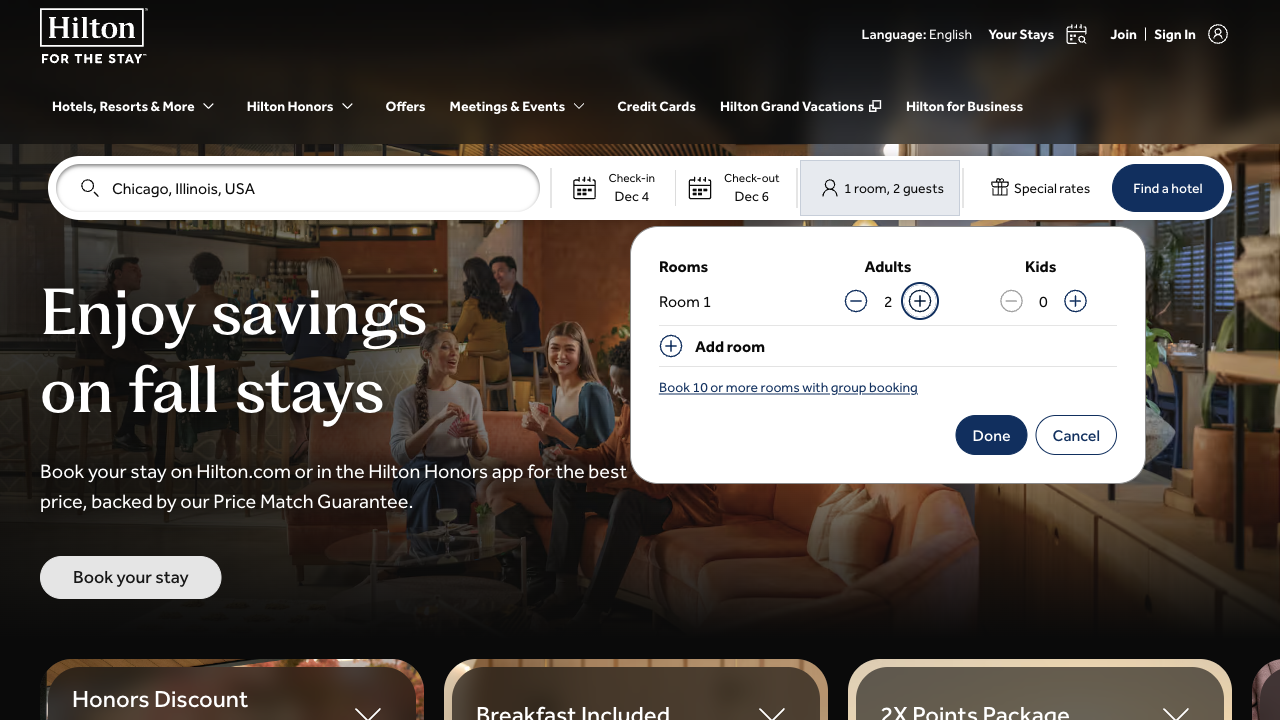
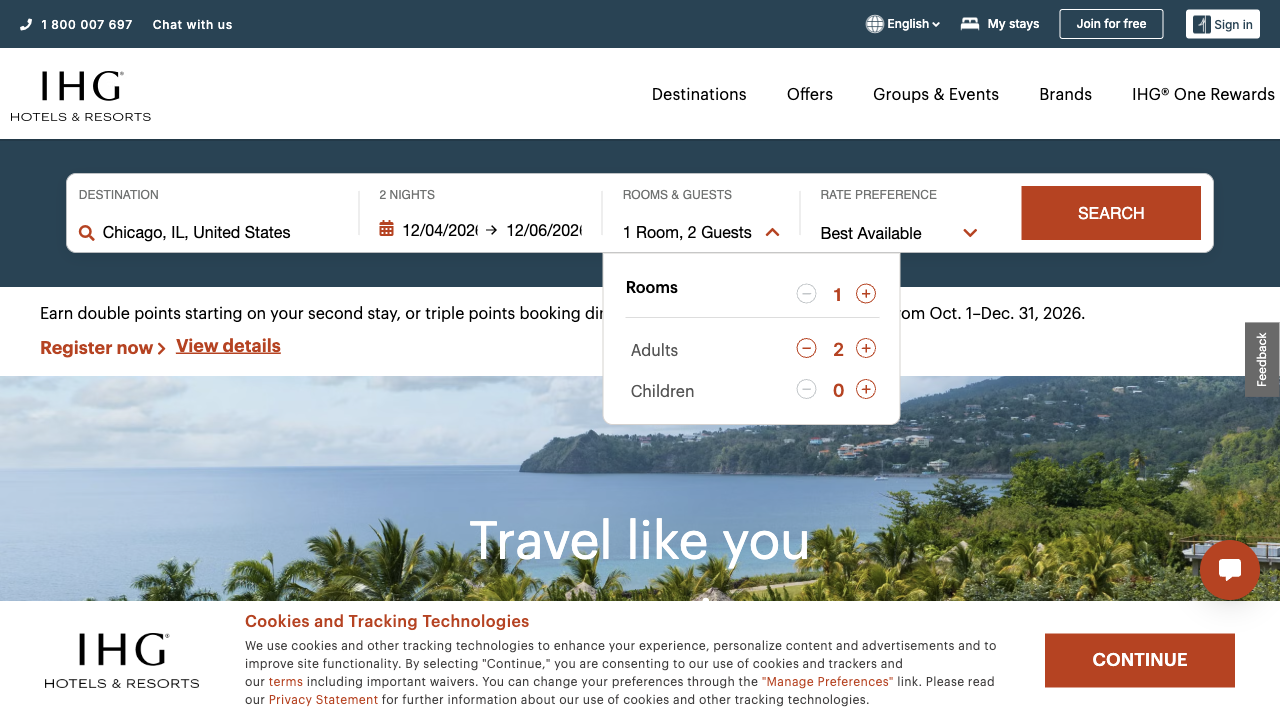
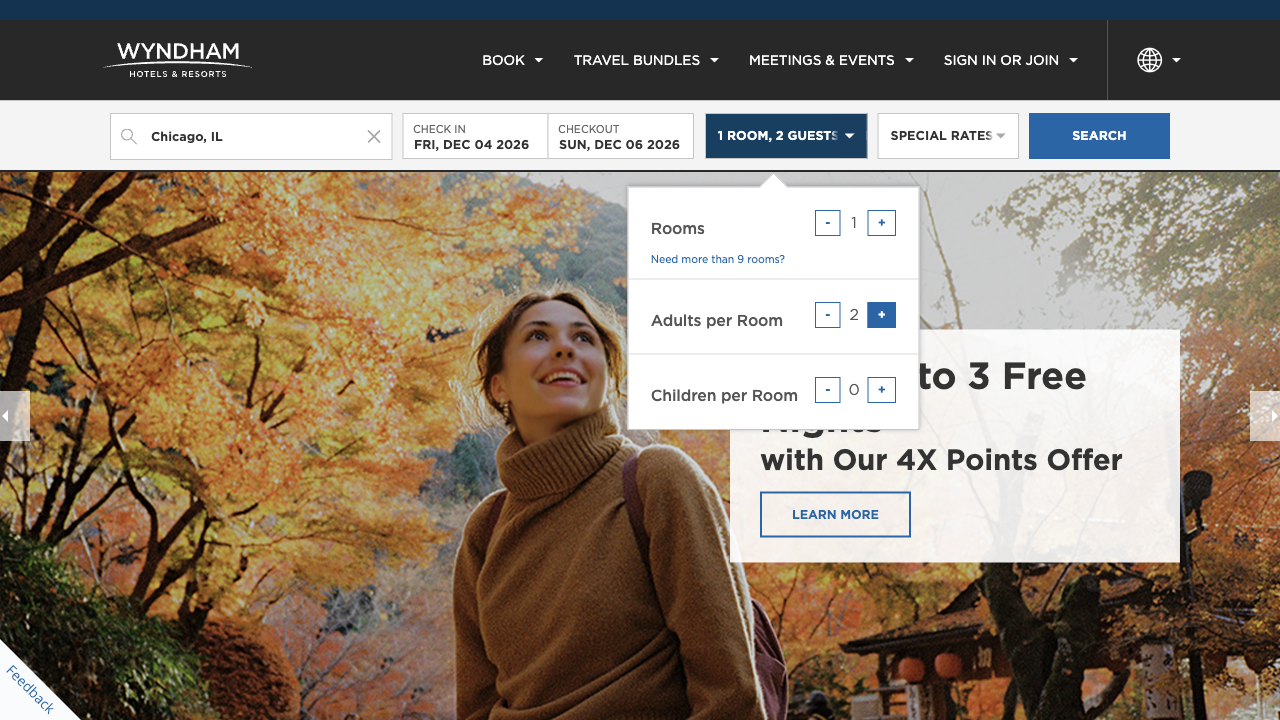
Hilton’s search is the best of the three here. Chicago is the first suggestion, the calendar opens as soon as it is chosen, and pressing Find a hotel with no destination keeps you on the page, says “Please enter a location.” and puts the cursor back in the field. IHG’s search is as clear, though its calendar has to be opened by hand and starts in October. Wyndham fills in tonight’s dates for you, and once check-in is chosen its two-month calendar moves on a month, so a click where 6 December had been chose Sunday 3 January 2027 instead. It accepted a 30-night stay without a word.
Hilton opens its results in a new tab, led by a members’ price. IHG offers the price with taxes.
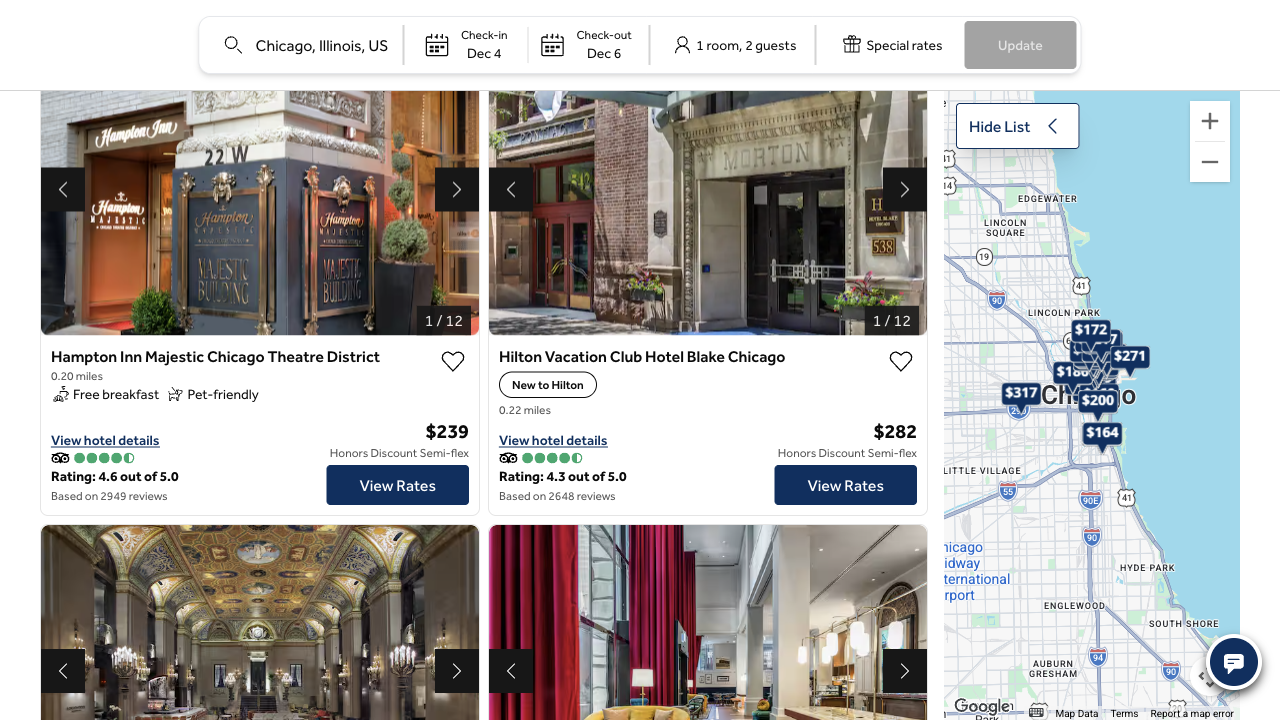
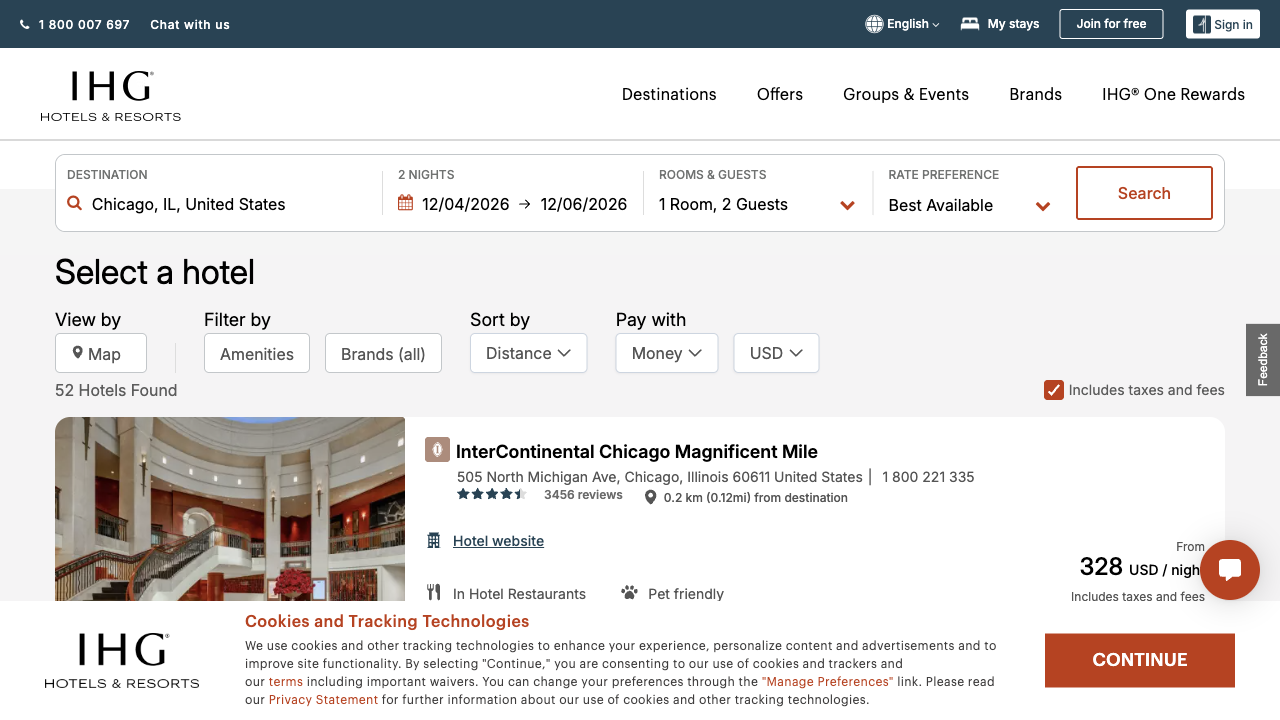
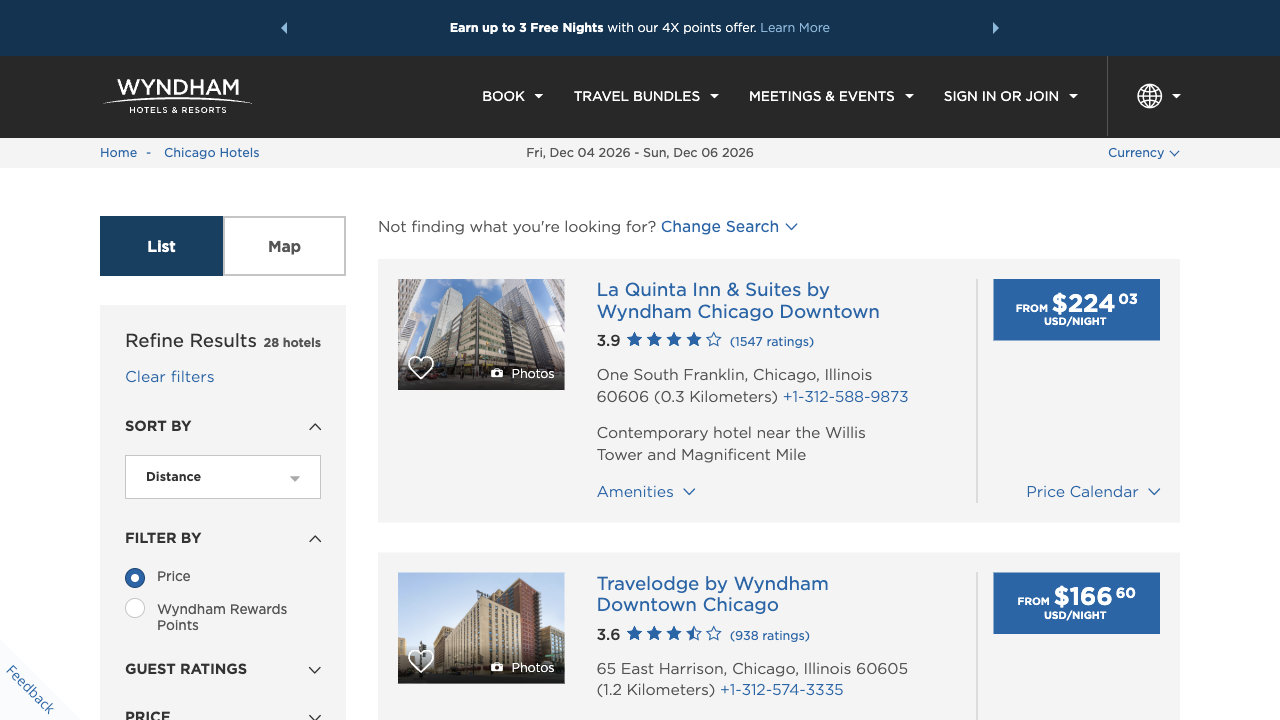
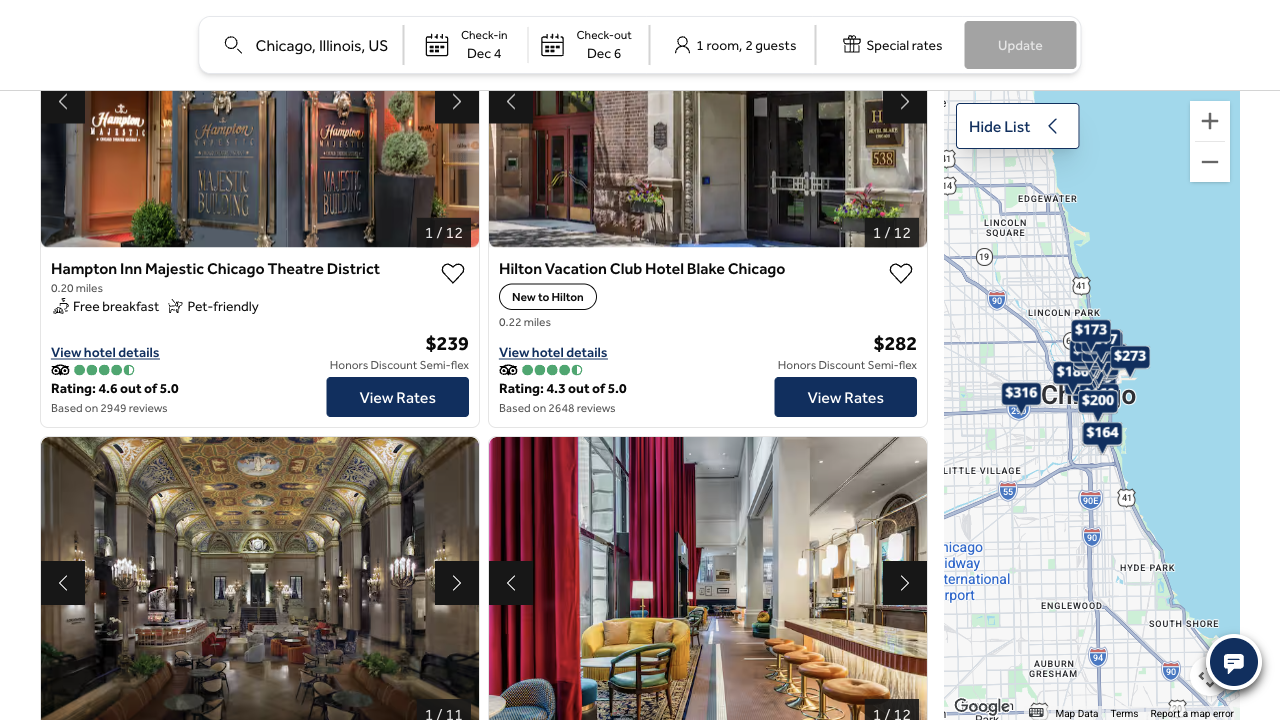
Hilton’s results help the couple choose where to stay: 35 hotels sorted by distance, with a map. But Find a hotel opens them in a new browser tab and leaves the home page in the first. The words “Opens new tab” are hidden text that only screen readers announce, so sighted visitors are not told, and the results took about 12 seconds to load. The $239 at the top is the members’ Semi-Flex rate; for everyone else it turns out to be $249 a night. IHG and Wyndham open their results in the same tab. IHG first showed Australian dollars to our test browser, which ran from Australia, until we chose US dollars.
Hilton shows the public rate two steps after the members’ one. IHG shows both together.
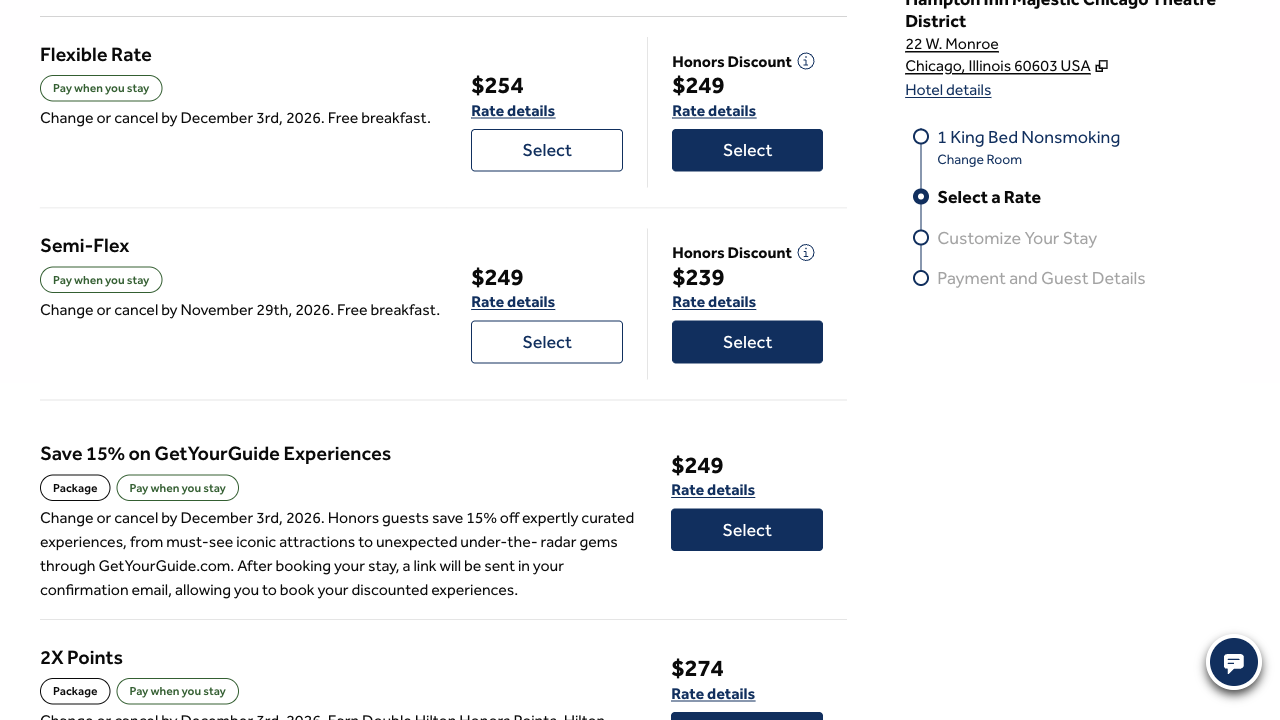
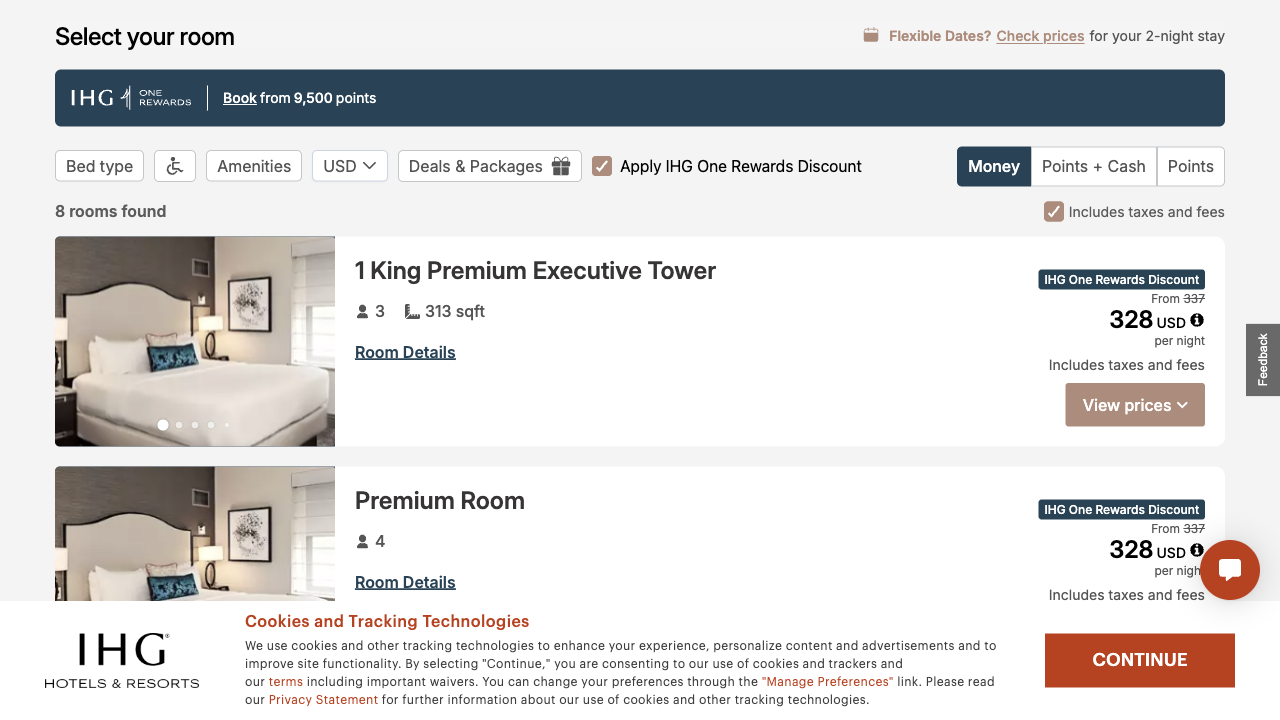
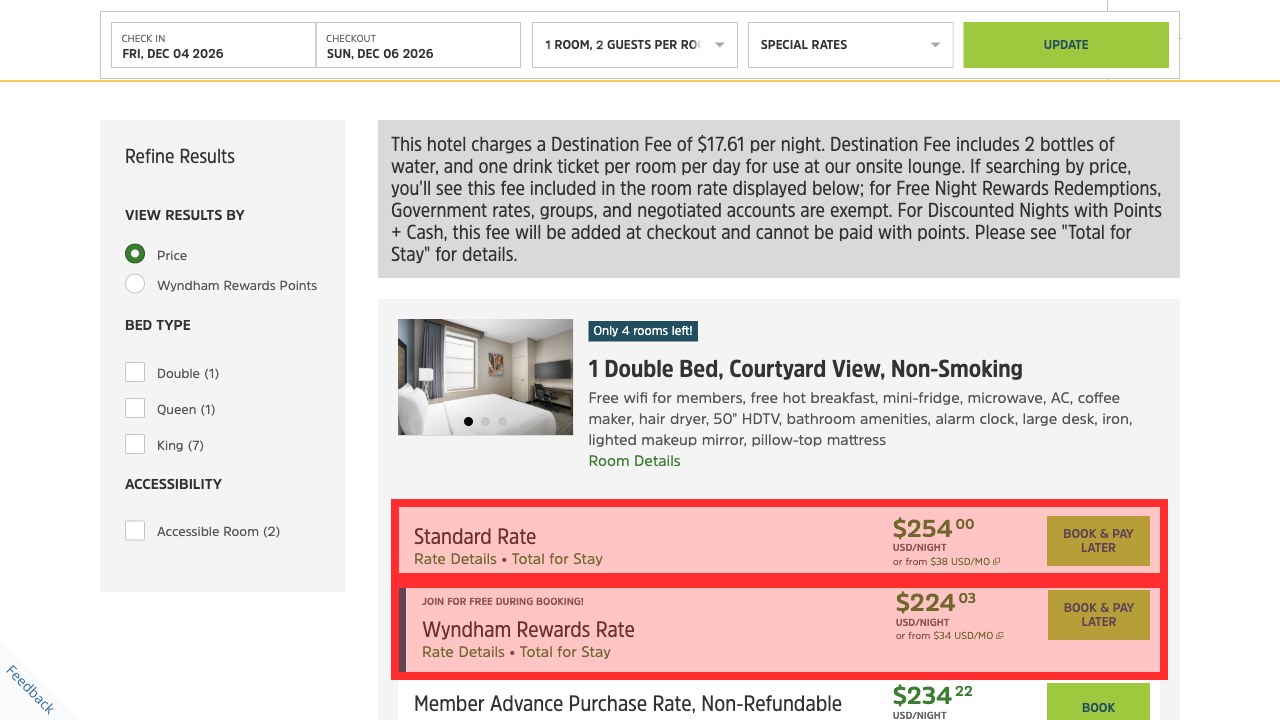
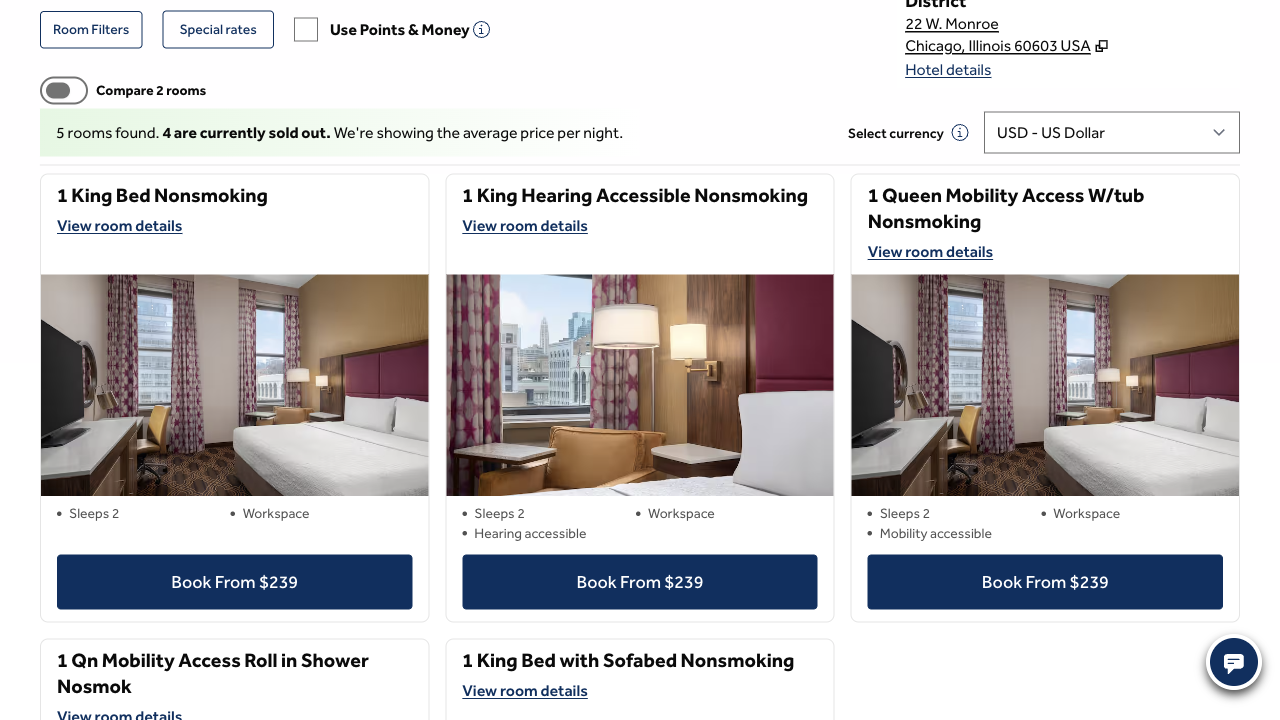
Between the results and the rates, Hilton’s room page repeats the weekend and two adults, says “We’re showing the average price per night” and offers the King room as “Book From $239”, and its View Rates button opens yet another tab. The rate step is useful, with each cancellation deadline beside its price, and it is the first place the couple learns that the public price is higher. Wyndham is upfront in a different way: a notice says “This hotel charges a Destination Fee of $17.61 per night” and that “you’ll see this fee included in the room rate displayed below”. But its $254.00 is the average of the two nights, $243 and $265, before that fee.
Wyndham shows the full price under every rate. Hilton waits until you have chosen one.
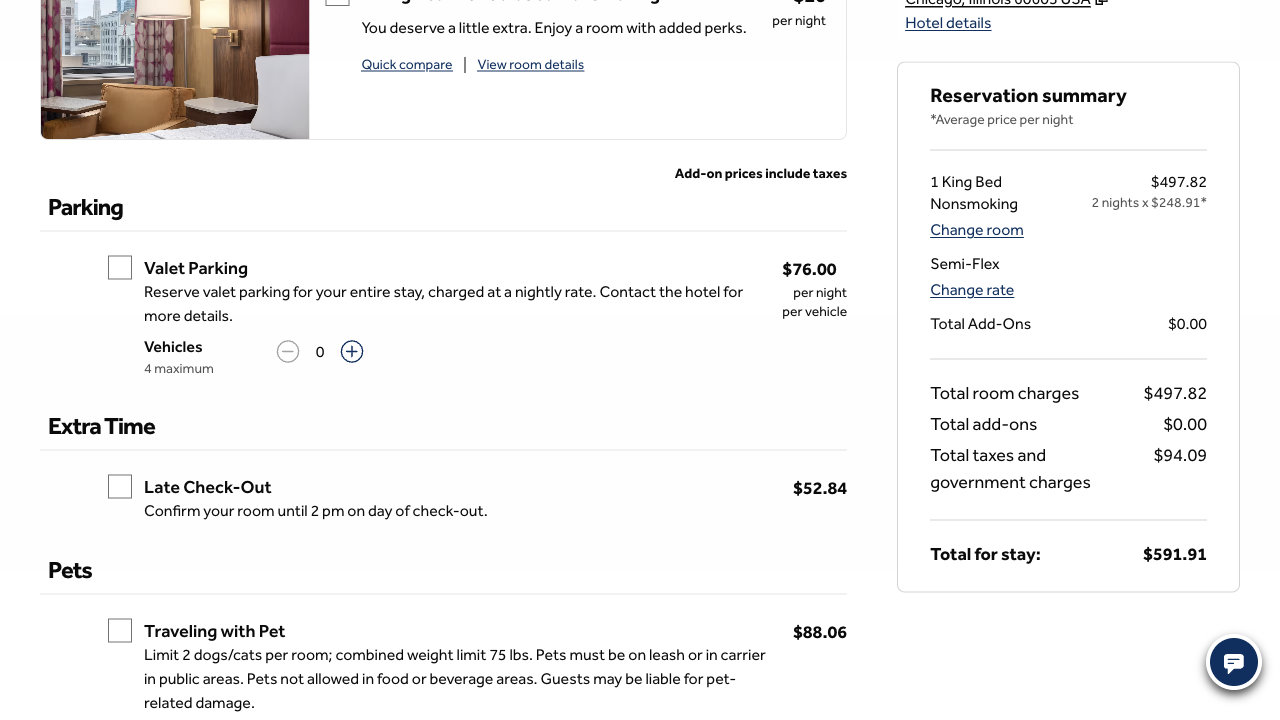
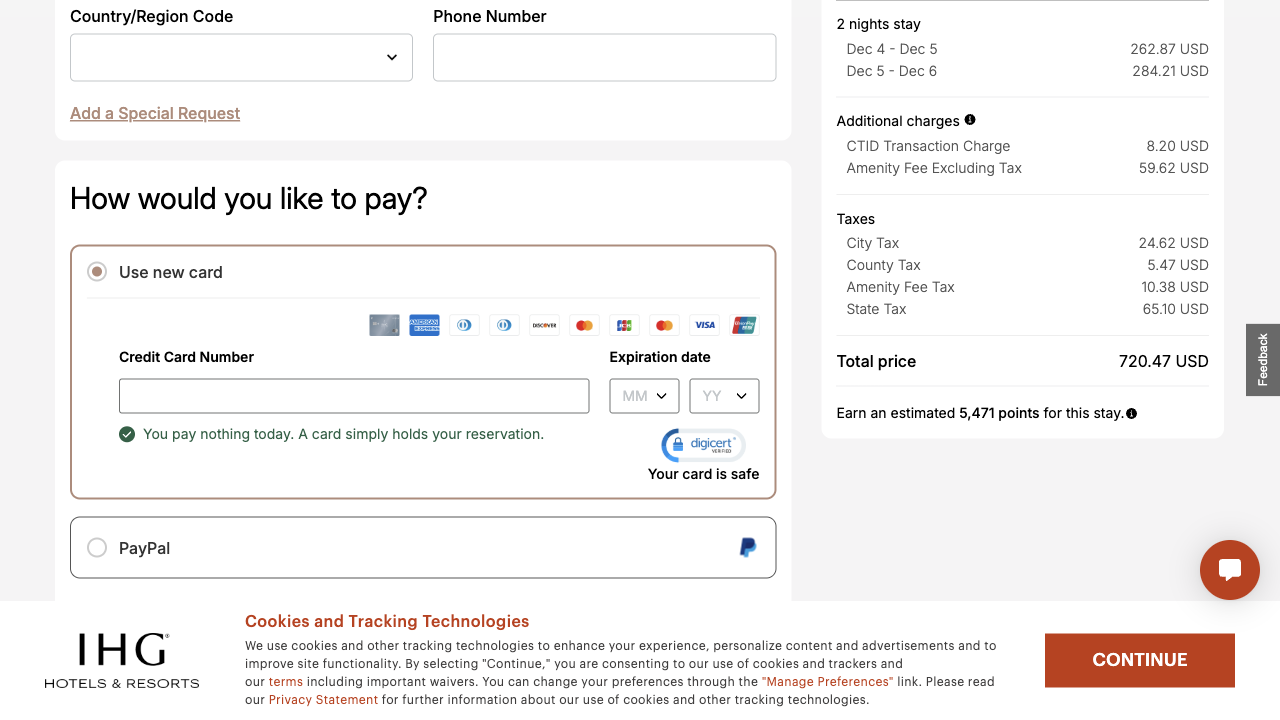
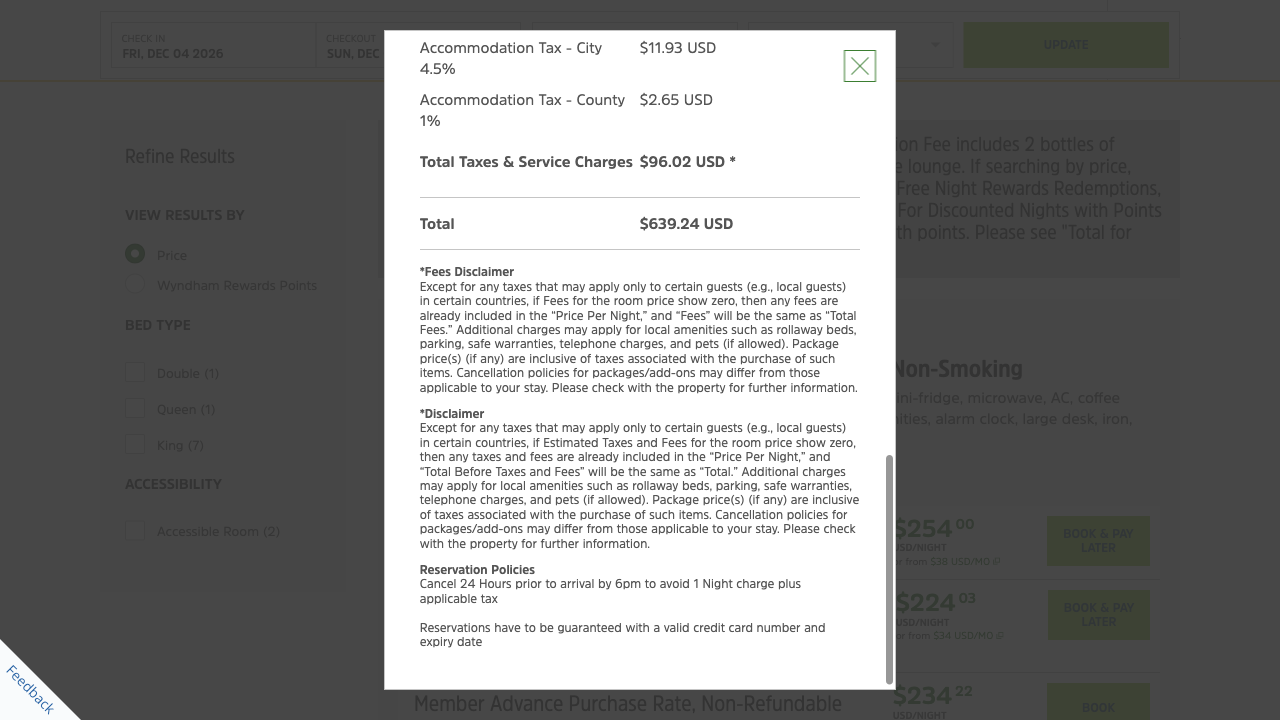
The three hotels differ, so the totals are not comparable. What is comparable is when the couple can see them. On Wyndham it is from each rate, before choosing it. On IHG the price per night can include taxes and fees from the results onwards, with the members’ discount it applies unless you untick it, and the itemised total waits on the page that asks for guest details. On Hilton it is after the hotel, the room and the rate, on Customize Your Stay, which opens with “We found a better room for you!” for $20 more a night and offers valet parking at $76 a night. Hilton’s summary is the clearest of the three once you get there, and nothing extra is ticked for you.
Browsing for Chicago works on Hilton. On Wyndham it starts at Alabama.
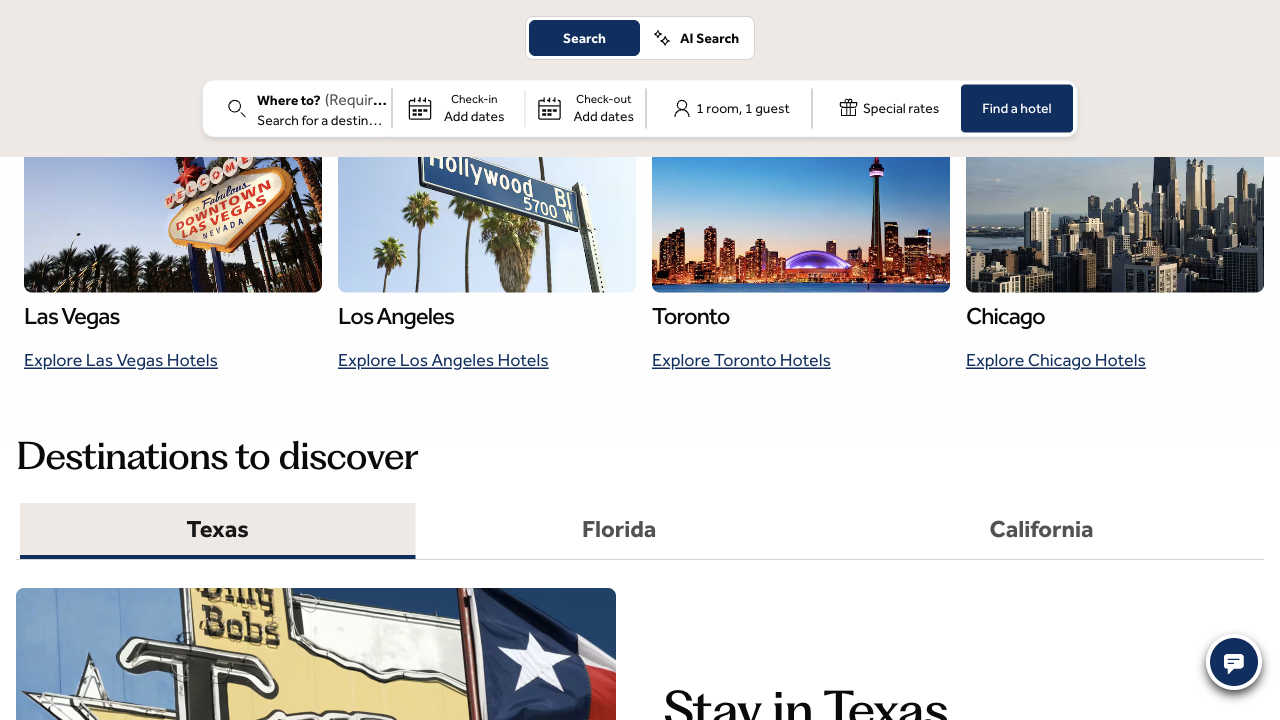
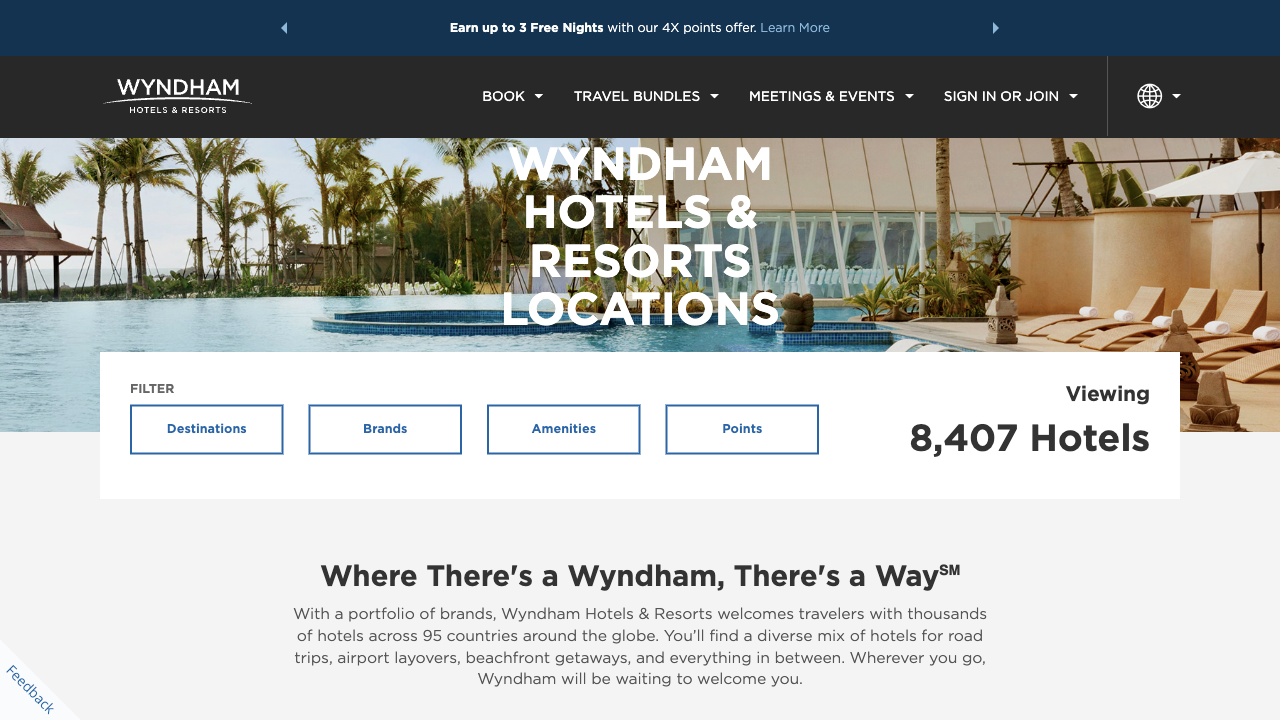
Hilton’s menu route is quick: Hotels, Resorts & More, then Locations, then Explore Chicago Hotels, and adding dates leads into the same rooms and rates. IHG’s Destinations page has an “Explore Chicago” button a few screens down. One Hilton shortcut misleads: the home page’s Book your stay button opens Locations rather than searching for the trip already entered.
At the last step all three repeat the stay and the total. Wyndham also offers a smaller number.
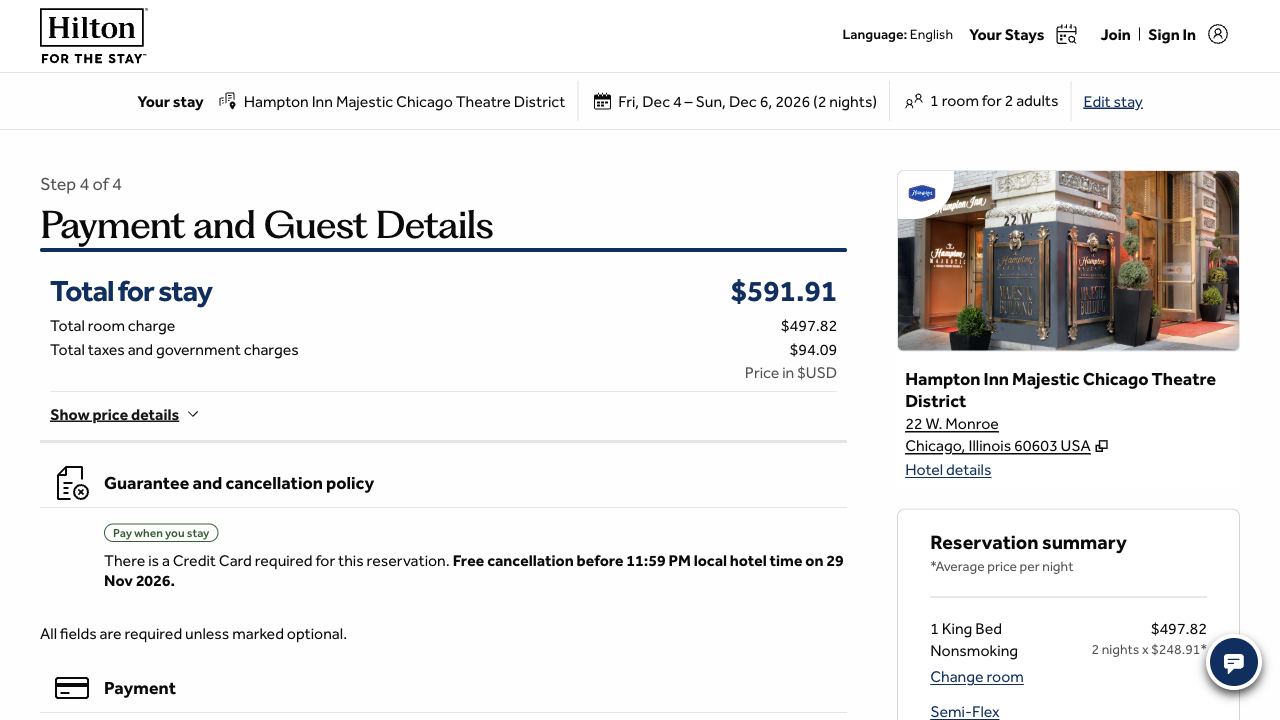
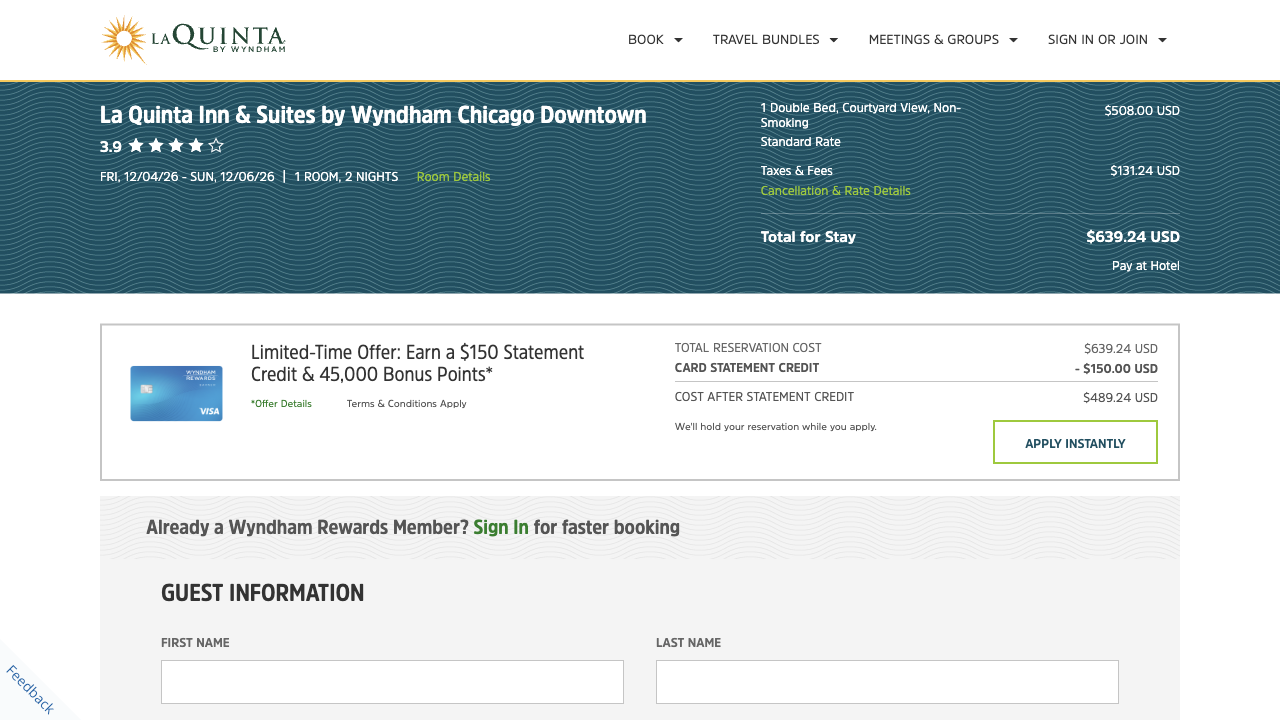
Each final step keeps the price the couple has just seen and says when they pay: Hilton “Pay when you stay”, IHG “You pay nothing today. A card simply holds your reservation.”, Wyndham “Pay at Hotel”. Wyndham places a credit card offer between the total and the guest form, with a lower “cost after statement credit” that only applies to someone who takes out the card. We stopped at each guest details form, before entering anything.
Hilton is not on Google’s first page for “downtown chicago hotels”. Wyndham is sixth.
A weekend like this often starts on Google, so UX Robot read the searches drawn from the couple’s goal, with what advertisers bid per click, and Google’s results for each in the United States.
Hatched bars are searches where Hilton is not on Google’s first page. Travel sites fill those pages instead, and for “downtown chicago hotels” Google showed an AI Overview, its own answer above the results, that did not cite Hilton. For “chicago hotel prices” Google’s suggested questions include “What are the hotel fees in Chicago?”, the very question this journey asks. Hilton is first for its own name: about 1.8 million searches a month find its home page on the first page, all of them for “hilton” and “hilton hotels”. Monthly searches are DataForSEO estimates, and searches are not visits.
Hilton’s pages load fastest of the three, and move the most while they do.
These are Chrome UX Report figures for real desktop visitors from 23 September to 20 October 2026, at the 75th percentile: three in four visits moved no more than this. Google rates layout movement good at 0.1 or less and poor above 0.25. On Hilton’s results 79% of visits were poor (0.45), and on its payment page 82% (0.57), the moment the couple checks the total. Hilton is the quickest to show its main content, 2.1 seconds across the website against 3.2 for Wyndham and 3.7 for IHG, where 2.5 seconds or less is good, and its responses to clicks (221 milliseconds) sit between IHG’s 160 and Wyndham’s 318. Lighthouse lab runs on Hilton’s booking addresses received its error page rather than the booking screens, so we do not quote their diagnostics.
Accessibility: a keyboard-friendly search, and two small fixes
UX Robot checked all 11 Hilton pages the journey reached against each WCAG 2.2 level A and AA success criterion in a desktop browser. The search is a good example: the destination field announces “11 results, use arrow keys to browse results”, the results announce “Showing 1 – 20 of 35 hotels”, and the controls are named and reachable with Tab, with a visible outline. Two problems remain on the booking pages: the Hampton by Hilton logo beside the hotel name has no alt attribute on all four booking steps, and the upcoming step label “Payment and Guest Details” is grey on white at 2.52 to 1, against the 4.5 to 1 that text this size needs.
This is not a compliance verdict. A browser check of the success criteria finds problems; it does not establish WCAG conformance and cannot replace testing with people who use assistive technology. Error messages on the guest and payment forms and the booking session’s time limit were not tested, because that would mean submitting the form or leaving the session to expire.
What Hilton’s results look like when they lead with the weekend’s total.
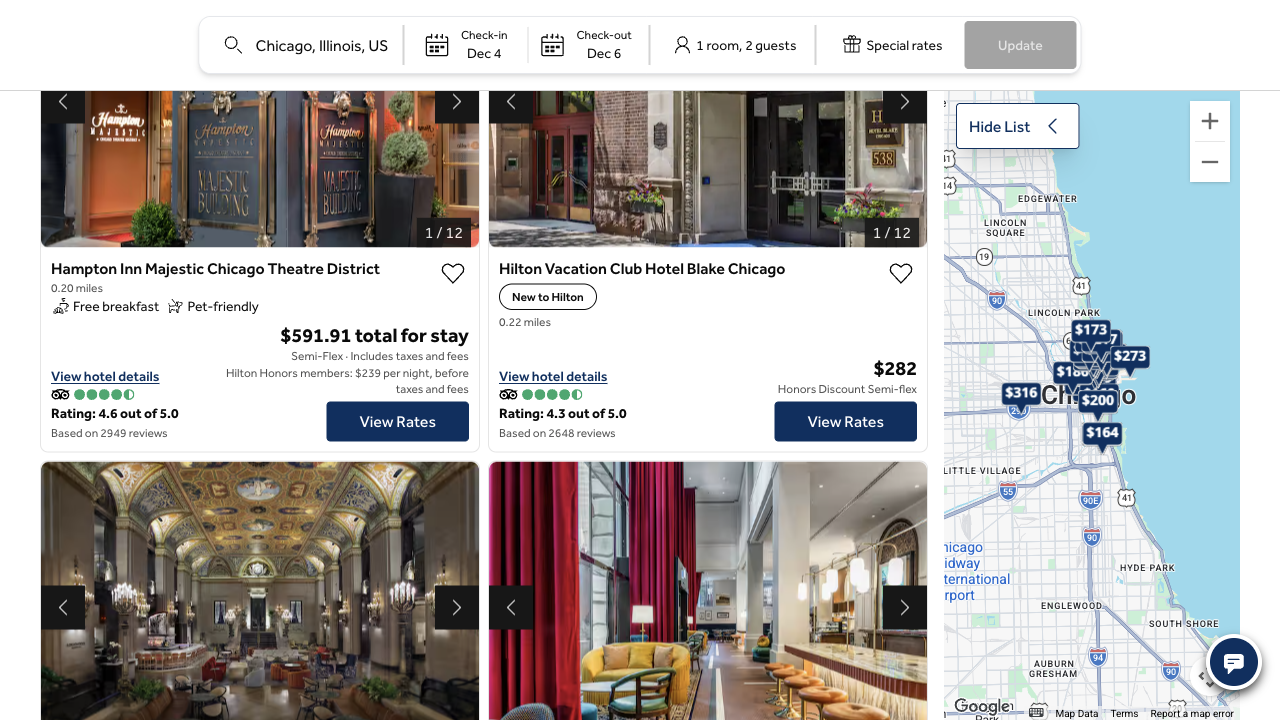
UX Robot pictures its main fixes on the real page. Drag the slider right to compare the mock-up with Hilton’s live results: the Hampton Inn now leads with “$591.91 total for stay”, labelled “Semi-Flex · Includes taxes and fees”, and the members’ $239 a night sits on its own line beneath.
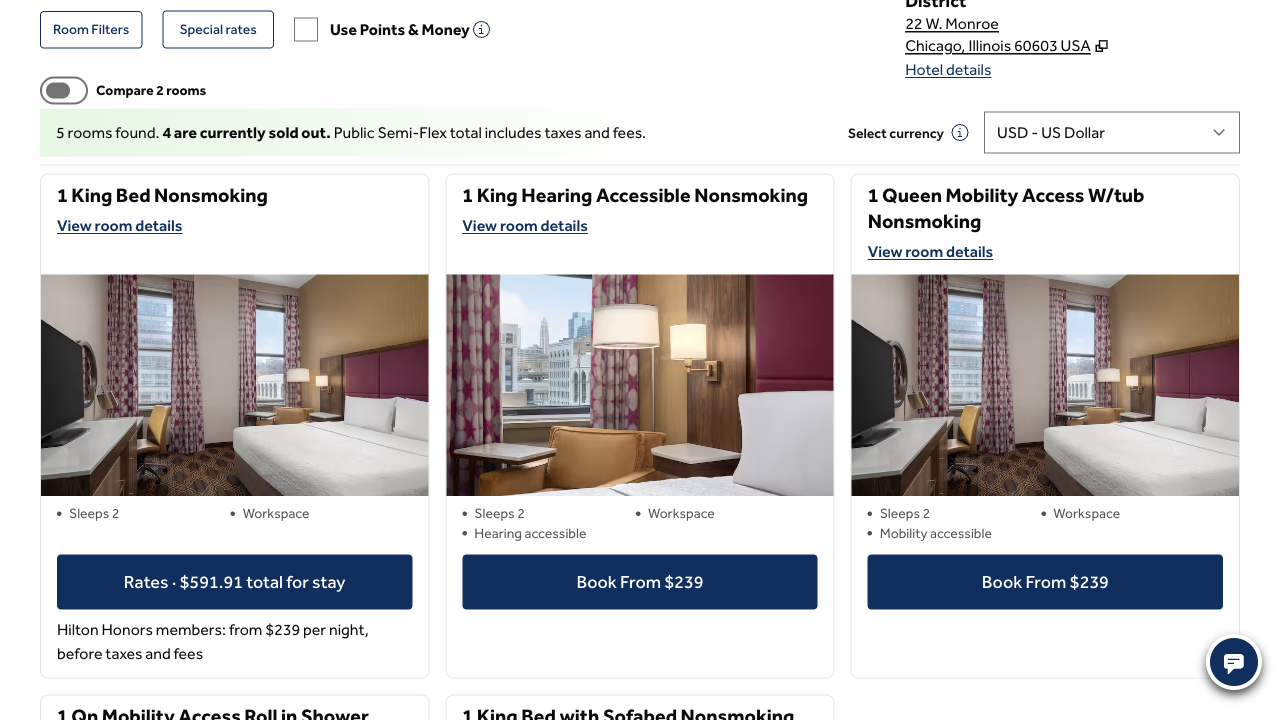
And the same change on the Hampton Inn’s room page, where the King room’s button reads “Rates · $591.91 total for stay”:
Two changes, in order
Each one says what to change, where, why it matters and how to tell whether it worked.
Show the public total before the hotel and room are chosen.
What
Lead hotel cards, room cards and rate choices with the public total for the stay, including taxes and mandatory fees, worked out from each one’s own available rate. Keep the nightly price secondary and label members’ prices separately.
Where
The hotel cards in the search results, the room cards and the rate choices.
Why
A members’ nightly price does not answer the couple’s budget question. The first card gives no price period or tax note, the public price appears later and the full total only after the rate.
Measure
For the same dates and guests, the public totals match the reservation summary before any personal details are asked for.
Keep hotel searches and room choices in one tab.
What
Make Find a hotel and View Rates open in the current tab, and keep the destination, dates, guests and place in the hotel list when visitors go back.
Where
The search button on the home page and the View Rates links on the hotel cards.
Why
Both open new tabs with no visible warning, which splits the search from the choices that follow and leaves the couple without a dependable way back.
Measure
Run Find a hotel, View Rates and Back: there is one tab, the trip is kept and the hotel list returns where it was.
What we could not see from the outside
This audit stands on browser evidence and public data. With Hilton’s own GA4, Search Console and Microsoft Clarity connected, UX Robot would rank these changes by how many guests each one is losing: how many leave between the results, the rooms and the rates, how many land in a second tab and never return, which searches bring them, and what visitors who give up did in the recordings, counted session by session.