Independent outside-in audit
UX Robot followed one customer journey on T-Mobile’s website on a phone, then ran the same journey on US Mobile and Mint, on 22 October 2026. Our test browser could not complete the journey on Verizon or AT&T, the rivals we chose first, so the comparison uses two carriers it could. We are not affiliated with any of them, and we did not use their analytics. This is a review of one public journey on one day, not a judgment on their networks or their plans.
The test
As a customer switching carriers, I want to choose a new iPhone 17 on an unlimited plan for one line and see what I will pay each month and today, so that I can compare carriers before I switch.
One new line, an iPhone 17 with 256GB, an unlimited plan and no trade-in. Starting from each carrier’s home page: choose the phone and the plan, put them in the cart and continue until the cart shows the monthly cost, what is due today, and the taxes, fees and one-time charges.
The home pages of T-Mobile, US Mobile and Mint Mobile.
Before a credit check, entering personal details, signing in, creating an account or paying.
United States websites in Chrome on a 390 × 844 phone screen, as a new customer who is not signed in. Two in three Chrome visits to T-Mobile’s home page come from a phone (23 September to 20 October 2026), so we tested on one. T-Mobile’s journey also tried its menu and its own search.
22 October 2026, by a UX Robot run: the journey on all three websites, WCAG 2.2 A and AA checks, usability checks and search checks on all 16 T-Mobile pages reached, and Chrome UX Report speed data.
The 30-second result
Mint keeps one price from the phone to the cart. T-Mobile changes it, then leaves out the taxes.
Mint sells the iPhone 17 as one bundle, $929 for the phone and $180 for a year of Unlimited, and that price never moves on the way to its cart. T-Mobile is easier to start: a “Buy a new phone” shortcut on its home page and a search that finds the iPhone 17 first, which neither rival offers on a phone. But its iPhone costs $0.00, $25.84 or $2.78 a month depending on the page, the switching flow forgets the phone you chose, declining protection takes two answers, and the cart still says “+ taxes & fees” after asking for a ZIP code “to show taxes for your area”. US Mobile does not sell the iPhone 17 at all. And Mint is not perfect: its checkout lists “Taxes & Surcharges $0.00” before it knows your address.
| Stage | T-Mobile | US Mobile | Mint |
|---|---|---|---|
| 01 First screen | Better | Behind | Behind |
| 02 Finding the iPhone 17 | Mixed | Not sold | Better |
| 03 The iPhone’s price | Behind | No iPhone 17 | Better |
| 04 Choosing the plan | Mixed | Similar | Better |
| 05 Keeping your choices | Behind | No iPhone 17 | Better |
| 06 Protection and extras | Behind | No iPhone 17 | Better |
| 07 Cart and total | Mixed | No cart | Mixed |
| Site search | Better | None on a phone | None |
| Whole-website speed | Slowest | Fastest | Close |
T-Mobile’s first screen sells the phone. Its rivals sell the plan.
A switcher who wants a new iPhone lands on each home page. Here is what each one offered before scrolling.
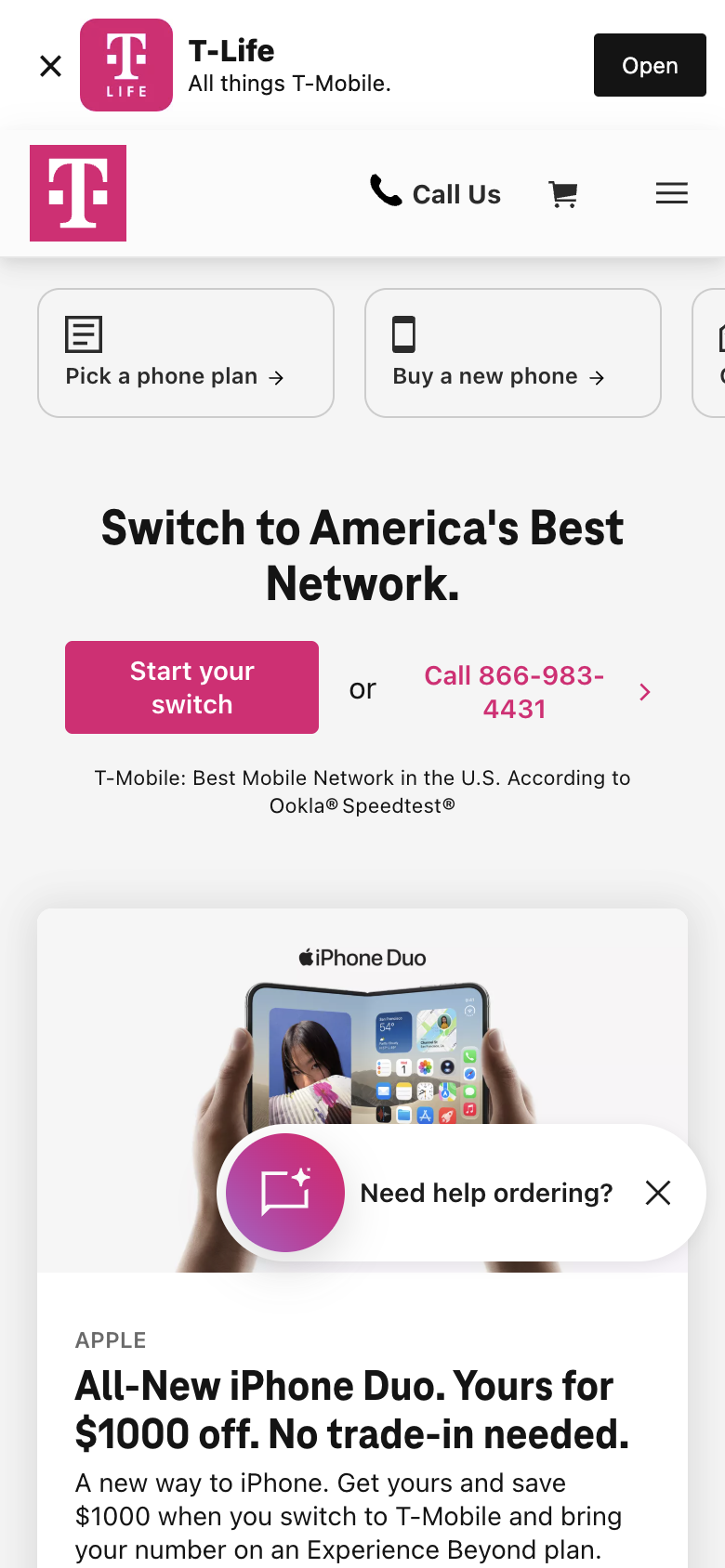
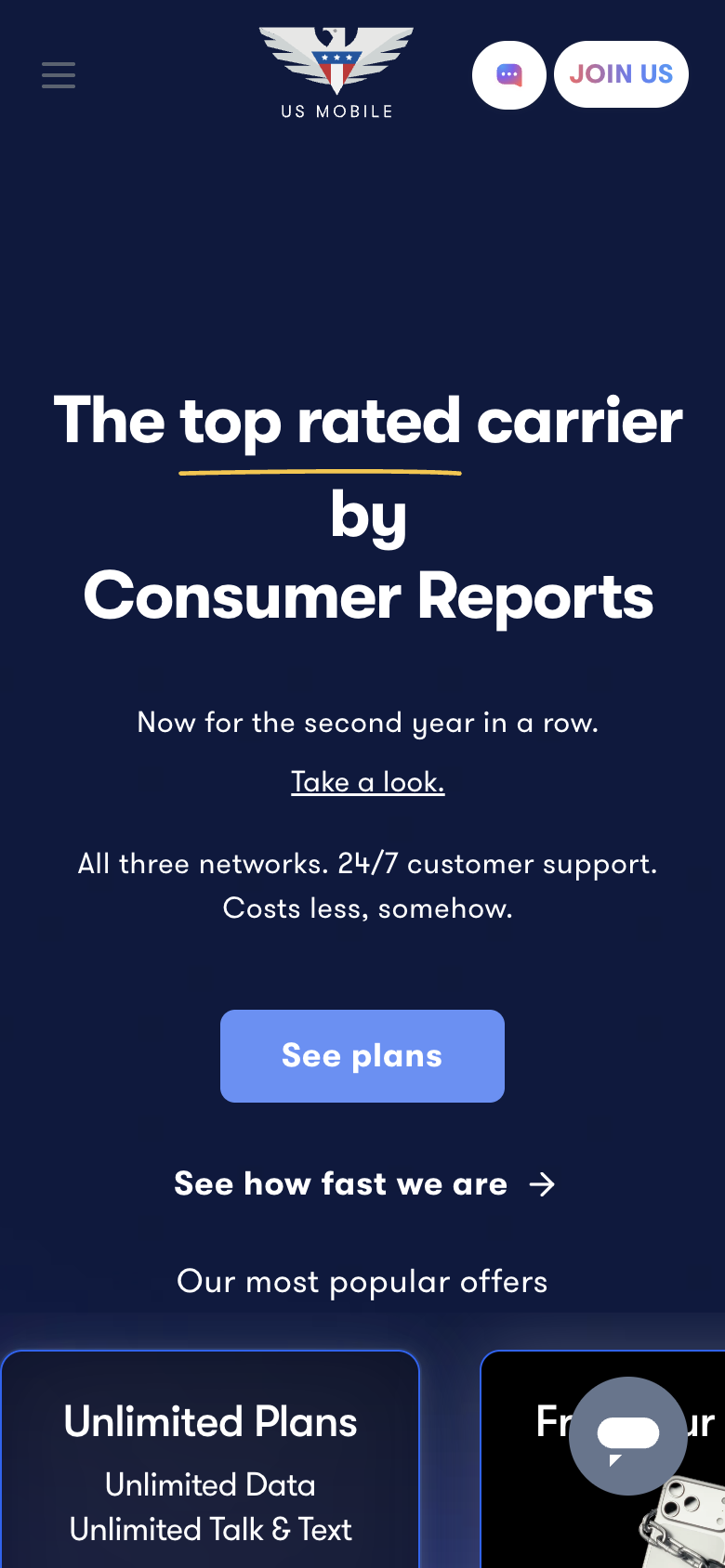
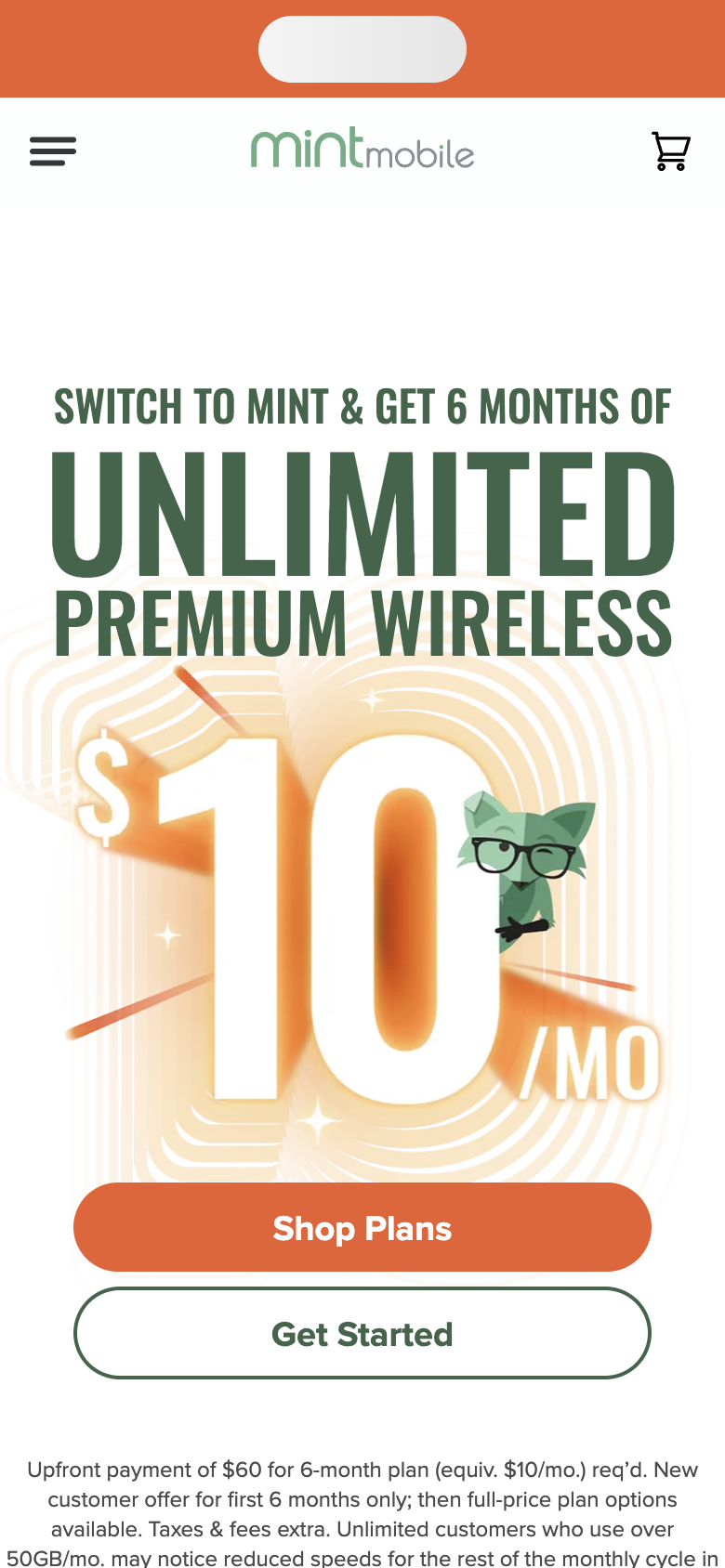
This is T-Mobile’s strongest moment. Buy a new phone opens its phones list, and the menu’s Phones & devices reaches the same list. Its other shortcuts deliver what they promise: Pick a phone plan opens the plans, and Start your switch offers plans, phones or bringing your own. Find deals is the exception, because the offers page starts with other products before its phone deals. On US Mobile the phones wait in the menu under Shop and then New devices, and on Mint under Phones and then Buy A New One.
US Mobile does not sell the iPhone 17. Mint shows what it really costs.
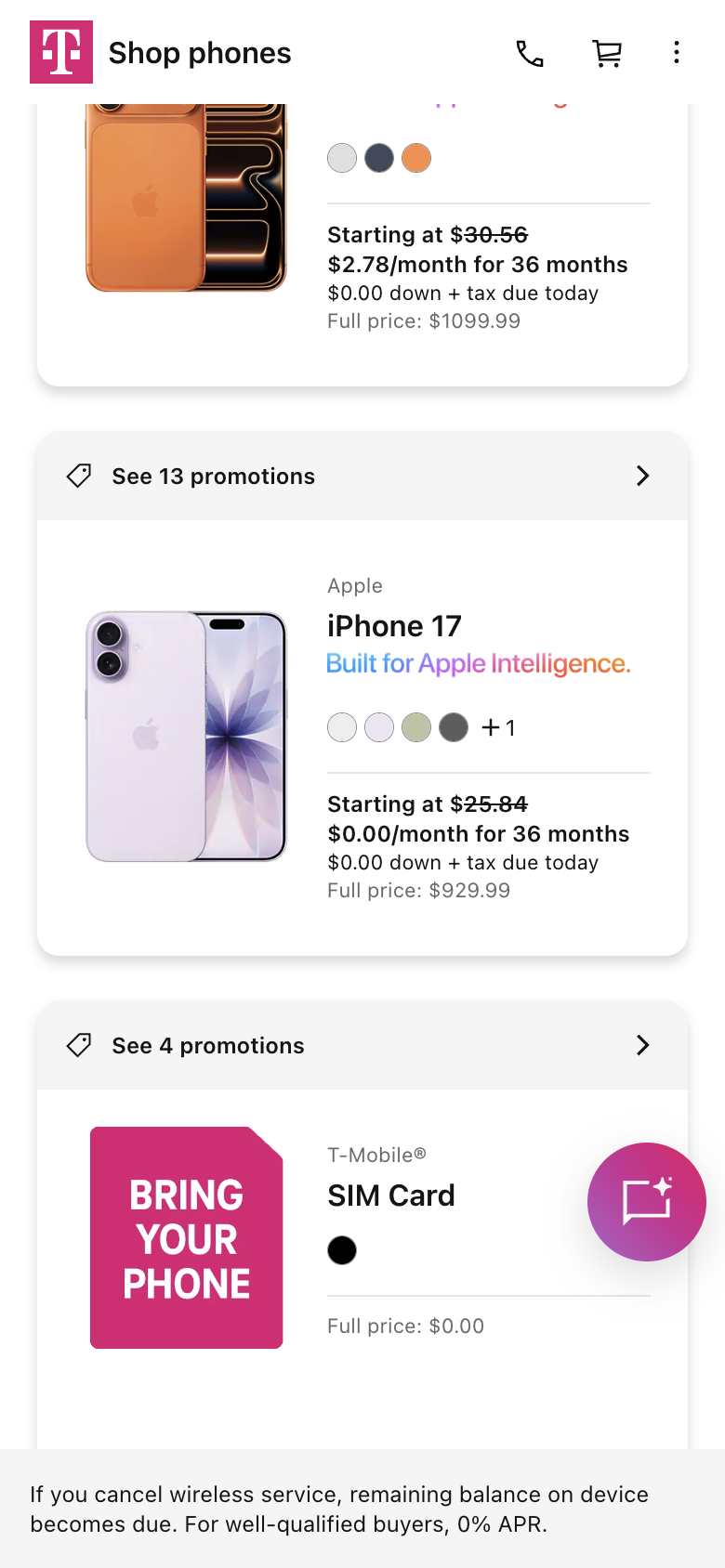
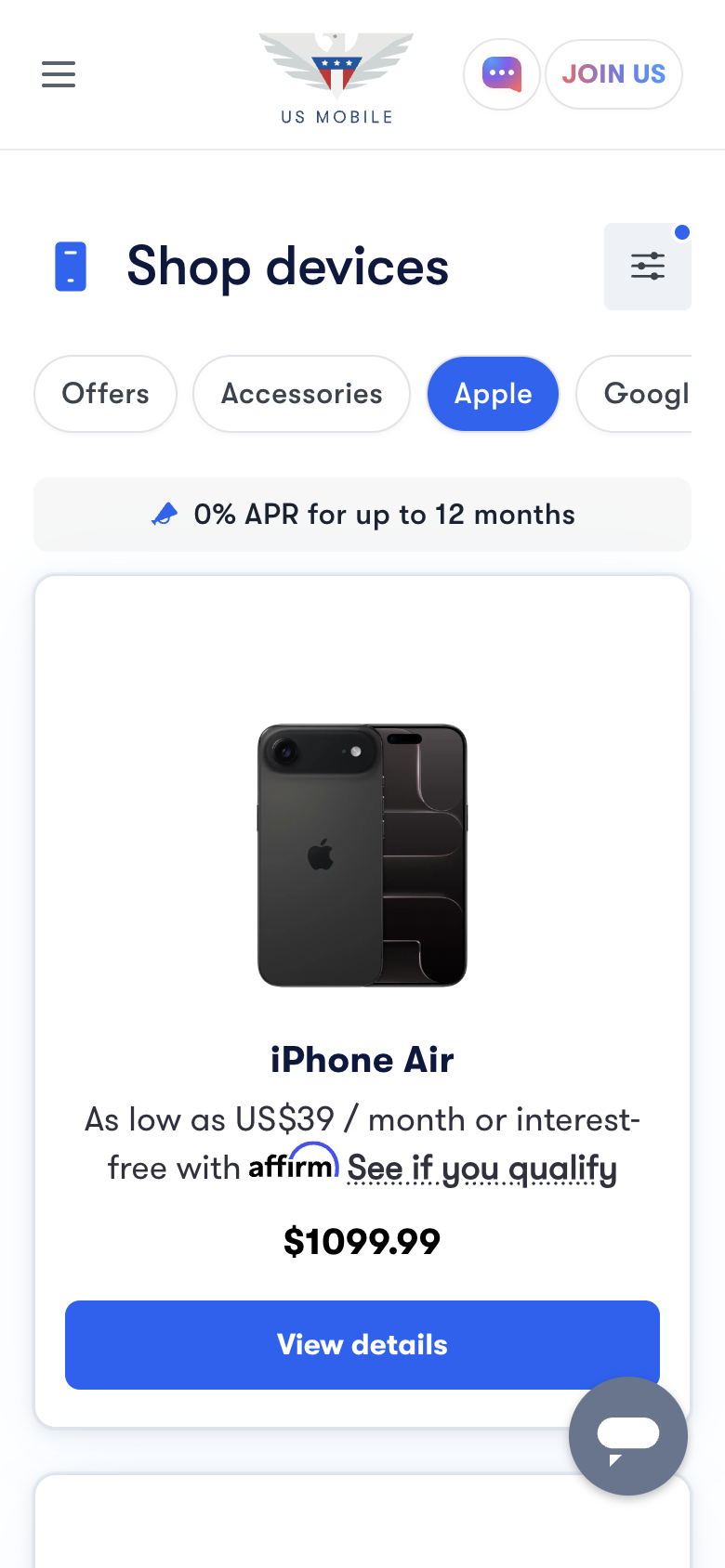
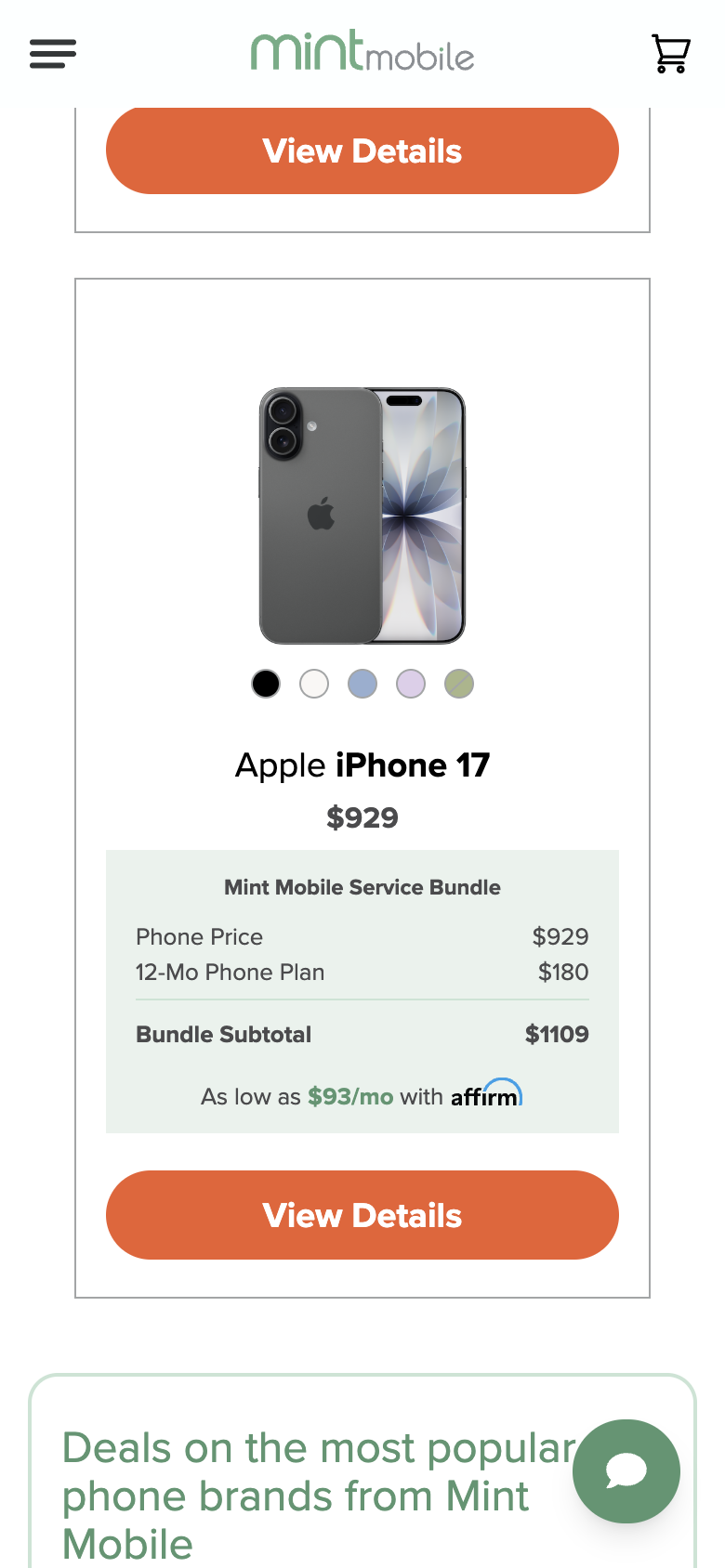
US Mobile’s shop is easy to find, but it has no iPhone 17 to choose, and there is no product search on a phone to check, so for this switcher the journey ends in the shop. That is a clear answer, and US Mobile still prices its own plans plainly, as the plan chapter shows. Mint’s iPhone 17 is the sixth iPhone on a long page with no search to jump to it, but its card shows the whole commitment. T-Mobile’s list is quicker, and its own search puts the iPhone 17 first among 1,975 results, although the T-Mobile logo covers the start of the search field and every result shows an empty “0.0 (0)” rating. Its card leads with $0.00 a month. The reason is on the next page.
One iPhone 17, three monthly prices.
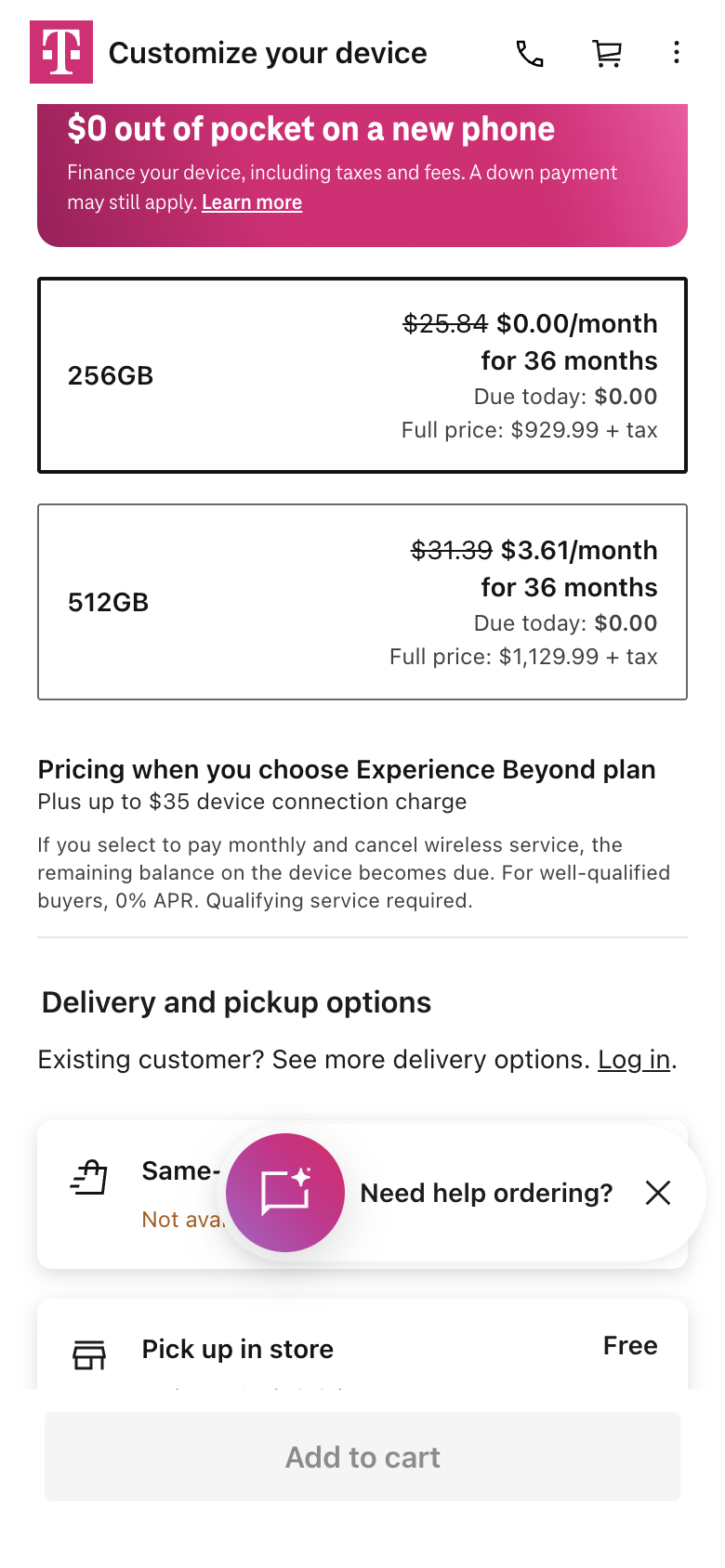
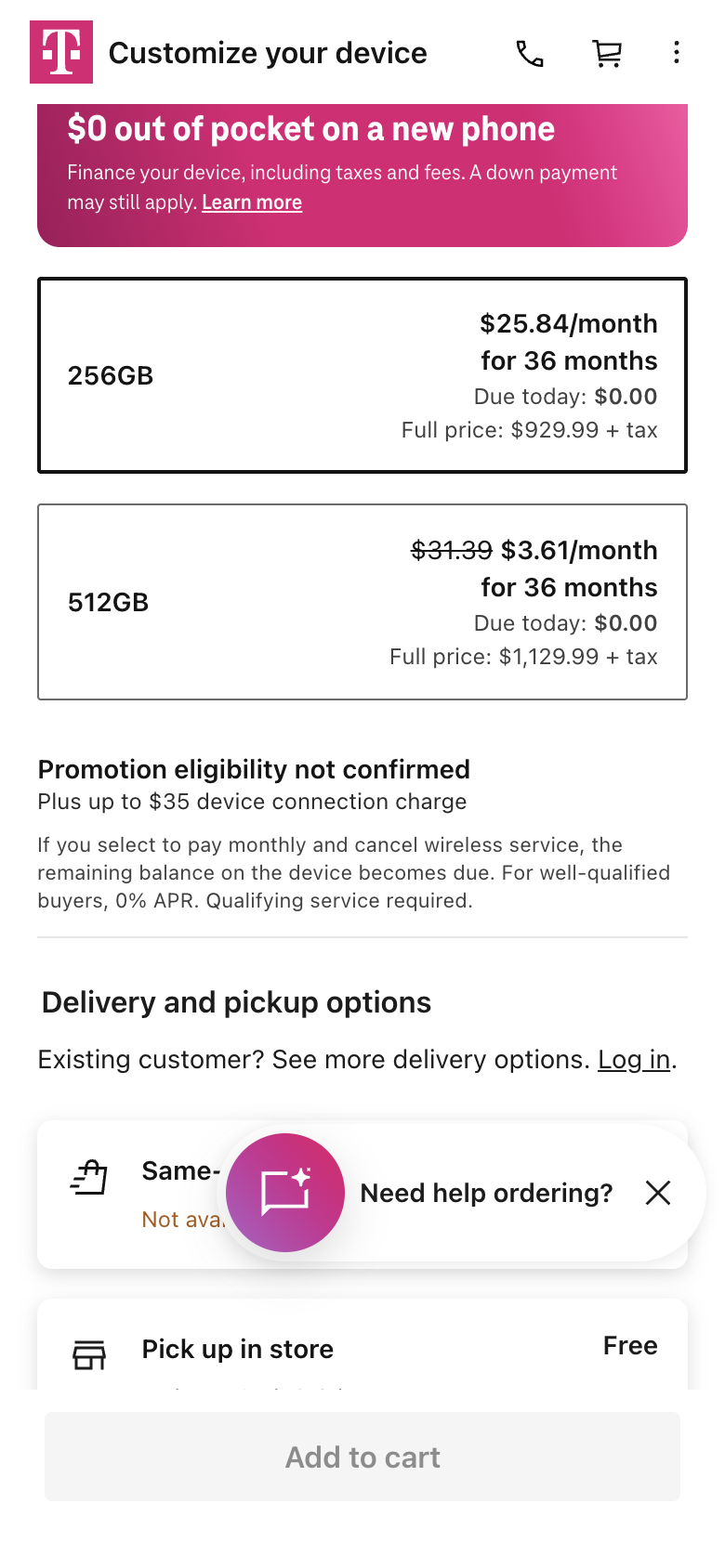
T-Mobile’s phone page, the phone line, then the phone page again, for the same 256GB iPhone 17 on the same order. The marked areas show the prices.
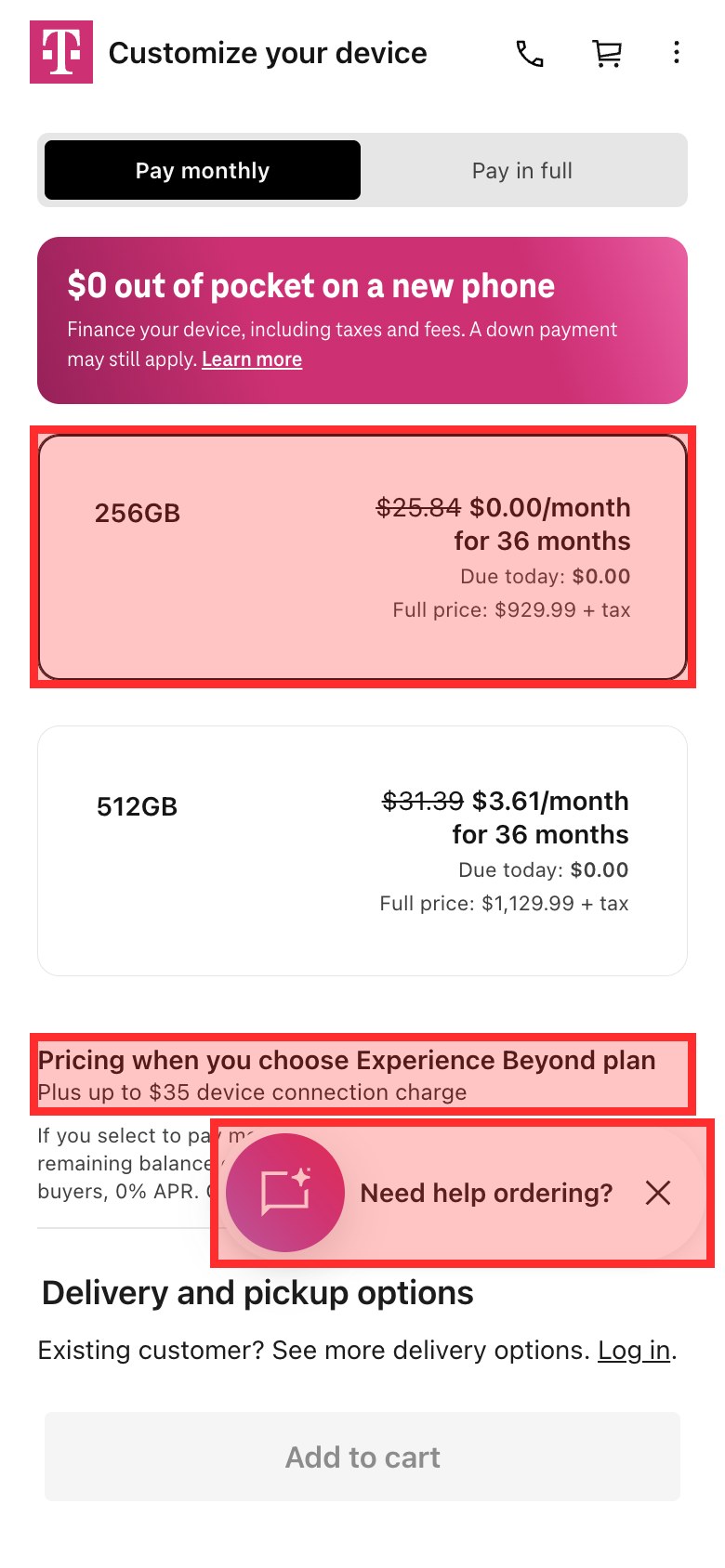
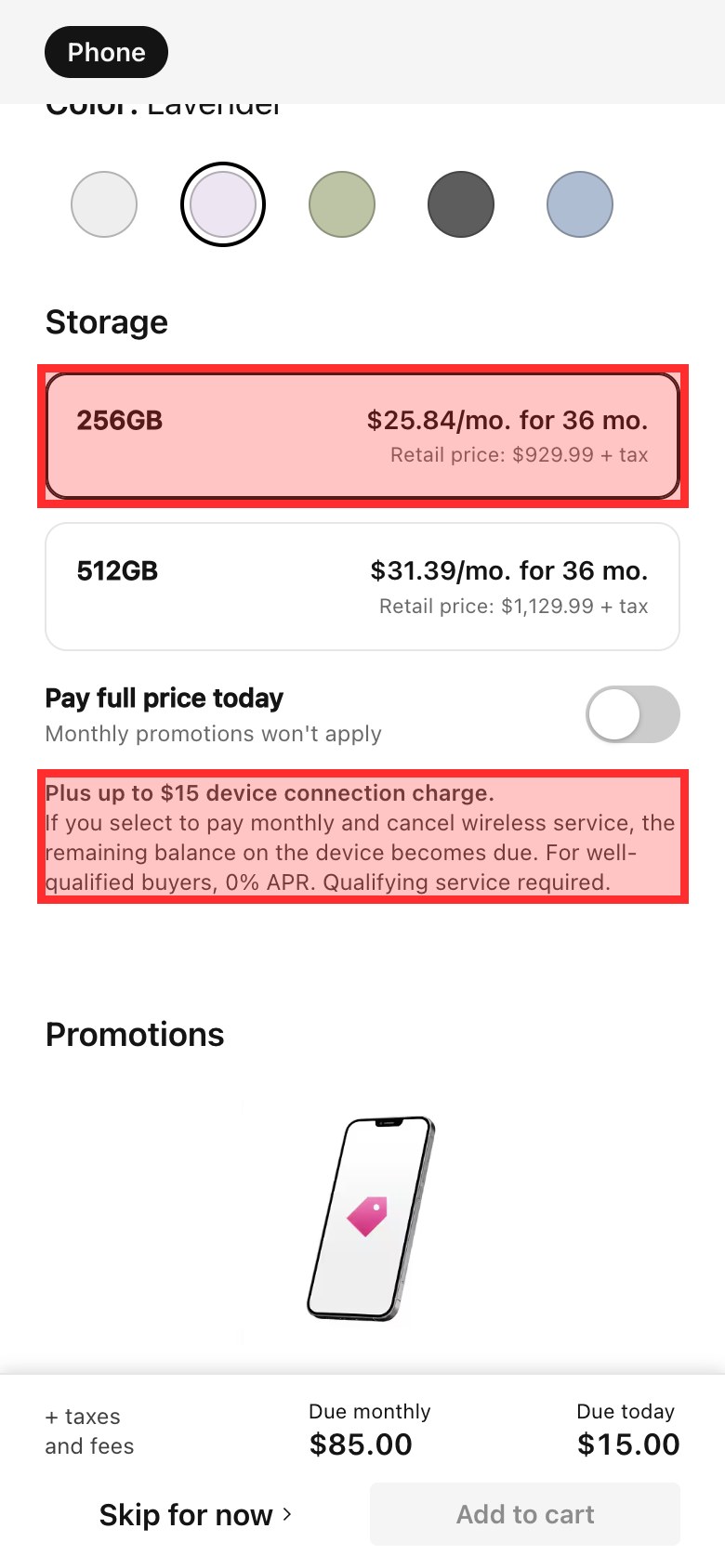
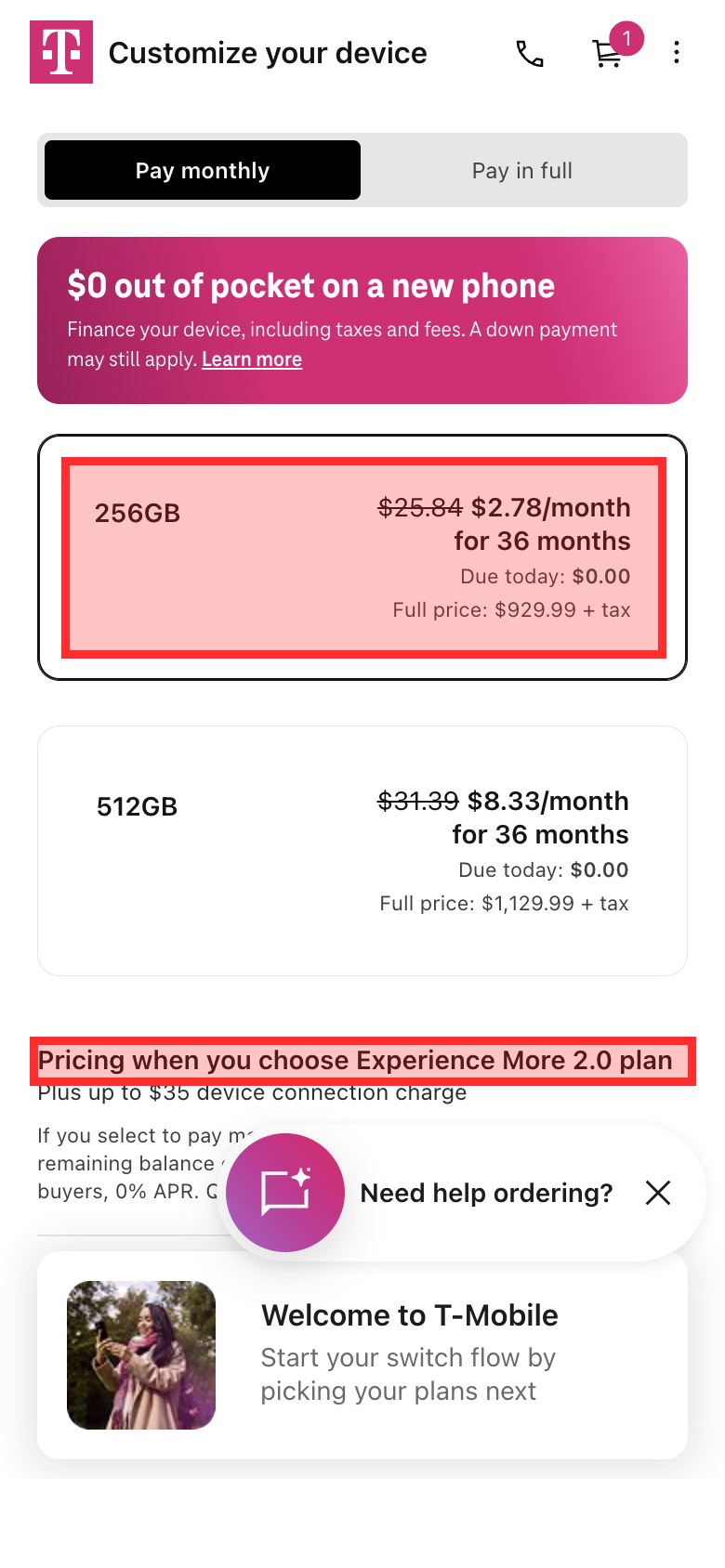
The $0.00 is a real offer, but it belongs to Experience Beyond, T-Mobile’s dearest plan at $100 a month for one line with AutoPay, and that condition is the smallest text near the price. A switcher who picks the most popular plan, Experience More at $85, sees the phone cost $25.84 a month on the line, with no word about why. Reopen the phone page and it now says $2.78 a month, which the cart does not apply. Even the connection charge moves: “up to $35” on the phone page, “up to $15” on the line and $15 in the cart. Mint’s storage choice simply reads “256GB $929”, and that is the phone’s price all the way to the cart.
All three price an unlimited plan for one line. Only Mint does it on the phone’s own page.
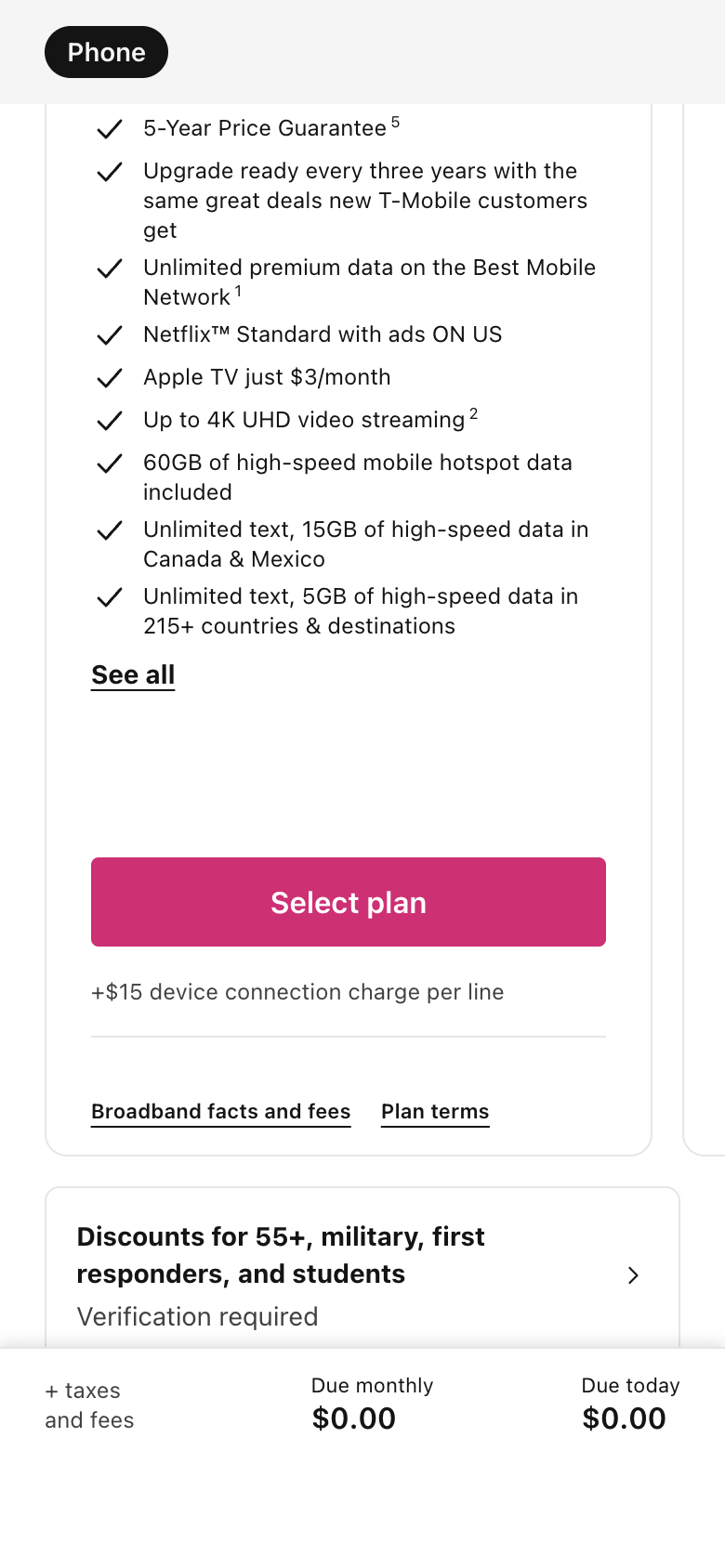
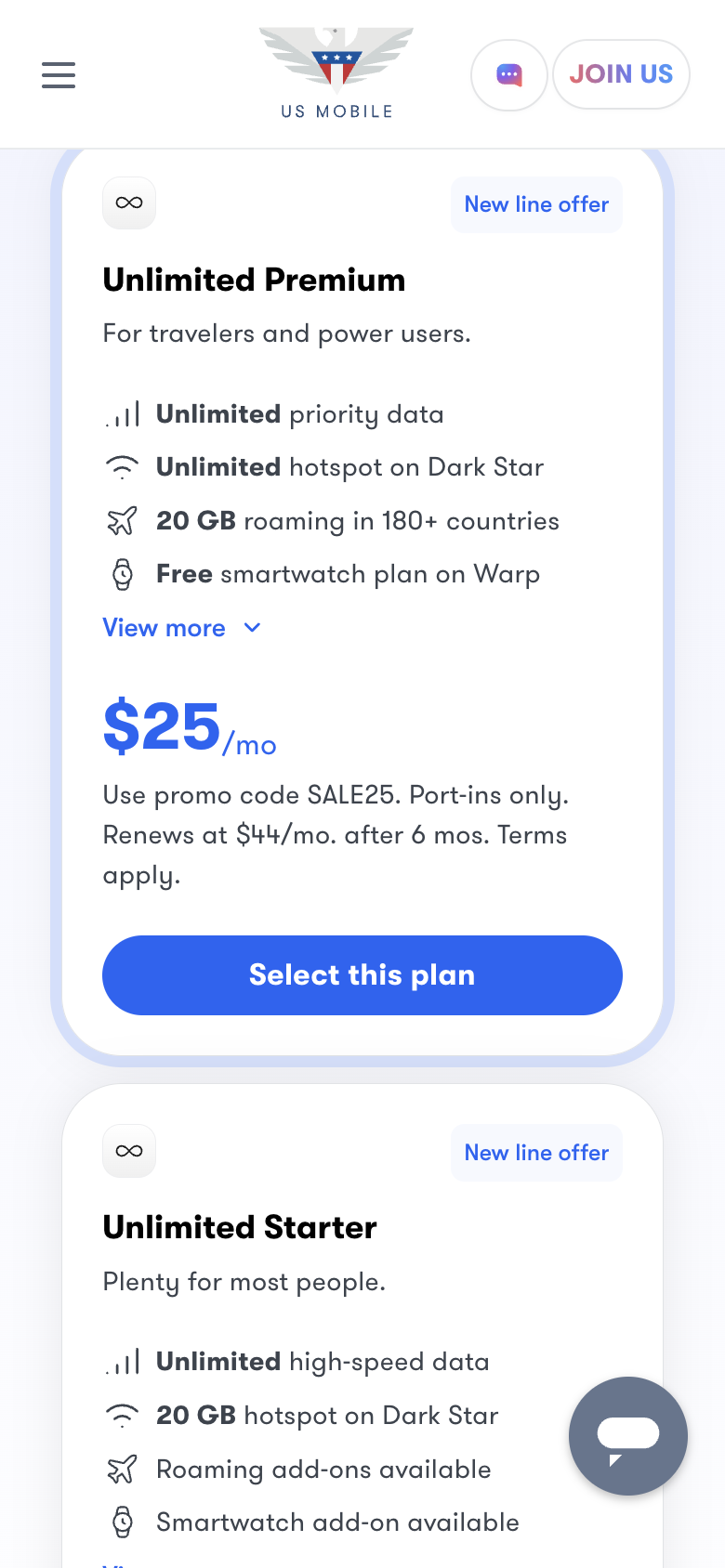
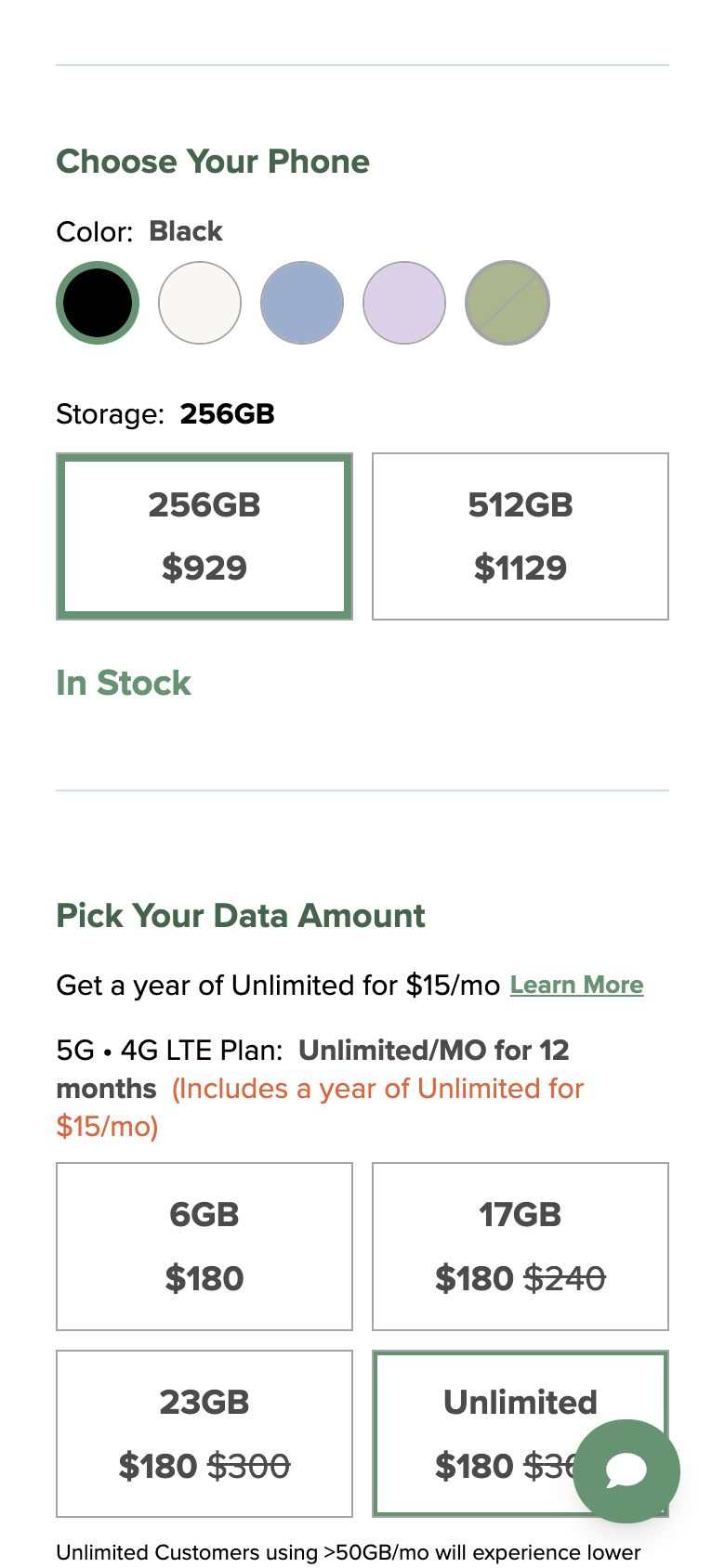
T-Mobile’s plan step is well built. Each card names its AutoPay condition and its extra charges, Experience Beyond at $100 a month and Experience More at $85 for one line, and keyboard focus stays visible above the cost bar. The trouble is where it sits, after a ZIP code and a line count, and that it never says what the phone costs on each plan. US Mobile includes taxes and fees in its plan prices but leads with six-month code prices that renew higher. Mint puts the plan on the phone’s page, so the phone and a year of service are priced together.
T-Mobile says your iPhone is waiting. Then it starts the order empty.
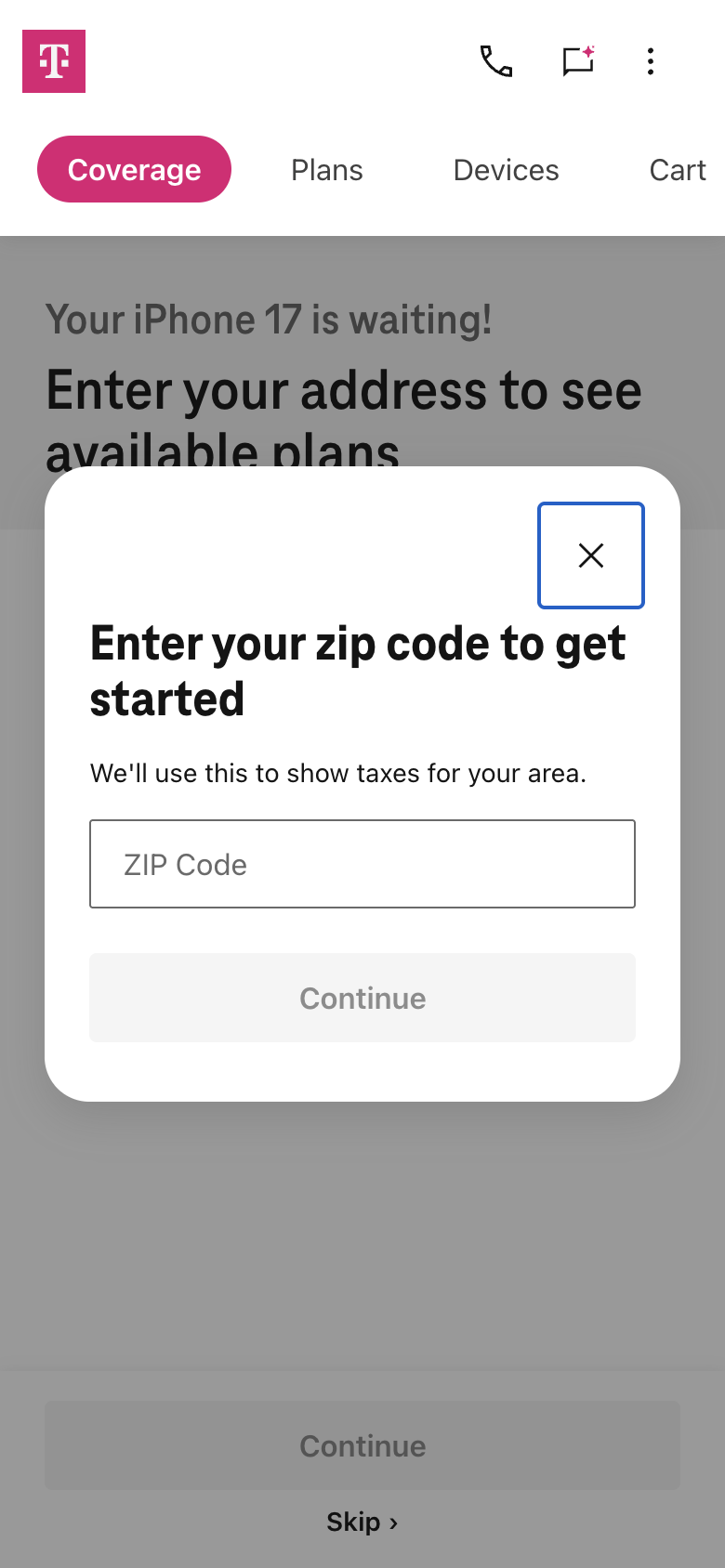
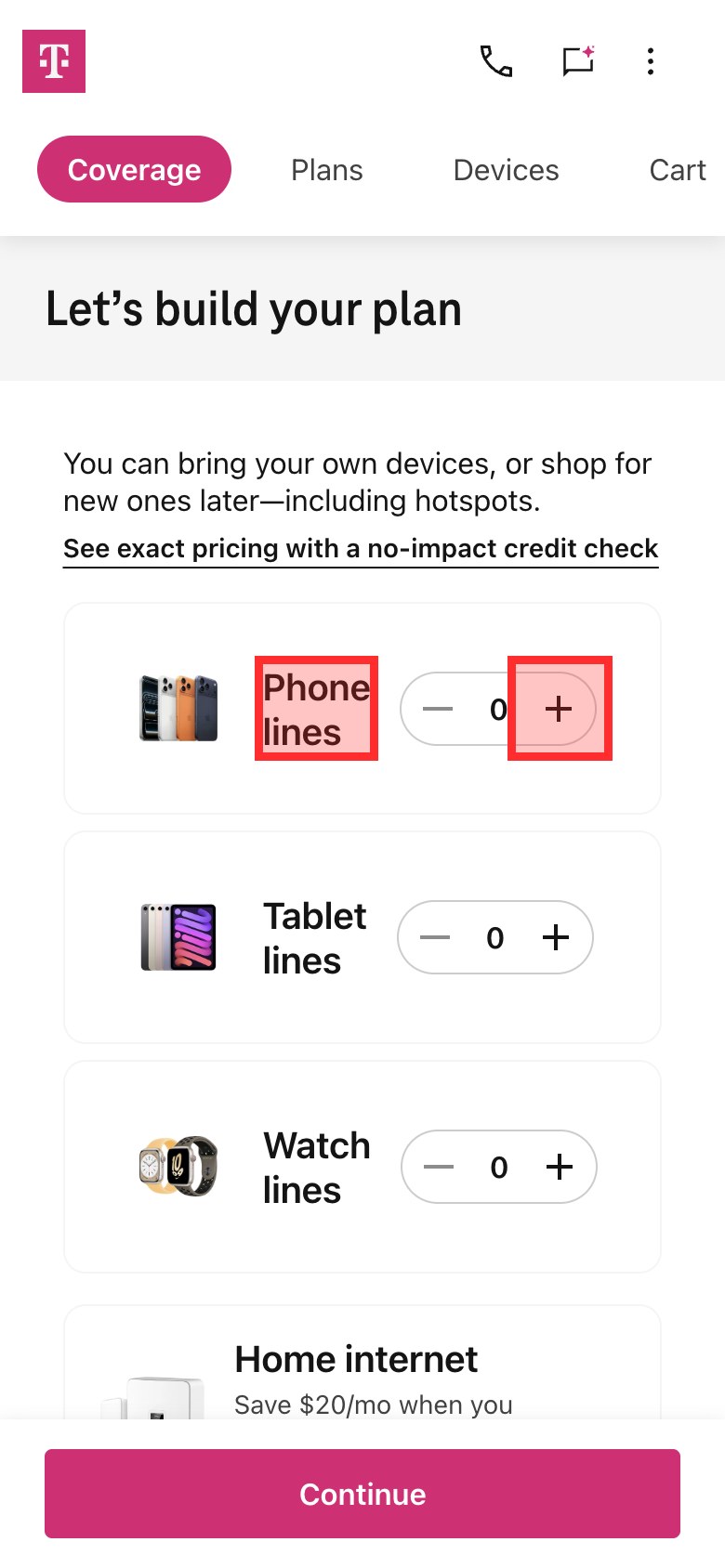
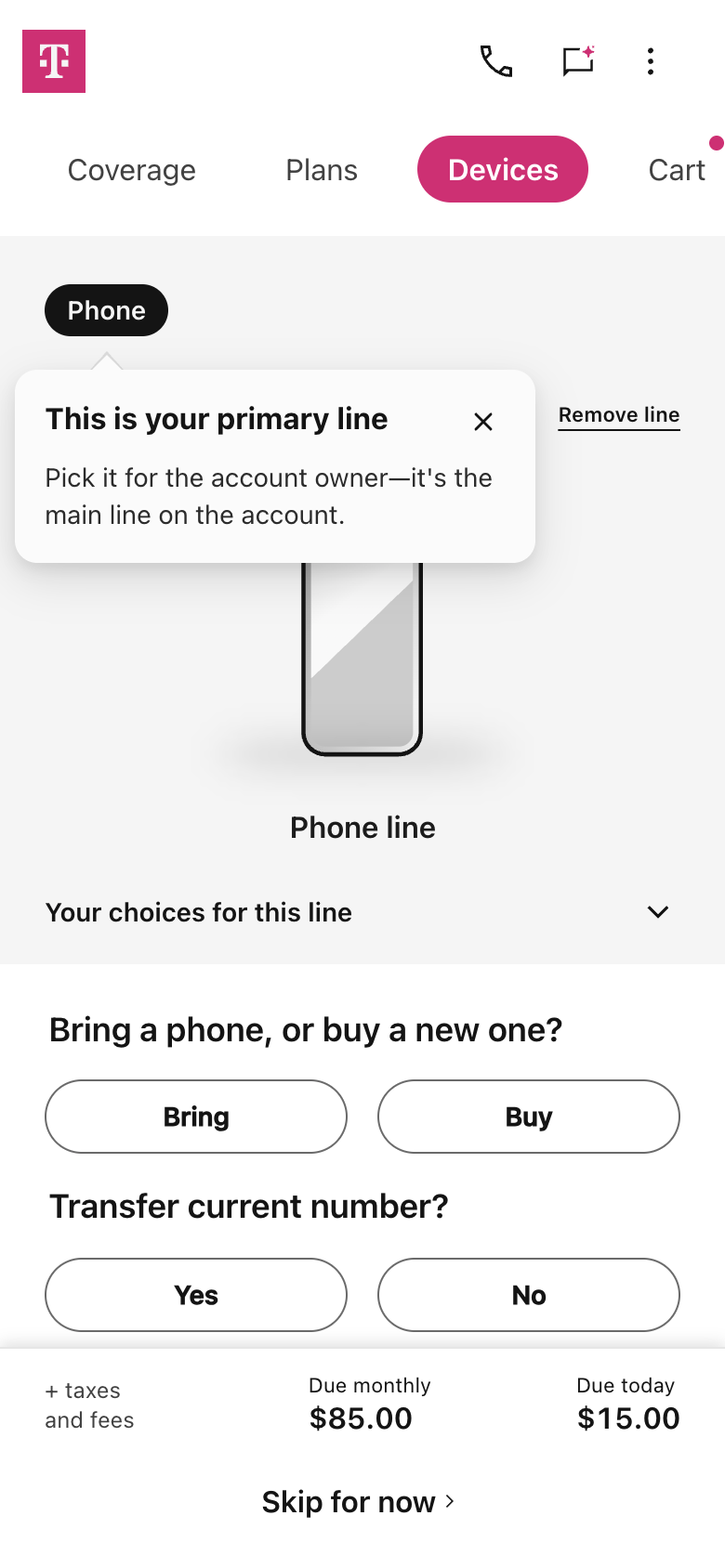
Choosing the iPhone 17 and tapping Start your switch does not put it in the order. The switcher rebuilds it: one phone line, Buy, then the iPhone again from the list, while “Skip for now” would carry on without any phone. Further on, a promotion finder asks “Transfer current number?” a second time, after it was answered on the Devices step. Mint asks none of this, because the phone and its plan are chosen on one page and go into the cart together. When UX Robot returned later the same day to picture the fixes, T-Mobile’s line count started at one and the promotion finder did not appear, so T-Mobile may already be changing this part of the flow.
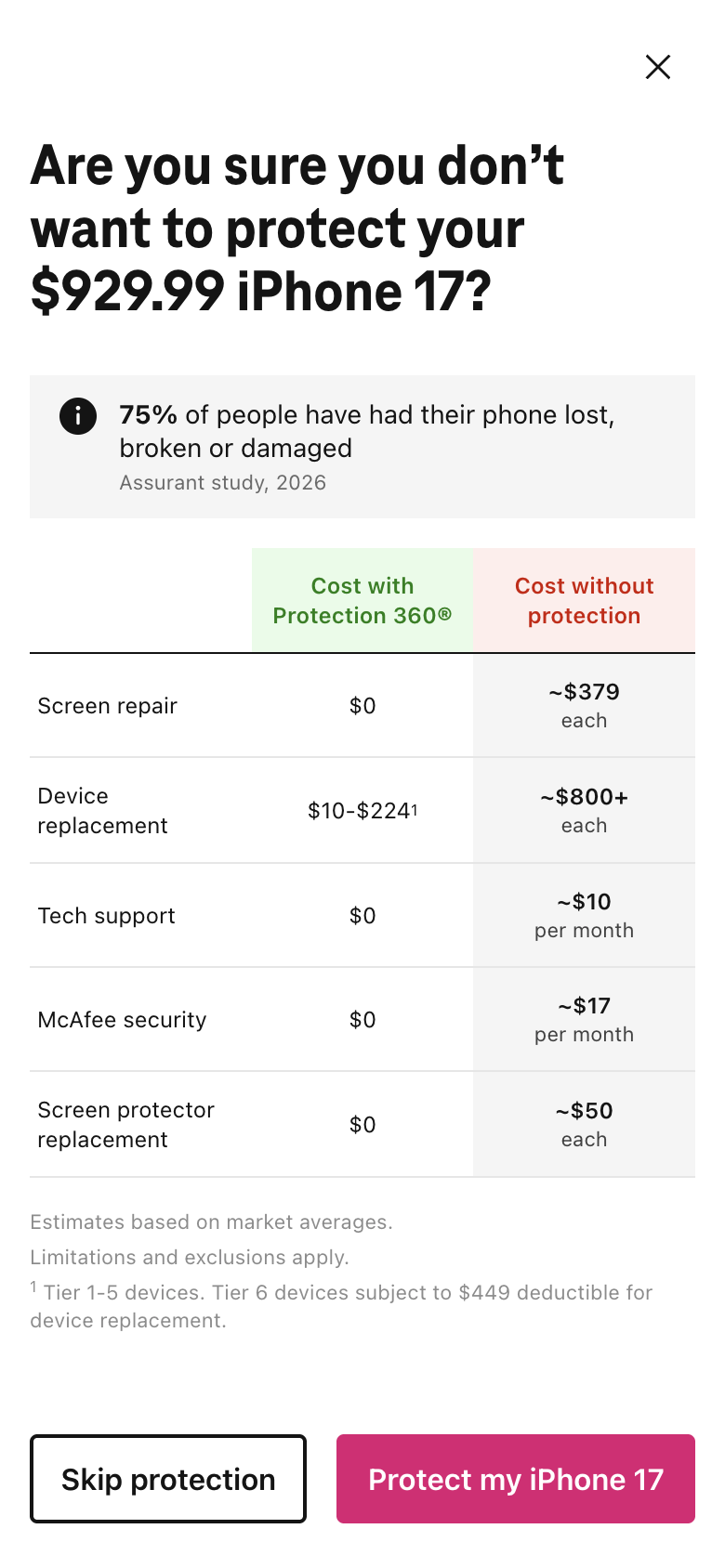
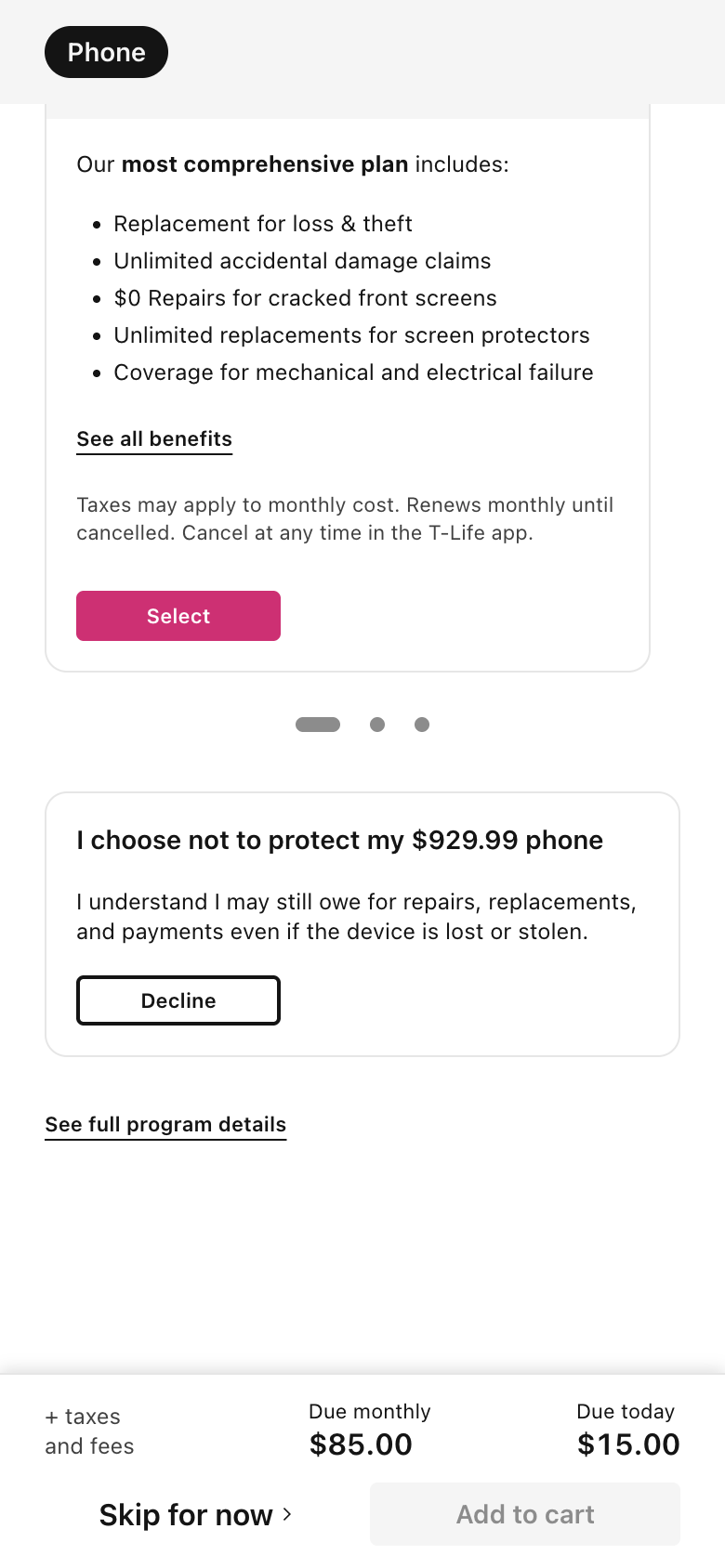
Declining protection on T-Mobile takes two answers. On Mint it starts declined.
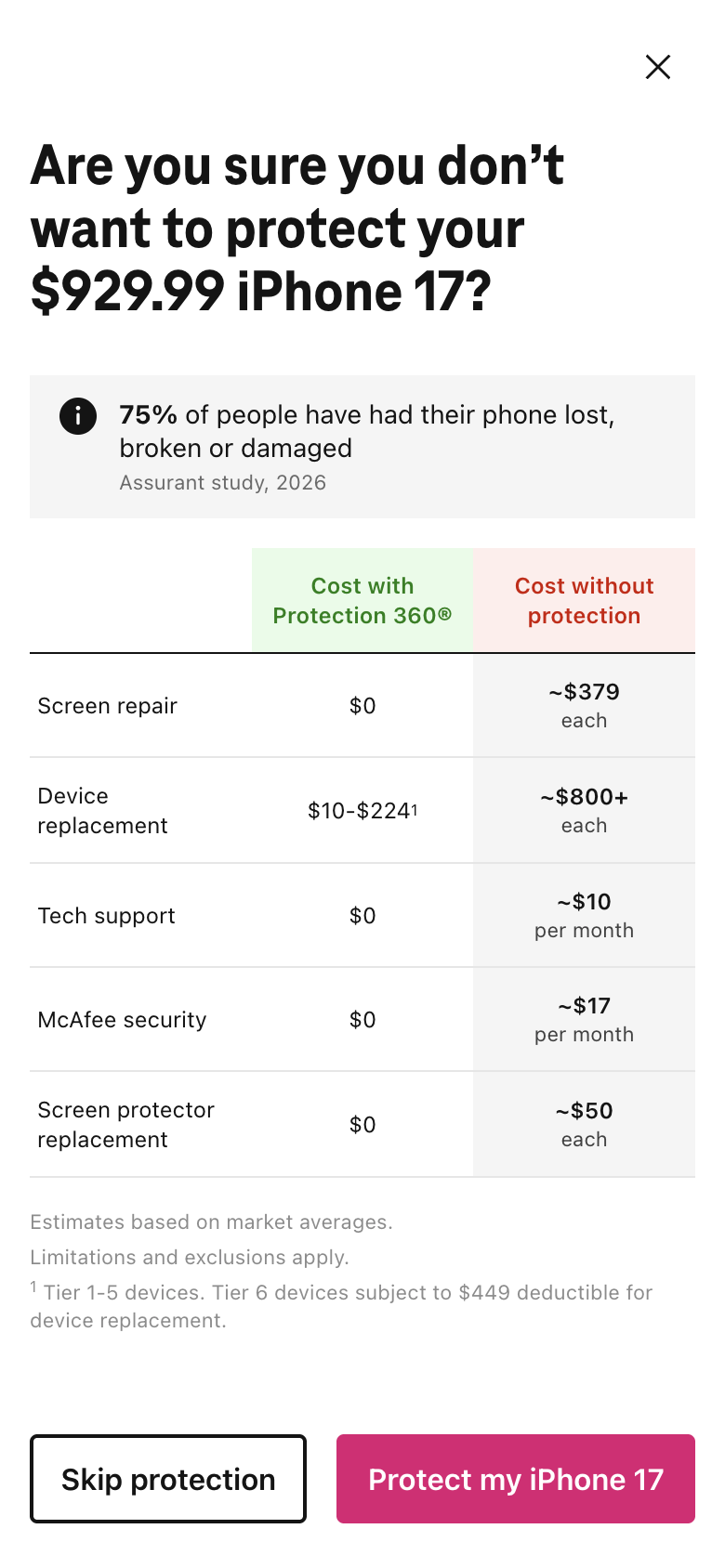
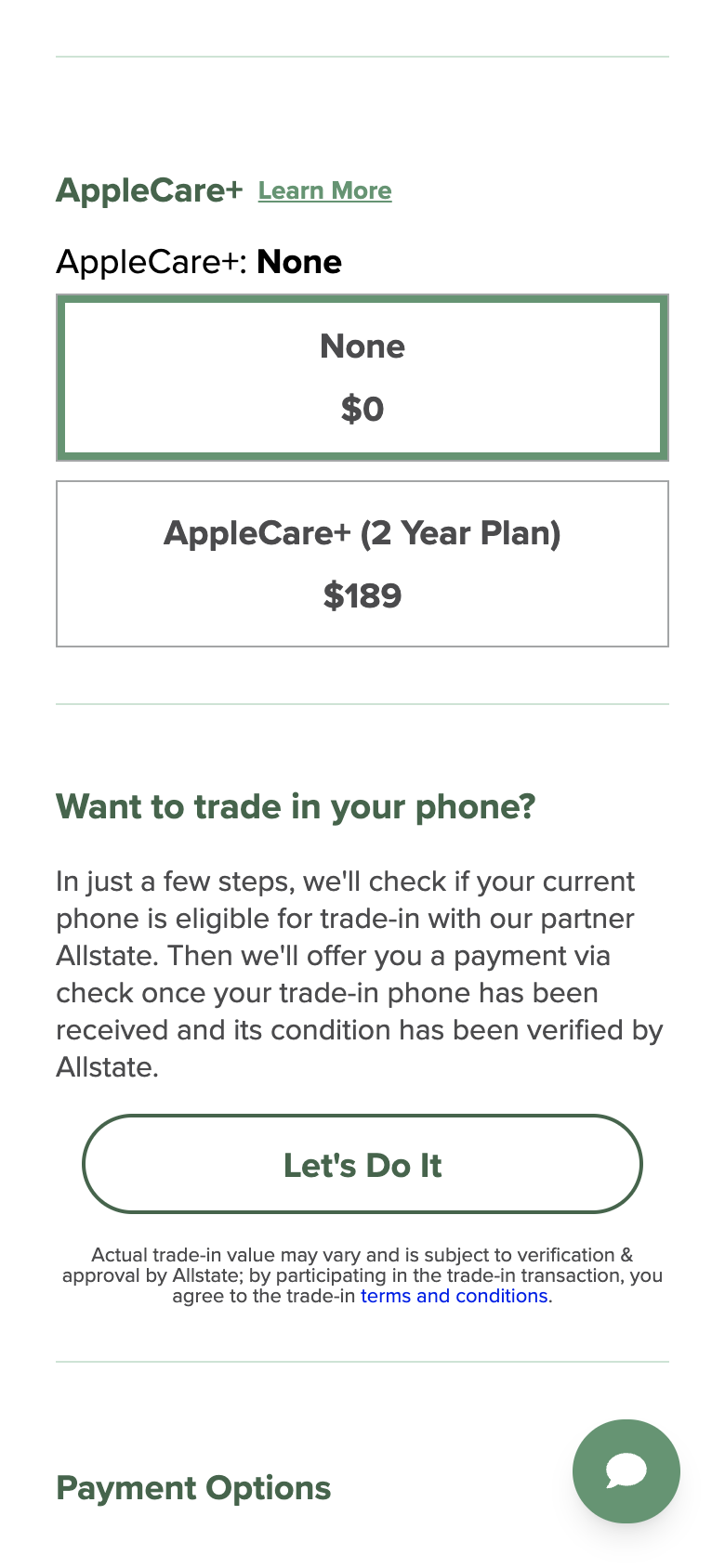
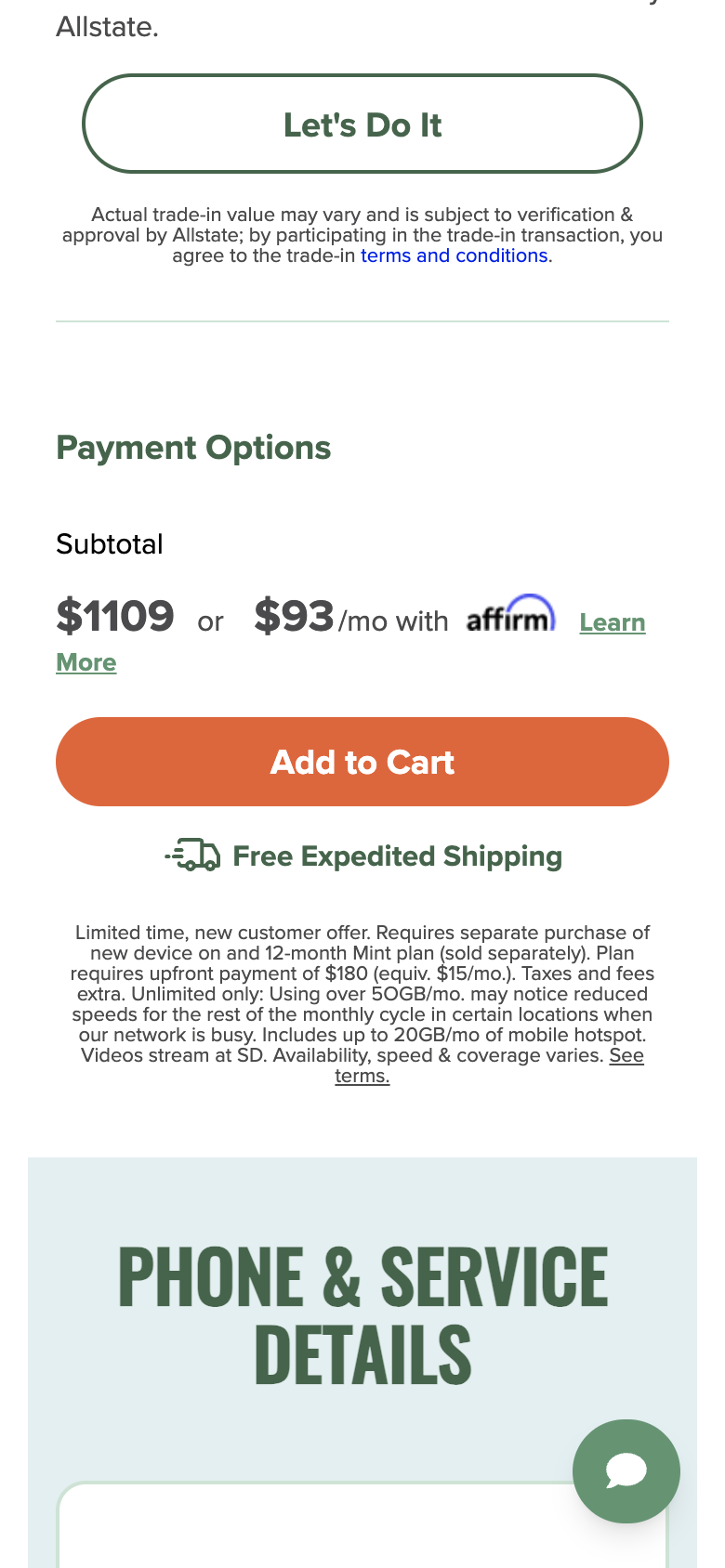
T-Mobile’s window is a second sales pitch after a clear answer: “75% of people have had their phone lost, broken or damaged”, a table of repair costs, then “Skip protection” in outline beside “Protect my iPhone 17” in solid magenta. Mint makes protection and trade-in optional choices that start at none, and the subtotal above Add to Cart still matches the card in its phones list.
T-Mobile asked for your ZIP code to show taxes. Its cart still leaves them out.
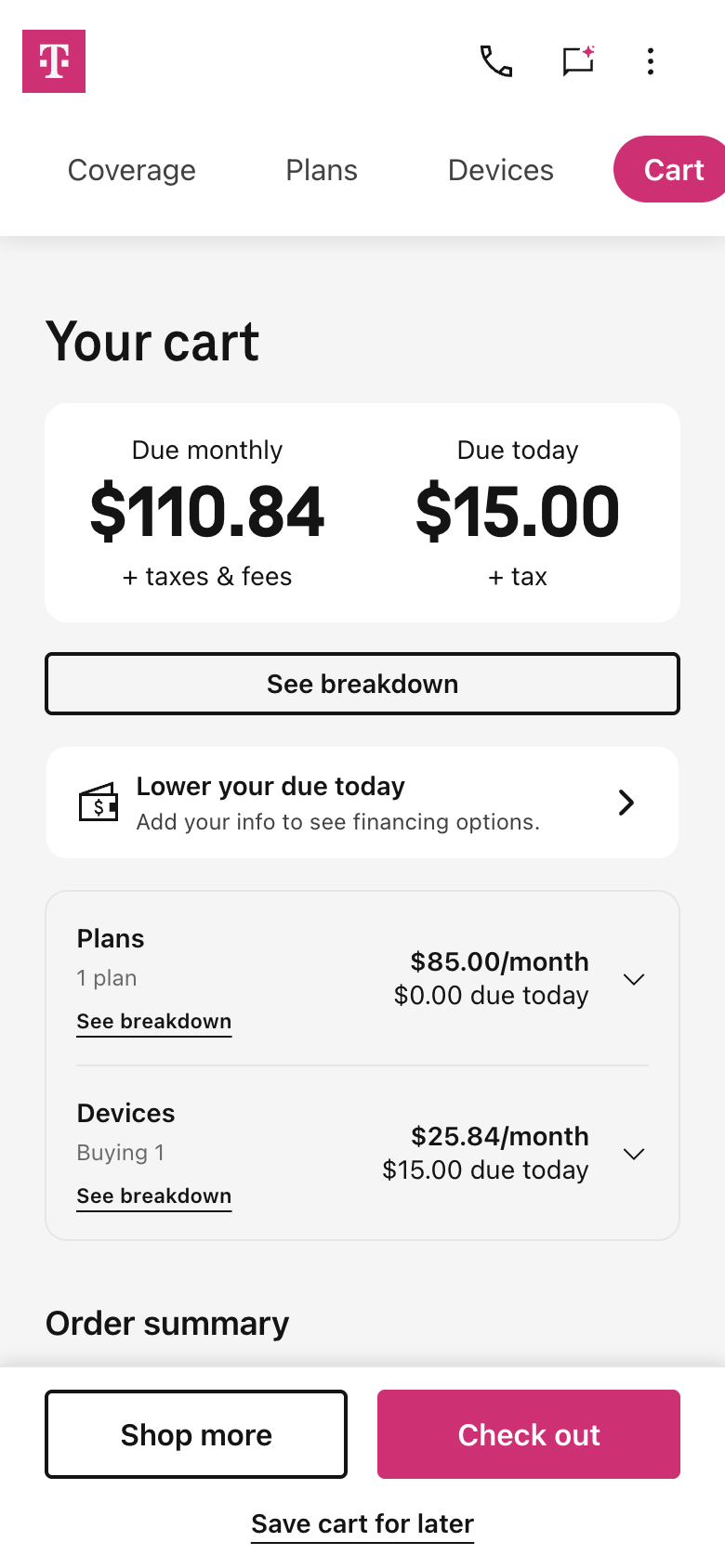
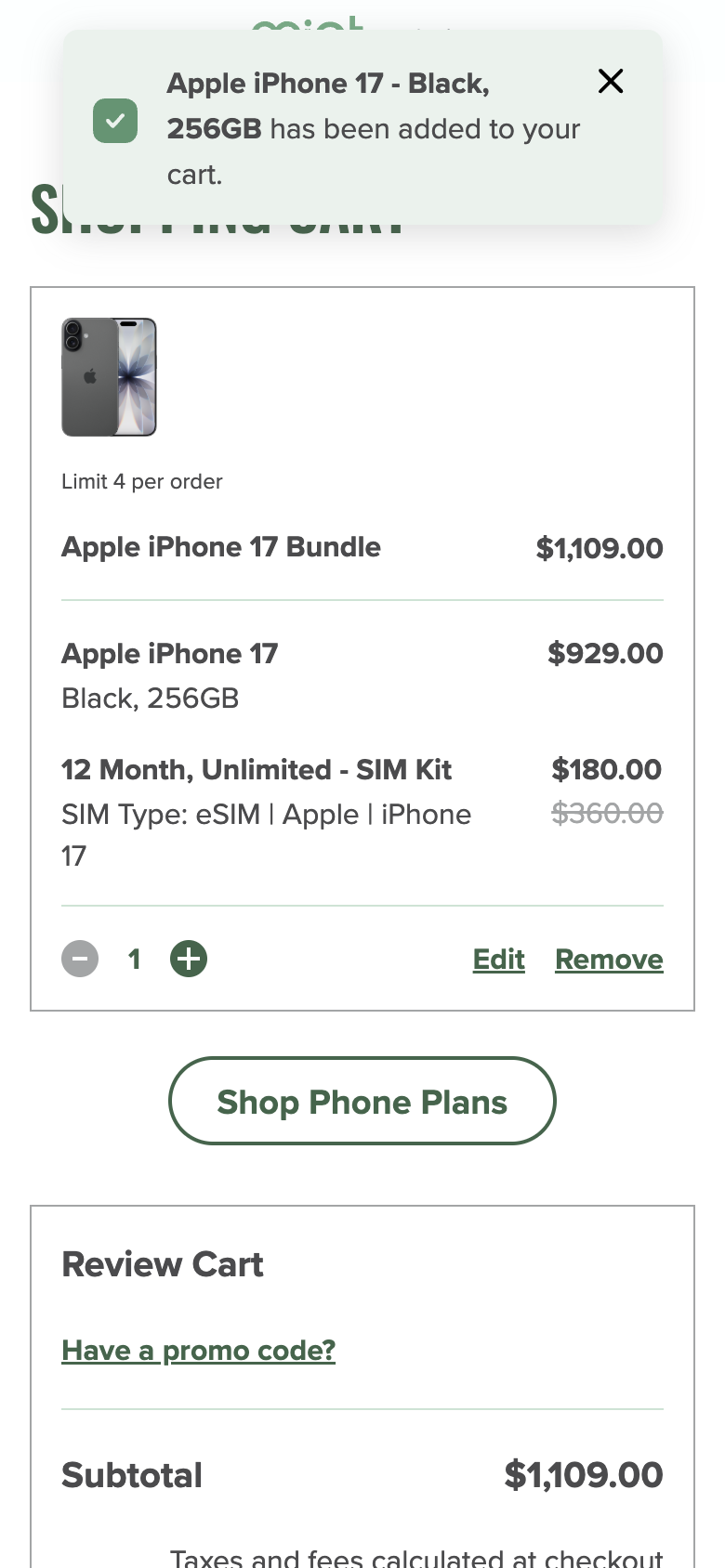
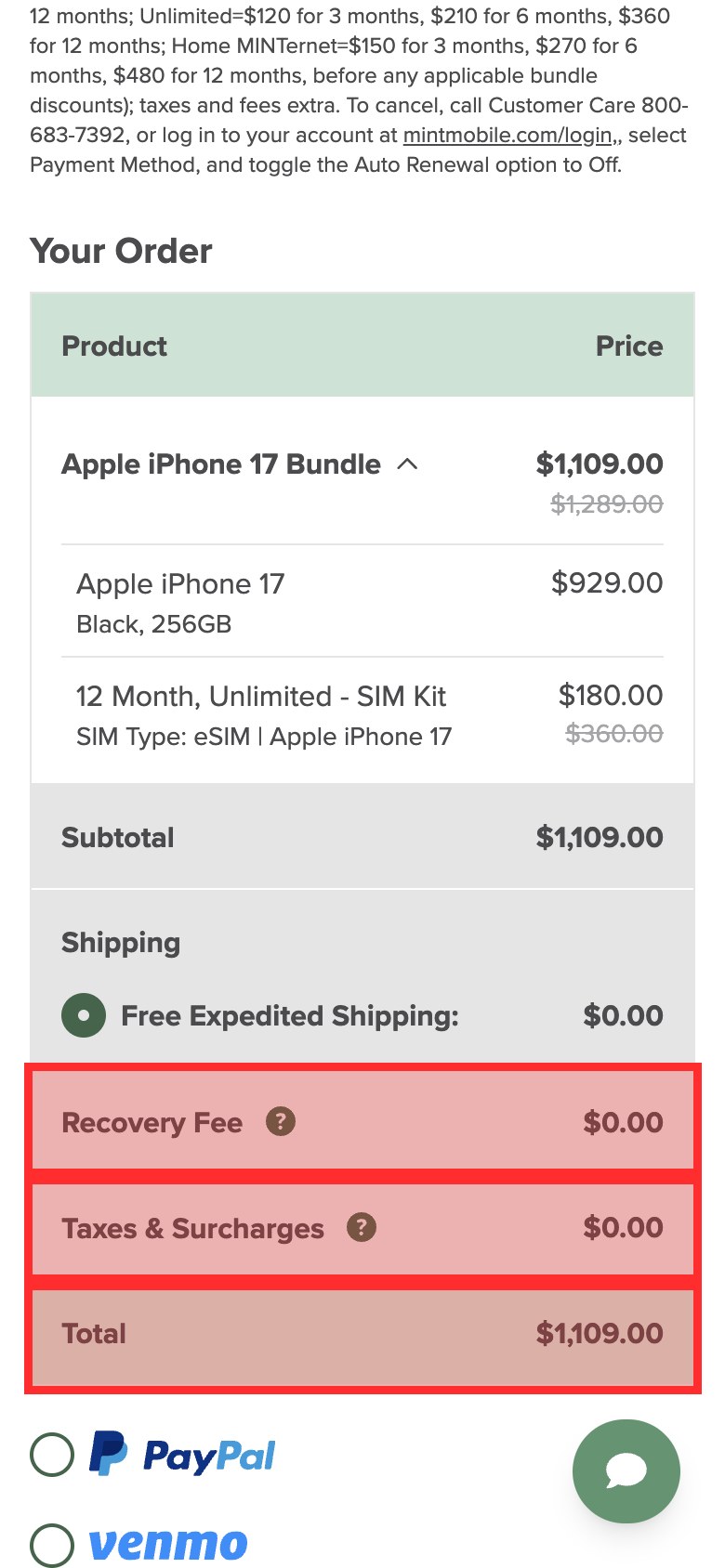
T-Mobile’s cart gets a lot right. It separates the monthly bill from what is due today, its breakdown lists Experience More at $85, the iPhone at $25.84 a month for 36 months and a $15 device connection charge, and shipping is free. But the switcher came to compare carriers, and the total with taxes is “Calculated at checkout”, after T-Mobile asked for a ZIP code to show it. Mint charges everything today, $1,109 for the phone and a year of service, and also leaves taxes to checkout, where its order summary shows $0.00 before it has an address. A $0.00 that will change is harder to trust than T-Mobile’s plain “+ taxes & fees”. We stopped at each cart and at Mint’s billing details, before entering anything.
T-Mobile’s iPhone page is slow to answer a tap and jumps while it loads.
These are Chrome UX Report figures for real phone visitors from 23 September to 20 October 2026, at the 75th percentile: three in four taps got a response at least this fast. Google rates a response good at 200 milliseconds or less and poor above 500. On T-Mobile’s iPhone 17 page 57% of visits were poor, and the page moves while it loads, with a layout shift of 0.48 (poor; the phones list is 0.36). Across the whole website T-Mobile’s main content appears in 2.7 seconds, against 1.9 for both US Mobile and Mint, where Google rates 2.5 seconds or less good. Lighthouse lab runs on T-Mobile’s home page, switching steps and cart scored 29 to 41 out of 100, held up by scripts and styles the first screen does not need, including code for screen sharing.
Accessibility: keyboard users lose sight of where they are
UX Robot checked all 16 T-Mobile pages the journey reached against each WCAG 2.2 level A and AA success criterion in a phone browser. The most widespread problem is on five pages: pressing Tab from Menu moves into the links of the closed menu, Wireless, Business, Prepaid and Internet, so for four presses nothing visible has focus. Elsewhere focused controls hide behind things that stay on screen: the floating chat bubble covers the photo buttons on the iPhone page, the T-Life app banner covers the skip link, and the cart’s fixed footer covers its buttons. Magenta links on light grey and some grey labels are too faint to read easily, and an address field does not tell browsers it is an address, so they cannot fill it in.
This is not a compliance verdict. A browser check of the success criteria finds problems; it does not establish WCAG conformance and cannot replace testing with people who use assistive technology. Error messages for the address and device lookups were not tested, because that would mean submitting them. T-Mobile’s plan step is a good model to copy: Tab moves through the cards in reading order, and the focused button stays clear of the fixed cost bar with a visible outline.
What T-Mobile’s phone page looks like when it shows the payment you will make.
UX Robot pictures its main fixes on the real page. Drag the slider to compare T-Mobile’s live phone page with a mock-up where the standard $25.84 a month comes first, the $0.00 is set aside until the promotion is confirmed, and the note says “Promotion eligibility not confirmed”.
And the phone configuration page after one “Decline”, with the second protection window left out:
Five changes, in order
Each one says what to change, where, why it matters and how to tell whether it worked.
Include estimated taxes and fees in the cart totals.
What
Work out estimated monthly taxes and fees, and the tax due today, from the ZIP code already given. Show them in the cart totals and the Order breakdown as “Estimated taxes and fees” and “Estimated total”, and let the visitor change the ZIP code without personal details.
Where
The cart’s monthly and due-today totals and its Order breakdown.
Why
The ZIP code window promises taxes for your area, and the cart still leaves them unpriced, so a switcher cannot compare the complete cost.
Measure
For one line with no trade-in, both cart views include estimated taxes and fees before checkout or any personal information.
Show one phone payment, the one that applies, everywhere.
What
Make the standard monthly payment primary until a promotion is confirmed, label unconfirmed offers “Promotion eligibility not confirmed”, and show any discount with its conditions beside it. Use the same payment on the phone page, the line and the cart.
Where
The payment areas of the phone page’s storage choices, the configured line and the cart.
Why
$0.00, $25.84 and $2.78 a month for the same phone on the same order make the offer hard to trust and the carrier hard to compare.
Measure
Before and after a plan is chosen, with and without a confirmed promotion, the device payment agrees on every page.
Carry the phone and the answers through switching.
What
When Start your switch is tapped, create one phone line holding the chosen phone, storage and color, keep it on the Devices step, and reuse the number-transfer answer in the promotion finder, with a way to change it.
Where
The line count, the Devices step and the promotion questions of a switch that starts from a phone.
Why
The line count started at zero, Devices asked Bring or Buy again and the promotion finder repeated a question, while Skip for now would continue without the phone.
Measure
Choose the phone, storage and color, then continue: the line and the transfer answer stay without being chosen again.
Accept the first “Decline” on protection.
What
Save the decline and stay on the phone configuration page, without the confirmation window, and keep protection editable on the line.
Where
“Protect this phone?”, after “I choose not to protect my $929.99 phone”.
Why
A full-screen second pitch, with the purchase button more prominent, stands between the switcher and the total.
Measure
Decline once: the answer is saved, no second window opens and protection can still be added later.
Keep keyboard focus out of the closed menu.
What
Take the closed menu’s links out of the Tab order, restore them when Menu opens and return focus to Menu when it closes.
Where
The shared header on the home page, marketing pages and search results.
Why
Tab enters Wireless, Business, Prepaid and Internet while the menu is closed, so keyboard users cannot see where they are.
Measure
Tab with the menu closed, open it, then close it: focus stays visible and follows what is on screen.
What we could not see from the outside
This audit stands on browser evidence and public data. With T-Mobile’s own GA4, Search Console and Microsoft Clarity connected, UX Robot would rank these changes by how many switchers each one is losing: where people leave between the phone page, the switching steps and the cart, which searches bring them to the iPhone 17, and what visitors who give up at the cart did in the recordings, counted session by session.