Independent outside-in audit
UX Robot followed one customer journey on Airbnb’s Australian website on a computer, then ran the same journey on Booking.com and Stayz, on 22 October 2026. We are not affiliated with any of them, and we did not use their analytics. This is a review of one public journey on one day, not a judgement on the homes or their hosts.
The test
As a family planning a summer beach holiday, I want to find a whole holiday home that sleeps four for our dates and see its total price, so that we can book a place that suits our family and our budget.
Two adults and two children want a week in Byron Bay from 9 to 16 January 2027 and have not chosen a place yet. Starting from each website’s home page: search, choose a whole home that sleeps the family and continue until its total price for the stay, including every fee, is shown.
The home pages of Airbnb, Booking.com and Stayz.
Before signing in, creating an account, entering personal details or paying.
Australian websites in Chrome on a 1280 × 720 computer screen, as a first-time visitor who is not signed in. Two in three Chrome visits to Airbnb’s home page come from a computer (23 September to 20 October 2026), so we tested on one. Airbnb’s journey also tried its menu, header tabs and footer links.
22 October 2026, by a UX Robot run: the journey on all three websites, WCAG 2.2 A and AA checks and usability checks on every Airbnb page reached, Chrome UX Report speed data and Google search results.
The 30-second result
Airbnb shows the clearest price. Booking.com and Stayz hold on to the trip better.
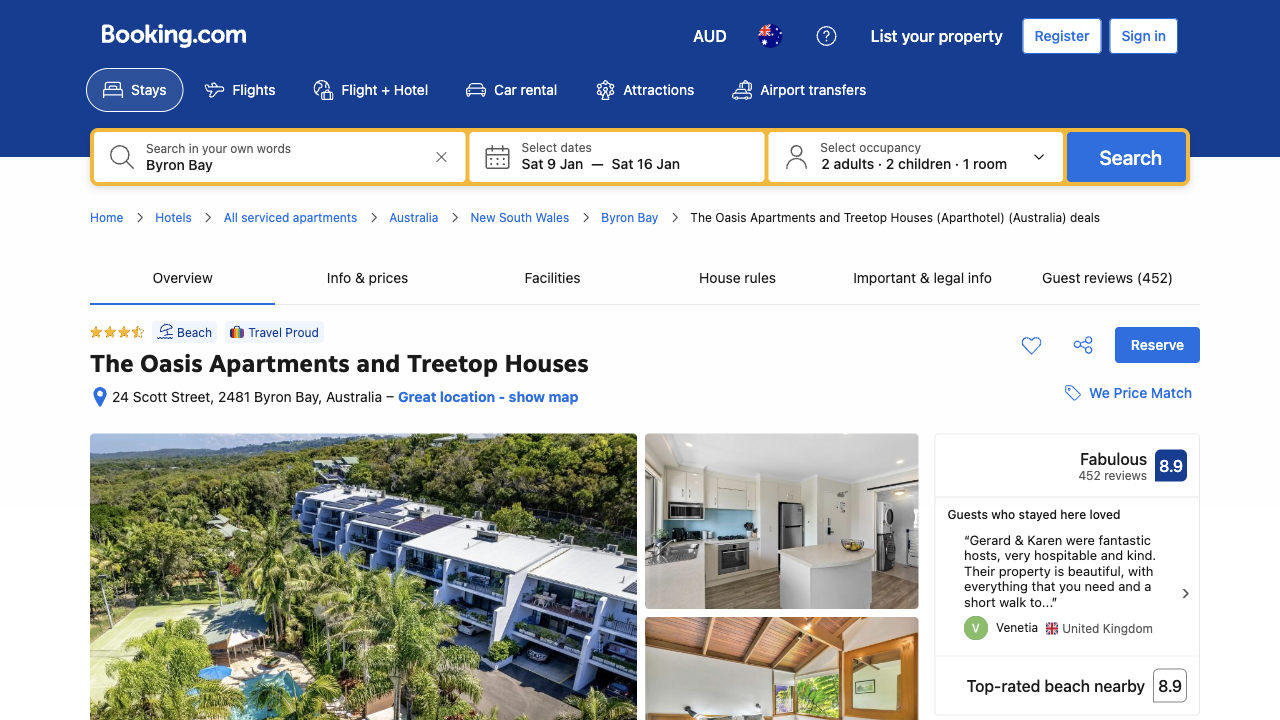
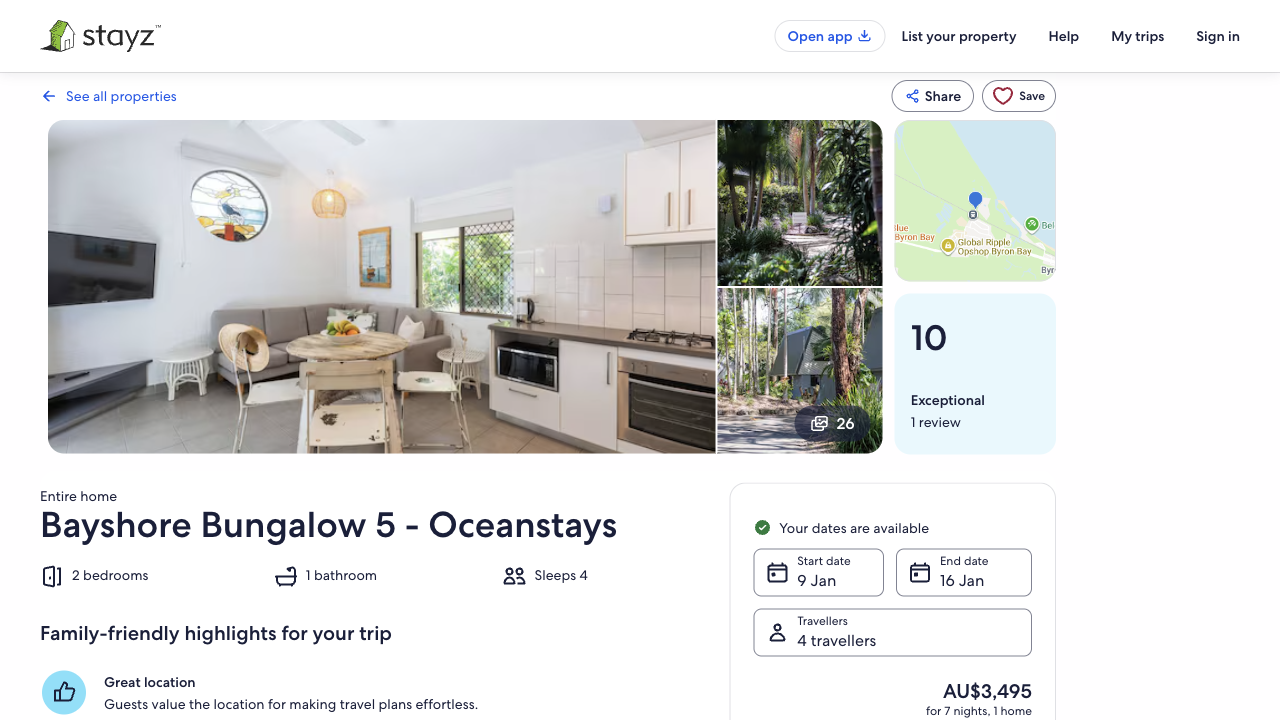
Booking.com and Stayz keep Byron Bay, the dates and the family in view from the search to the home. Booking.com lets you ask for a whole home in the search, and Stayz lists nothing else. Airbnb heads its results with another town, keeps entire homes in Filters, lists a four-night stay among the week-long totals without saying so, and starts its header search again on the home’s page. Airbnb leads where the decision is made: the full $5,990 for the week, broken down with its weekly discount and “no extra fees”, before any sign-in, where Booking.com warns of fees not shown. But the button that opens that price disappears under a fixed bar for anyone using a keyboard.
| Stage | Airbnb | Booking.com | Stayz |
|---|---|---|---|
| 01 First screen | Similar | Similar | Similar |
| 02 Where, when and who | Behind | Better | Similar |
| 03 Search results | Behind | Better | Better |
| 04 Entire home | Behind | Better | Better |
| 05 The chosen home | Behind | Better | Better |
| 06 Total price | Better | Behind Airbnb | Similar |
| 07 Before paying | Similar | Similar | Similar |
| Whole-website speed | Good | Mixed | Good |
Booking.com asks about whole homes in the search. Airbnb waits until after the results.
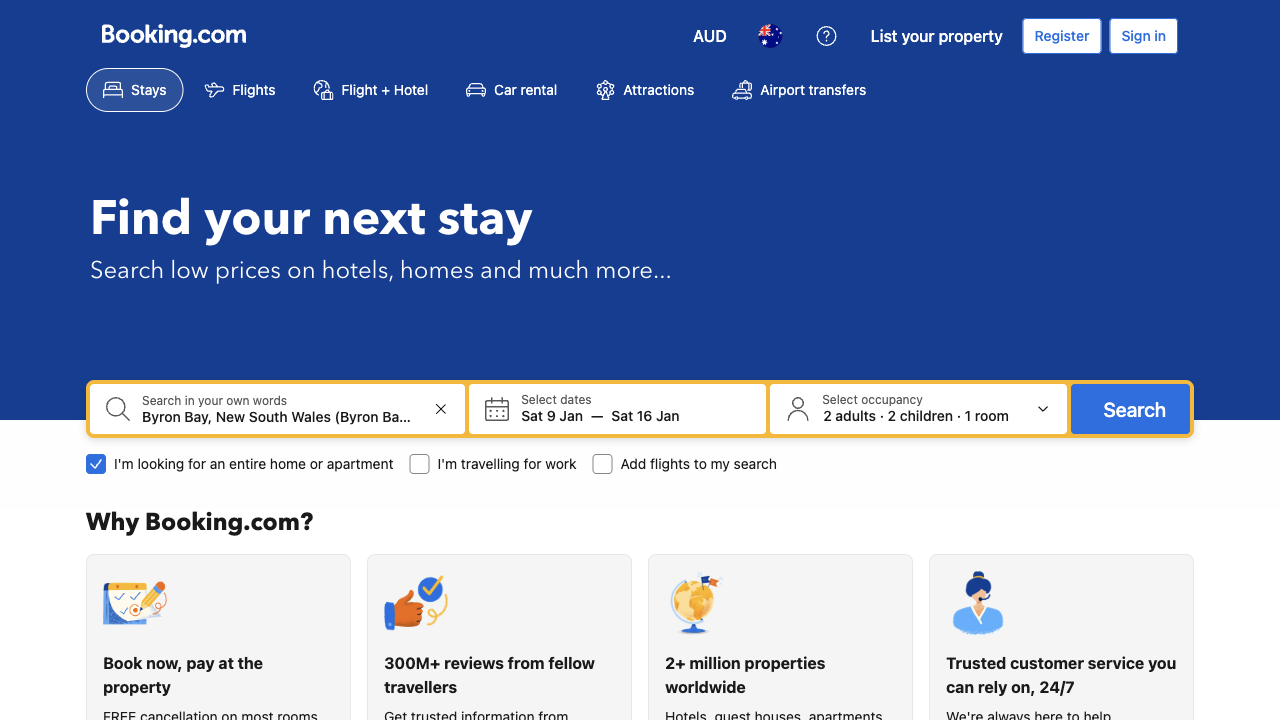
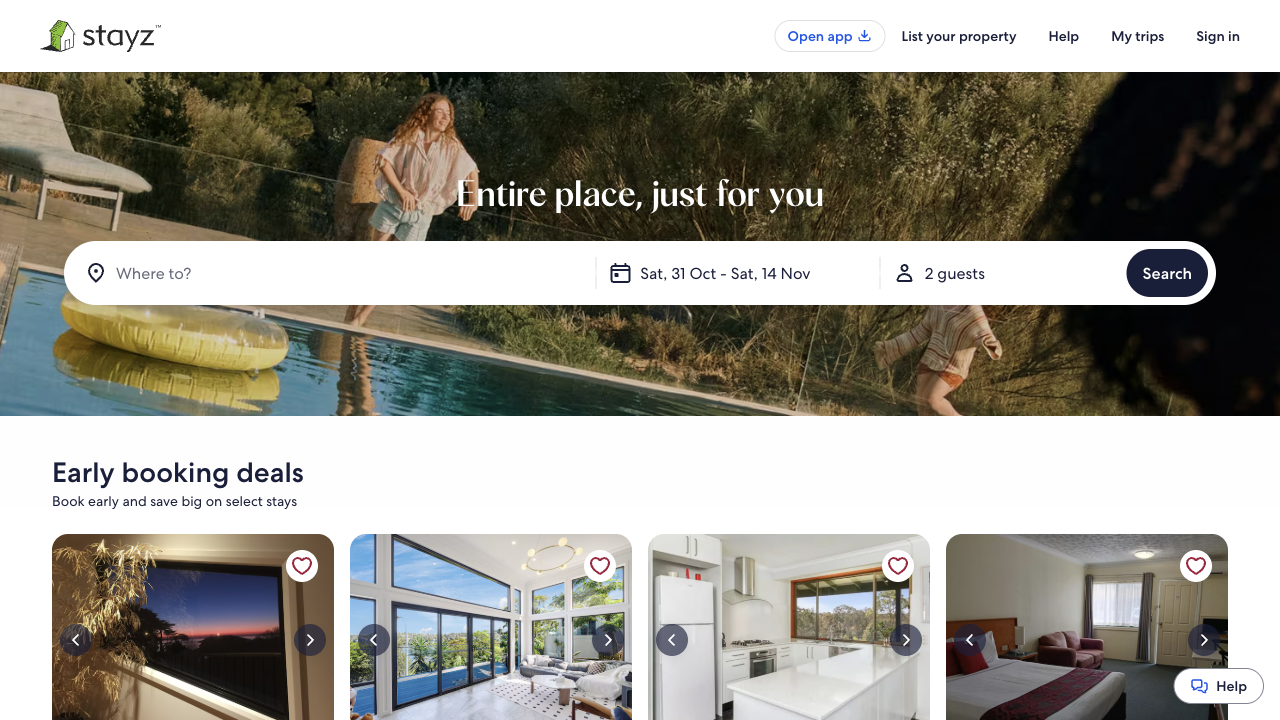
All three open with one search bar. Here is what each asked the family before it showed a single home.
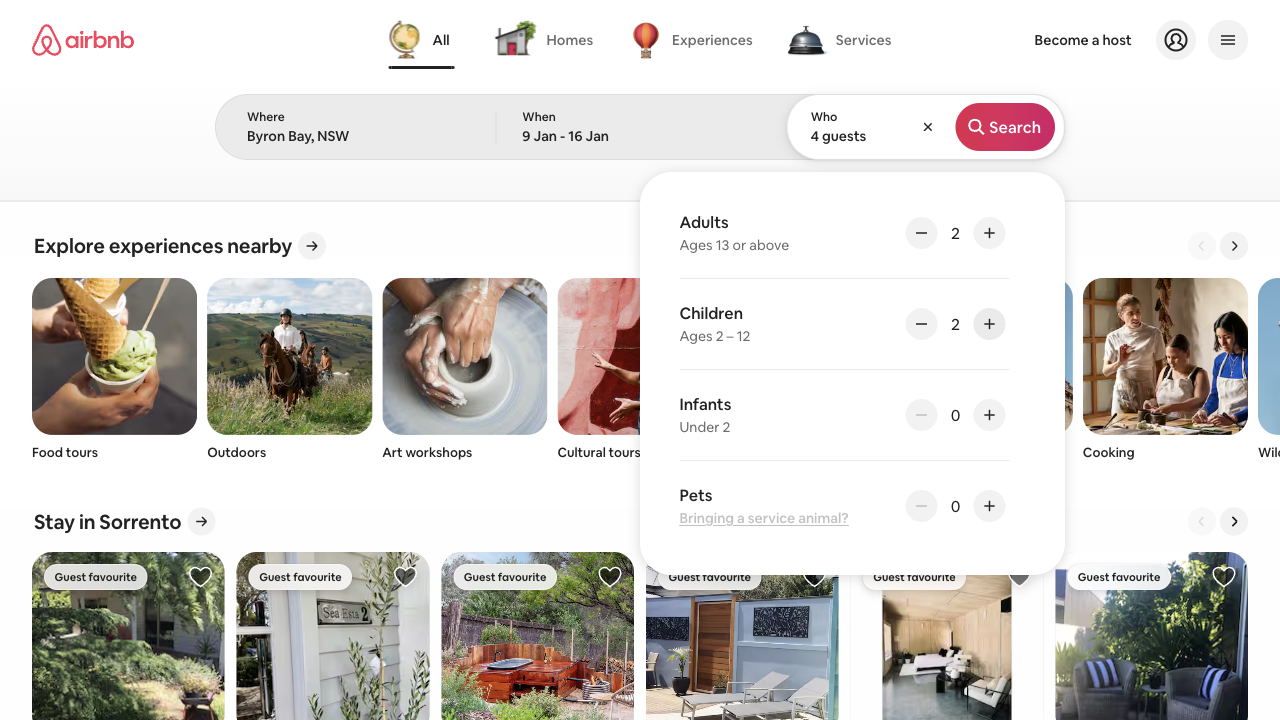
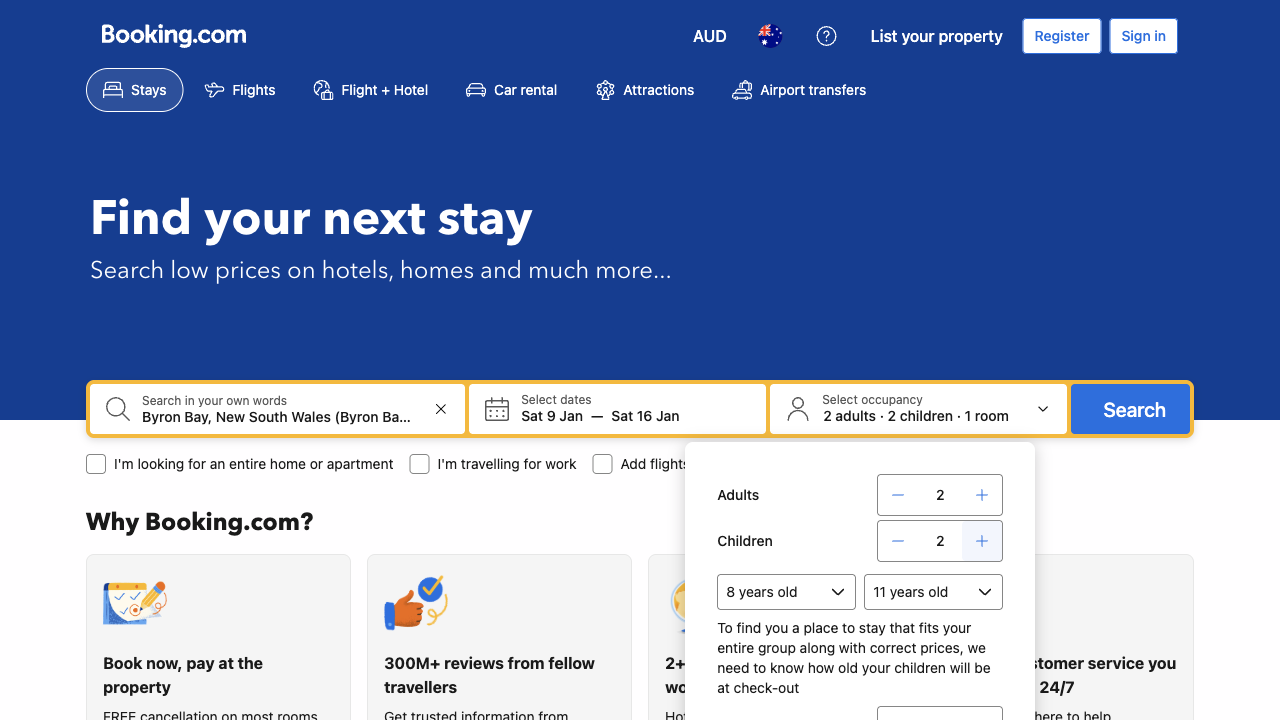
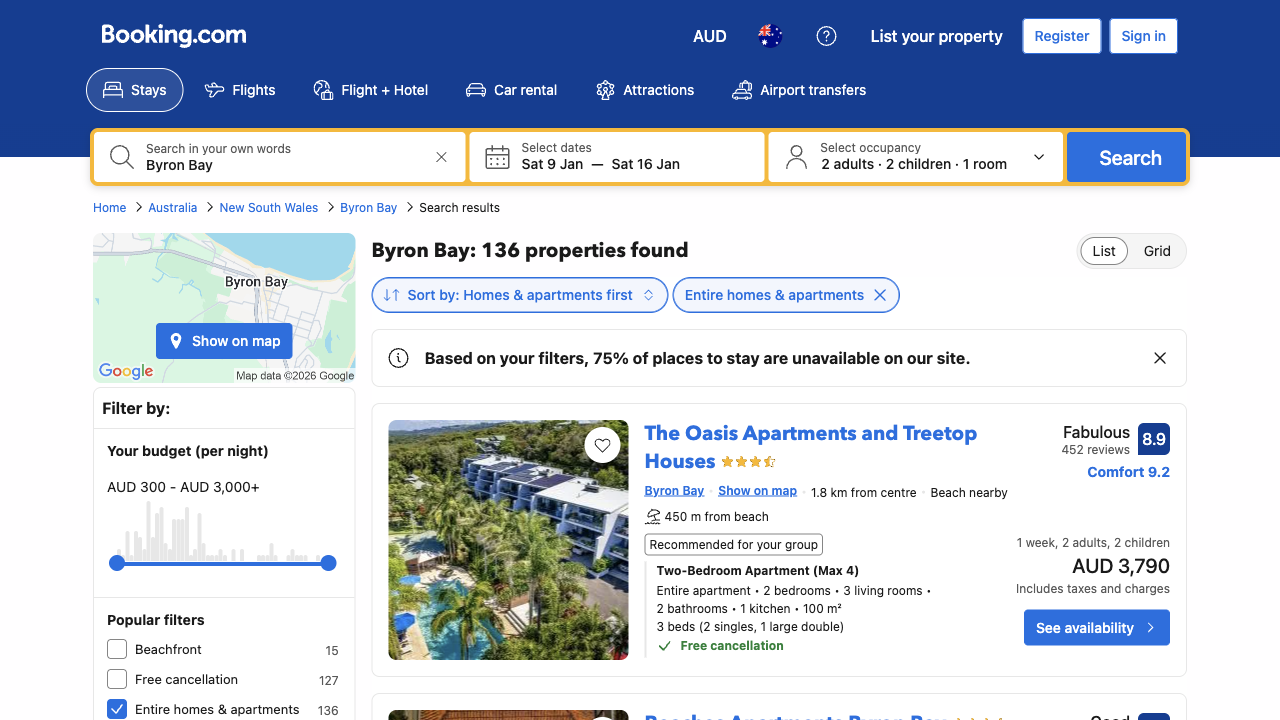
Airbnb’s search is quick and clear: “Byron Bay, NSW” is the first suggestion, the calendar opens as soon as it is chosen, and the guest panel spells out who counts as a child. Booking.com goes further in two places a family cares about. It asks how old each child will be, because it needs this “to find you a place to stay that fits your entire group along with correct prices”, and it lets the family ask for a whole home before searching. On Airbnb that choice waits in Filters, after the results. Booking.com does open with a “Sign in, save money” window over its search, which has to be closed first; Airbnb and Stayz open with nothing in the way. On none of the three does anything but the search bar lead to Byron Bay, which is usual for places to stay.
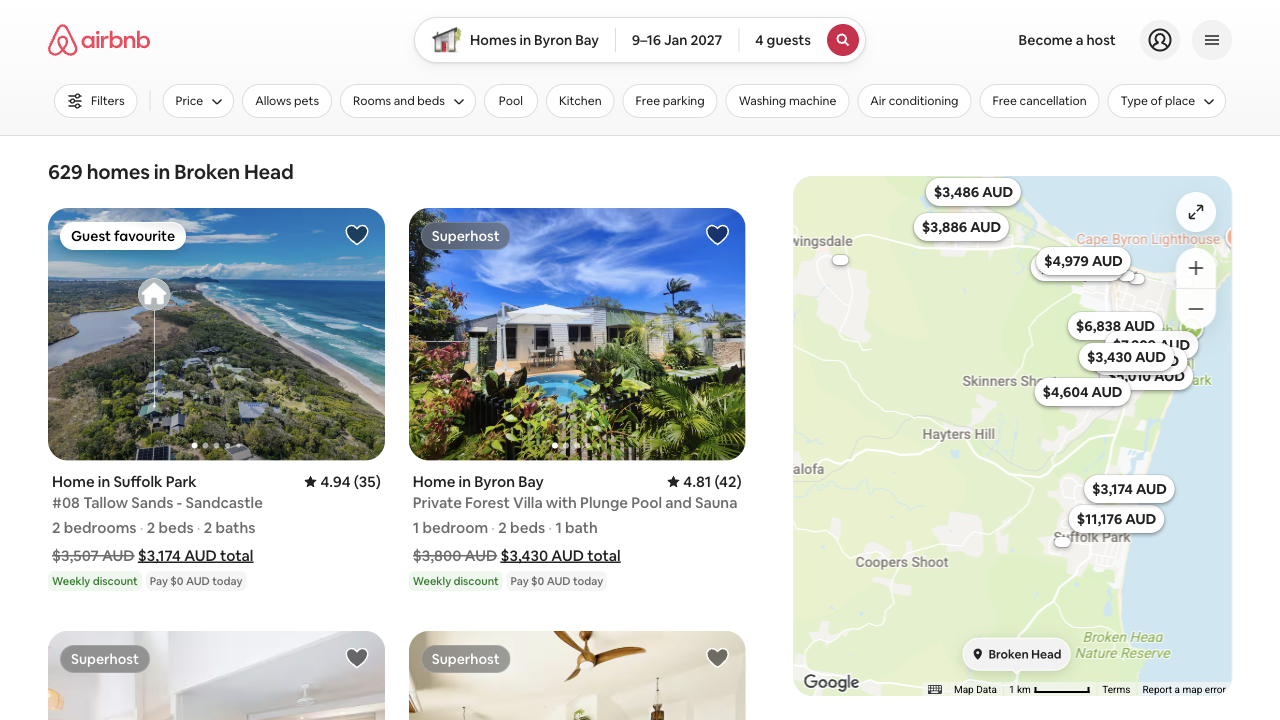
The family searched for Byron Bay. Airbnb’s results are headed Broken Head.
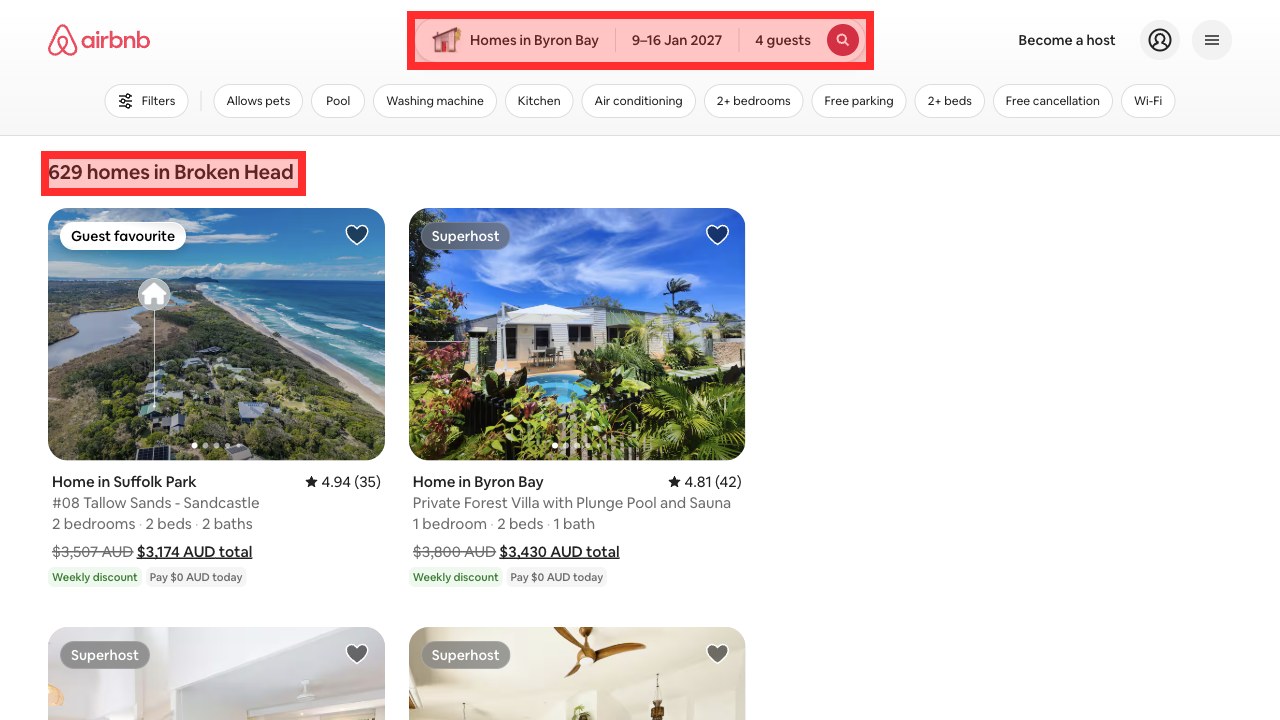
Broken Head is a smaller place just south of Byron Bay. Most of the homes listed are in Byron Bay, so the search has not changed, but nothing on the page explains why another town heads it, and the heading is what a screen reader announces first. Airbnb’s cards do one thing very well: every price is the total for the stay, with a “Weekly discount” tag where one applies, so the family compares what they will pay rather than nightly rates.
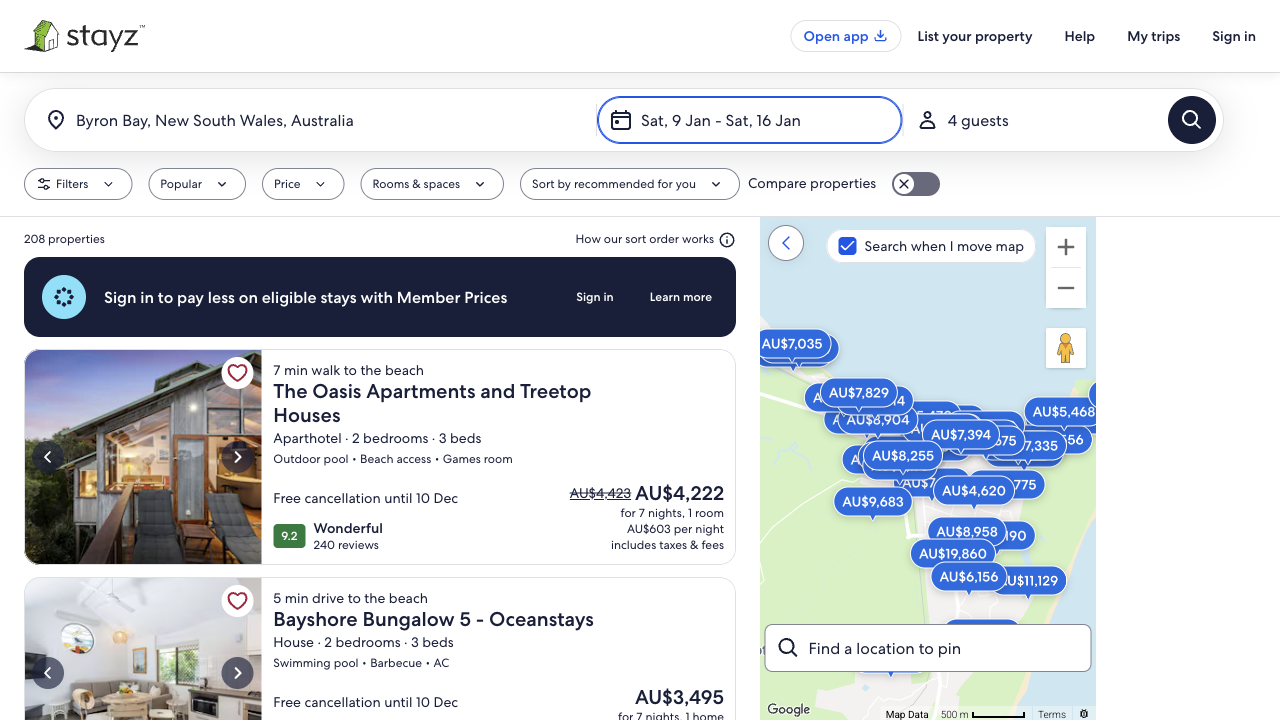
On Stayz every home is a whole home. On Airbnb you find it in Filters.
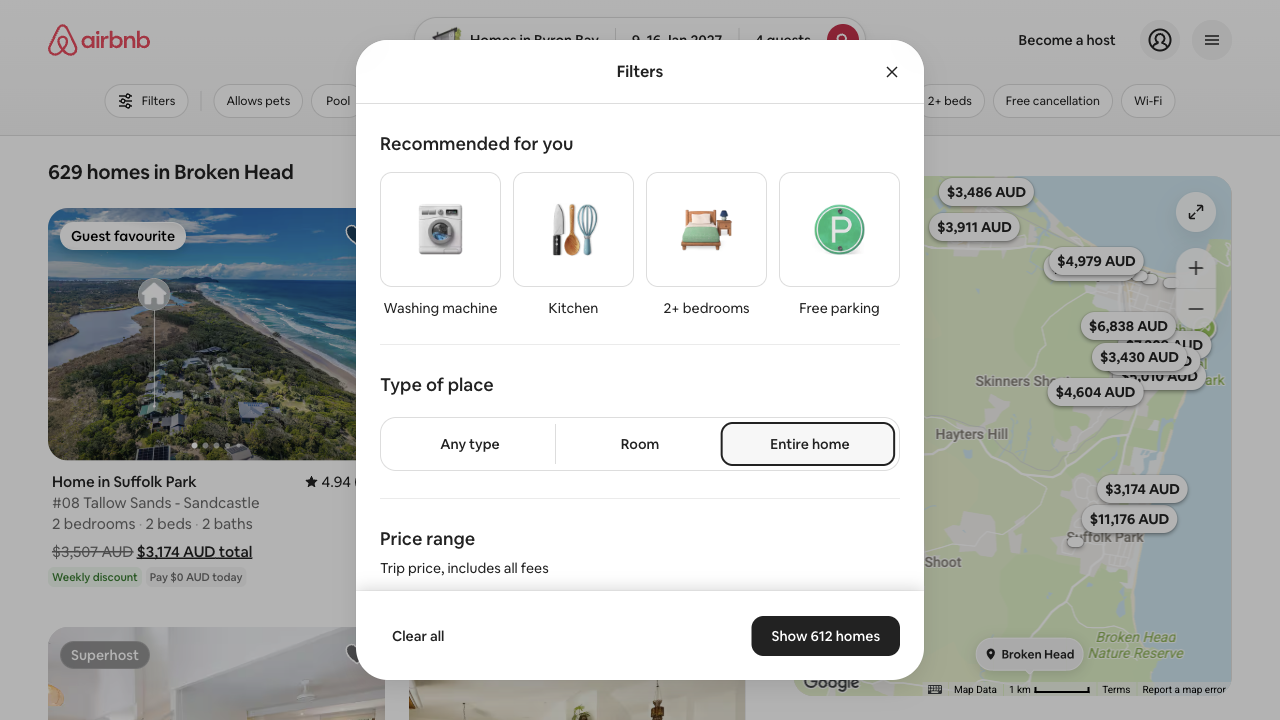
Credit to Airbnb’s Filters window: “Entire home” sits near the top, the price range says it includes all fees, keyboard focus stays inside the window, and Escape closes it and puts you back on the Filters button. The cost is a detour after the results, and the heading still names the other town afterwards: “612 homes in Broken Head”.
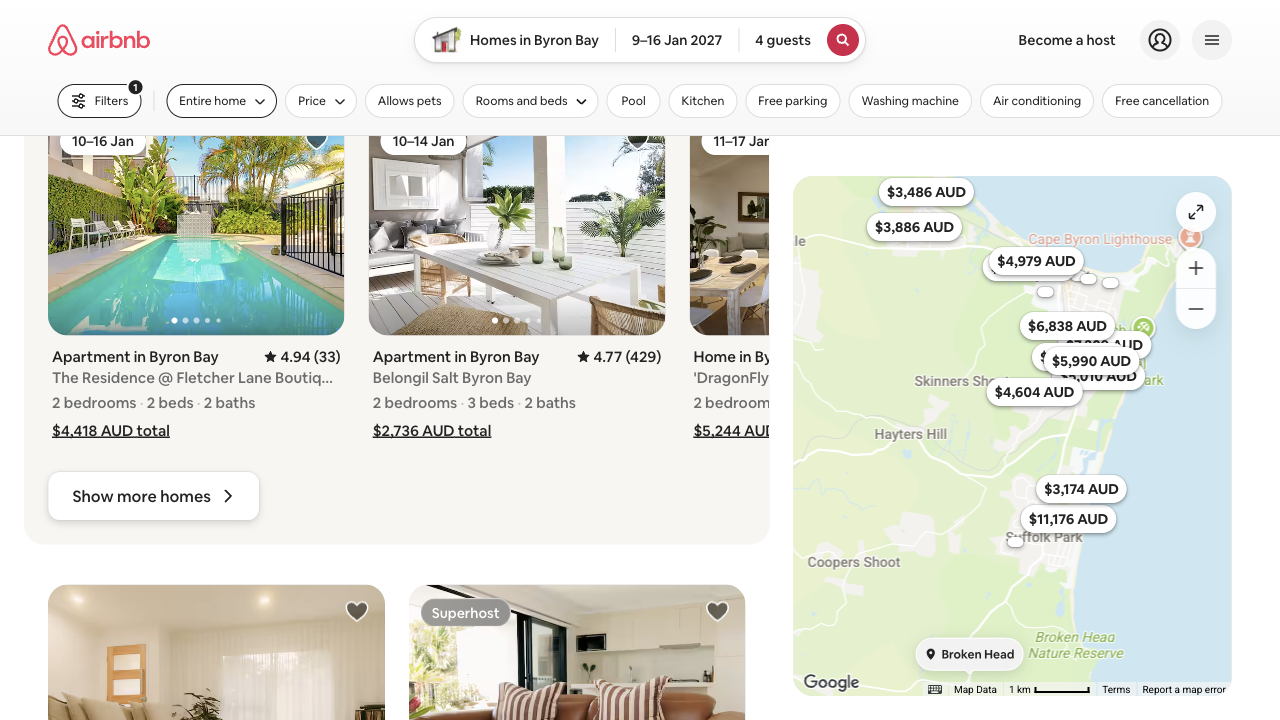
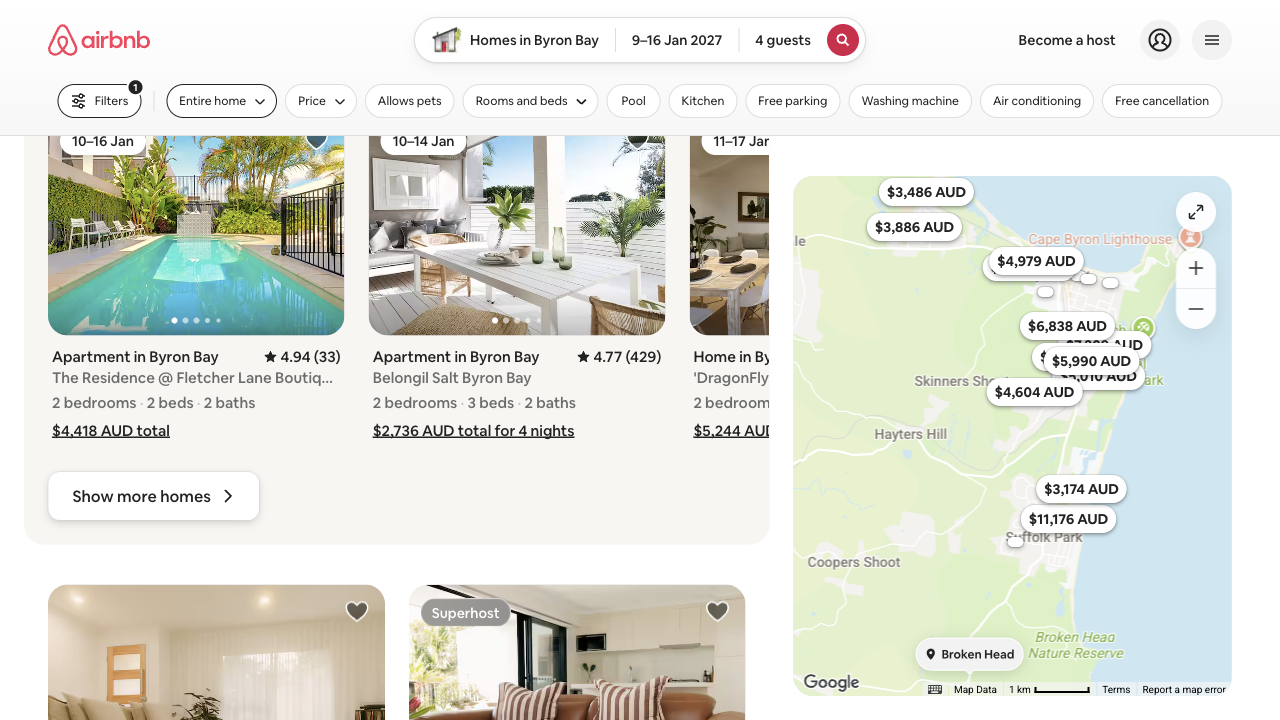
A four-night stay sits among the week-long totals and looks like the cheapest week.
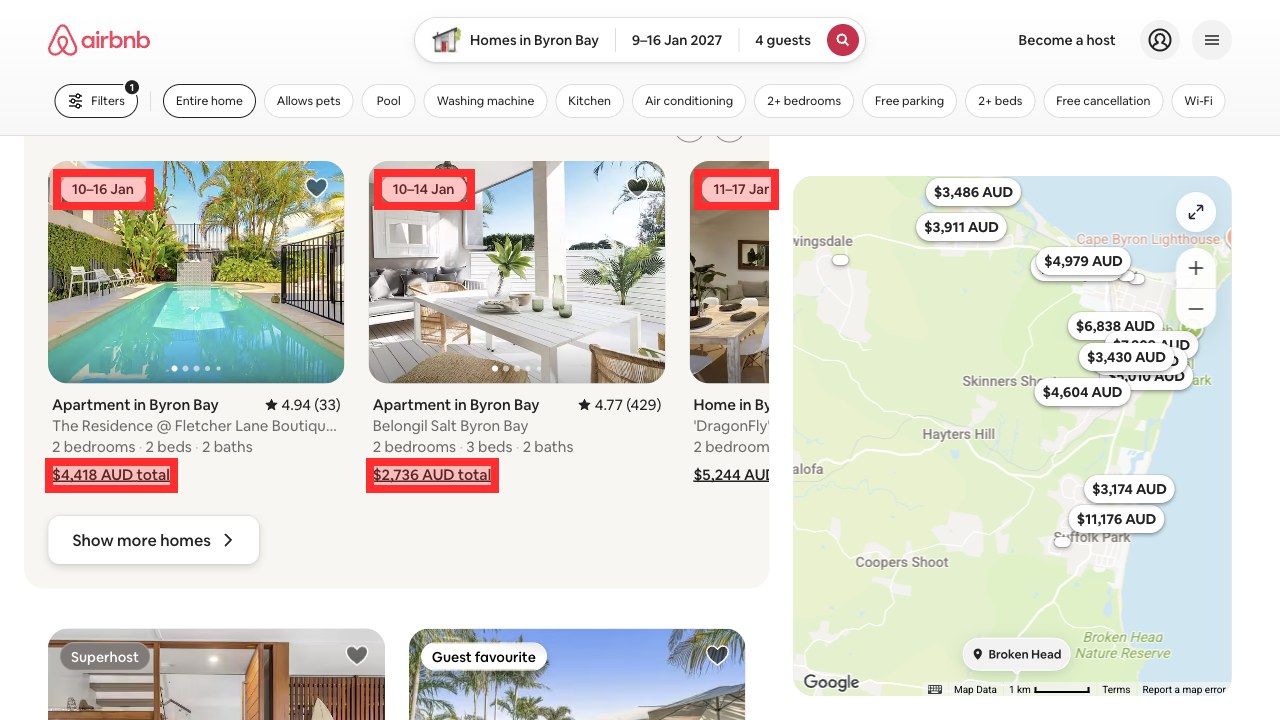
Showing homes for nearby dates is useful to a family who can move their week. The problem is the label. The dates are there in a small tag, but the price says only “total”, in the same style as the seven-night totals around it. Stayz and Booking.com put the length of the stay in every price: “for 7 nights”, “1 week”.
Airbnb’s booking box keeps the trip. Its header search forgets it.
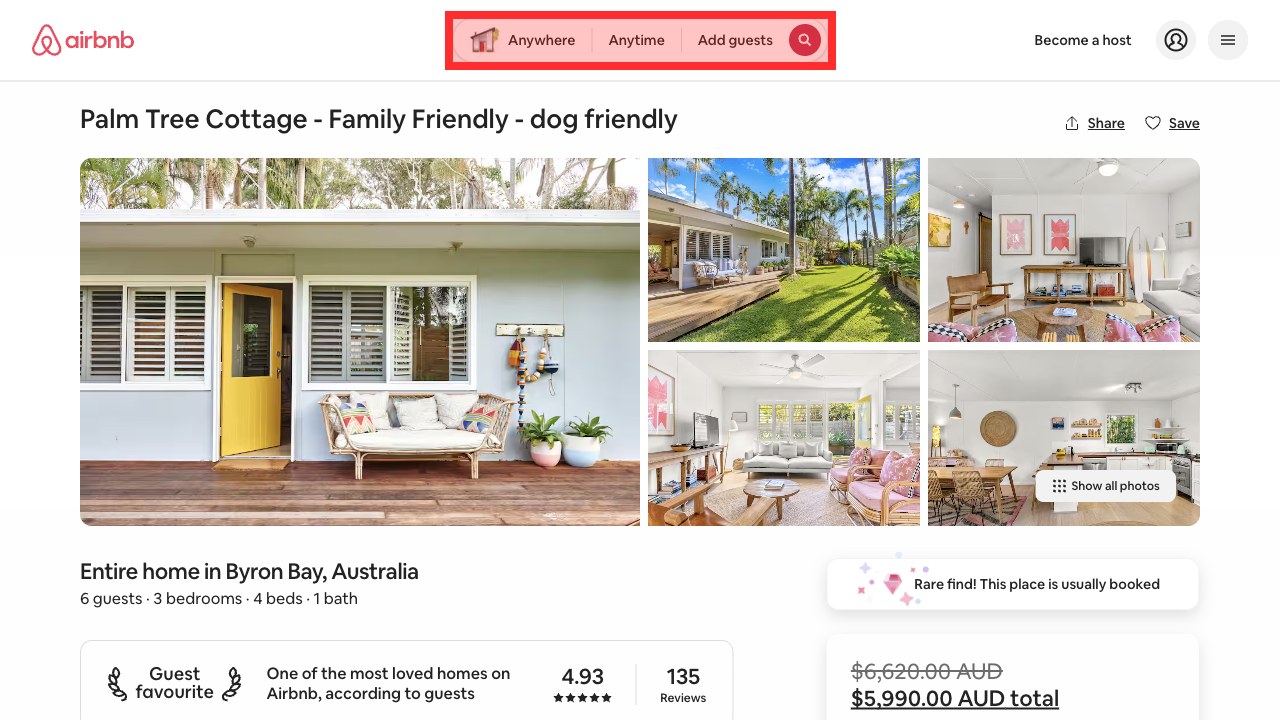
The home itself is right for the family: “Entire home in Byron Bay, Australia”, six guests and three bedrooms, and the booking box shows the dates, the guests and the total. Only the header has started again. A family checking a second home from there would have to type Byron Bay, the dates and four guests once more.
Airbnb gives the clearest price of the three. Keyboard users cannot see the button that opens it.
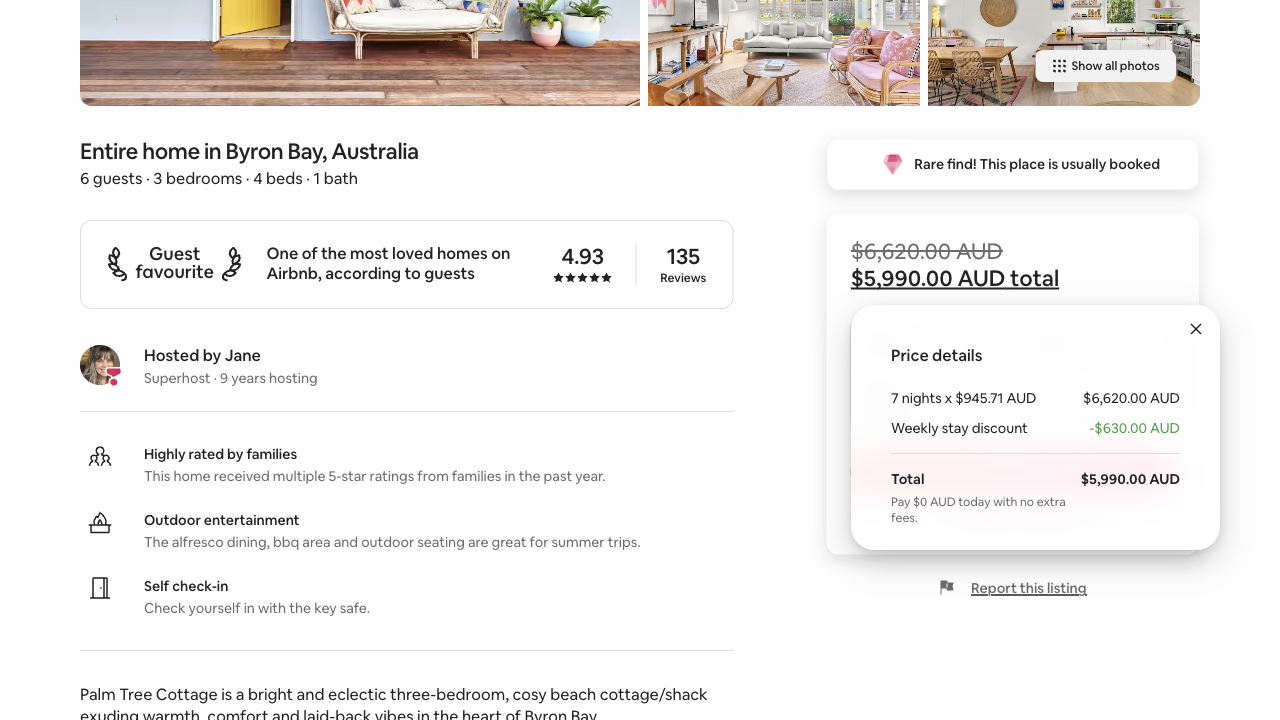
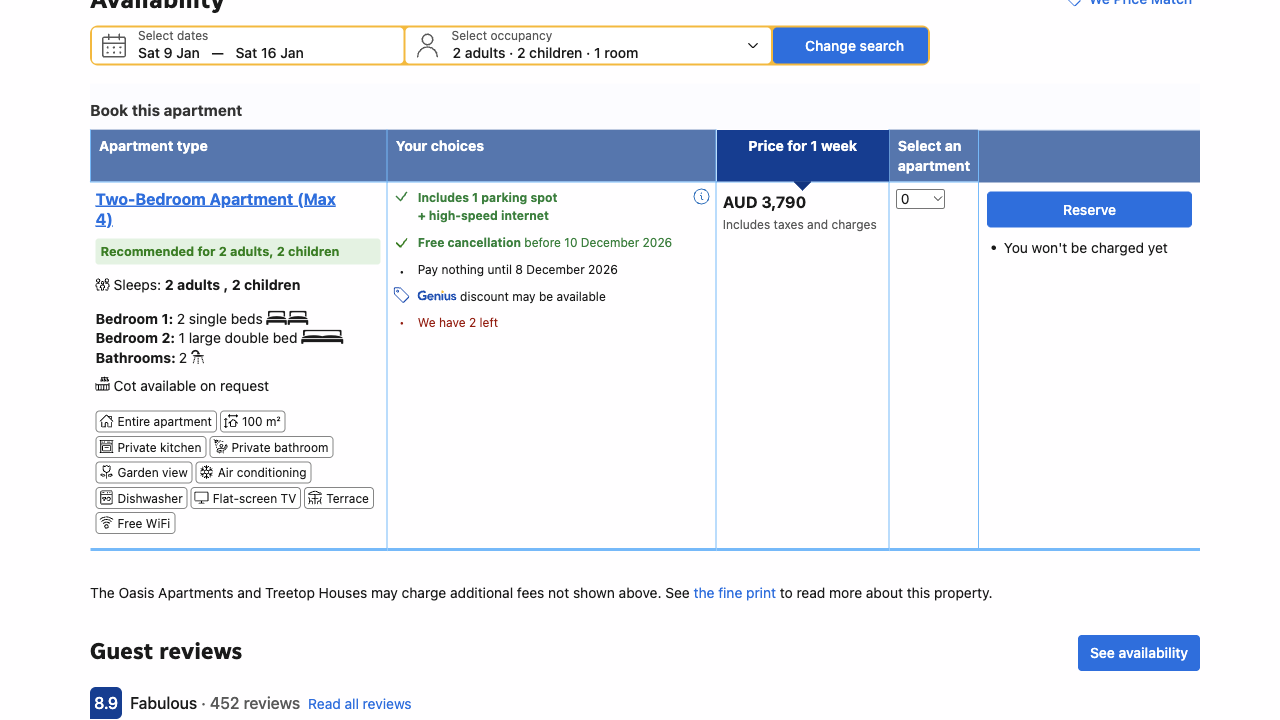
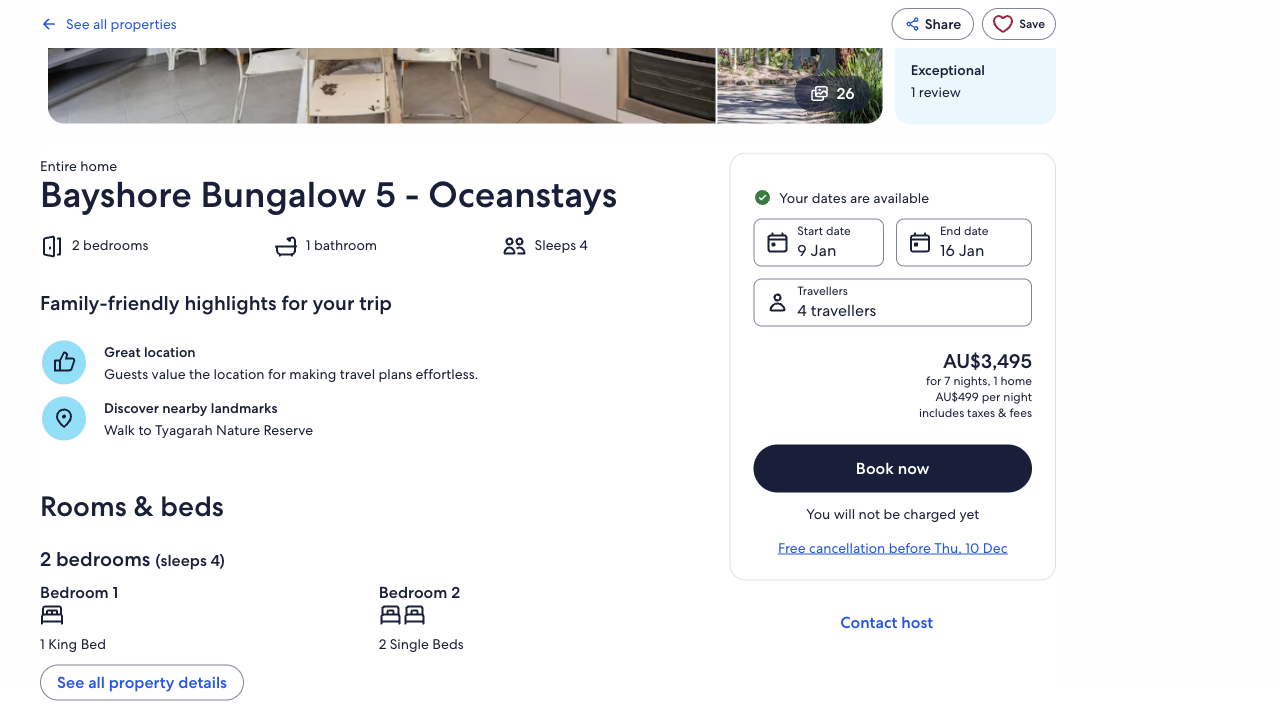
This is where Airbnb leads. The family sees exactly what the week costs and how it is worked out, on the home’s own page, with nothing to sign in to. Booking.com’s breakdown, including a refundable AUD 500 damage deposit, first appears on the step that asks for the family’s name, email and phone. Stayz’s total is as clear as Airbnb’s, just less detailed.
The first thing to fix
The button that opens the price hides under a fixed bar.
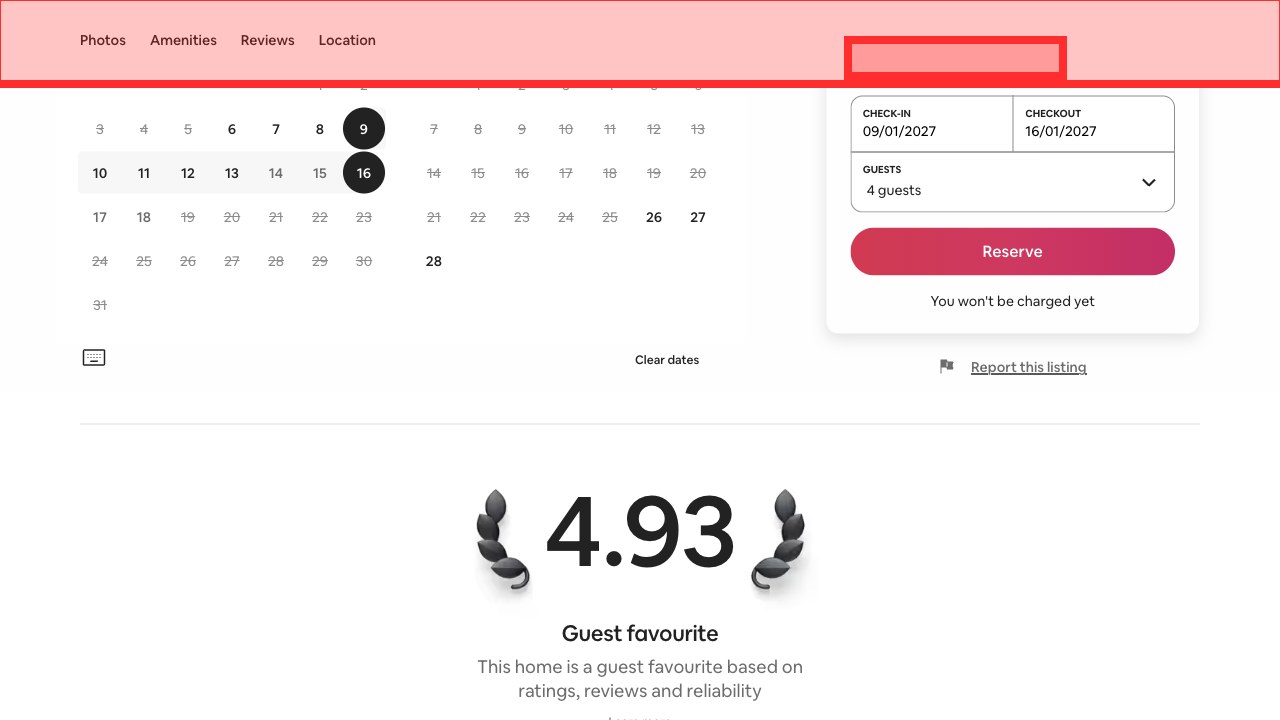
Pressing Tab from “Clear dates” under the calendar moves to “$5,990.00 AUD total”, the button that opens Price details. The page scrolls it only as far as the top edge, where Airbnb’s bar of section links (Photos, Amenities, Reviews, Location), 80 pixels tall, covers it completely. Someone using a keyboard is on the most important button in the journey and cannot see it.
Inside Price details the weekly discount, “-$630.00 AUD”, is green (#12a139) on white, a contrast of 3.4 to 1 against the 4.5 to 1 that text this size needs, and it is the line that explains the total. Reserve then opens “Request to book”, which repeats 9 to 16 January 2027, two adults and two children and the same $5,990.00, offers to pay now or $0 now with the rest charged on 2 December, and only then asks for a payment method. We stopped there. Stayz’s next step asks for name, email and phone first; both say there are no extra or hidden fees.
Google puts Airbnb sixth for Byron Bay holiday homes, and nowhere for family accommodation.
A trip like this often starts on Google, so UX Robot read four searches drawn from the family’s goal, with what advertisers bid per click, and Google’s results for each in Australia.
The solid bar is the search where Airbnb is on Google’s first page; hatched bars are searches it is not. The pages Google shows are Airbnb’s Byron Bay destination pages, not the search this family used. The most family-specific search, “byron bay family accommodation”, showed an AI Overview, Google’s own answer above the results, which did not cite Airbnb, and no ads appeared on any of the four. Monthly searches are DataForSEO estimates, and searches are not visits.
Airbnb’s website is quick. Its home page, where this journey starts, is not.
These are Chrome UX Report figures for real desktop visitors from 23 September to 20 October 2026, at the 75th percentile: three in four visits were at least this fast. Google rates main content good at 2.5 seconds or less. Across the whole website Airbnb is good on all three measures: it responds to clicks in 182 milliseconds (Booking.com 147, Stayz 137) and moves less while loading than either rival (0.03). Its home page is the exception, at 3.1 seconds to the main content, 209 milliseconds to respond and 0.18 for layout movement, all needing improvement. Lighthouse lab runs on 22 October point to early scripts, about 400 KiB of unused styles, and the first result photo being requested about 4.5 seconds late on the results pages.
Accessibility: the trouble sits on the route to the price
UX Robot checked all ten Airbnb pages the journey reached against each WCAG 2.2 level A and AA success criterion in a desktop browser, and found problems with eight of them. Four are on this family’s route. In the empty destination field, Tab moves past When, Who and Search, then jumps back up into the still-open list of suggestions and through all 22 of them, and because the field and its suggestions are not marked up as a list of options, screen readers are not told a list opened or which suggestion is chosen. The results heading names Broken Head, which is also what screen readers hear. The fixed bar hides the focused price button, and the discount in the price is too faint. Elsewhere, category photos have no alt attribute, the sign-in field offers to fill in only saved phone numbers although it also takes an email, some destination links are cut off when text spacing is increased, and on one experiences page a bar fixed to the bottom hides focused price buttons.
This is not a compliance verdict. A browser check of the success criteria finds problems; it does not establish WCAG conformance and cannot replace testing with people who use assistive technology. Error messages on the sign-in and payment forms were not tested, because that would mean submitting them. Airbnb’s Filters window is a good model to copy: focus stays inside it, and Escape closes it and puts you back where you were.
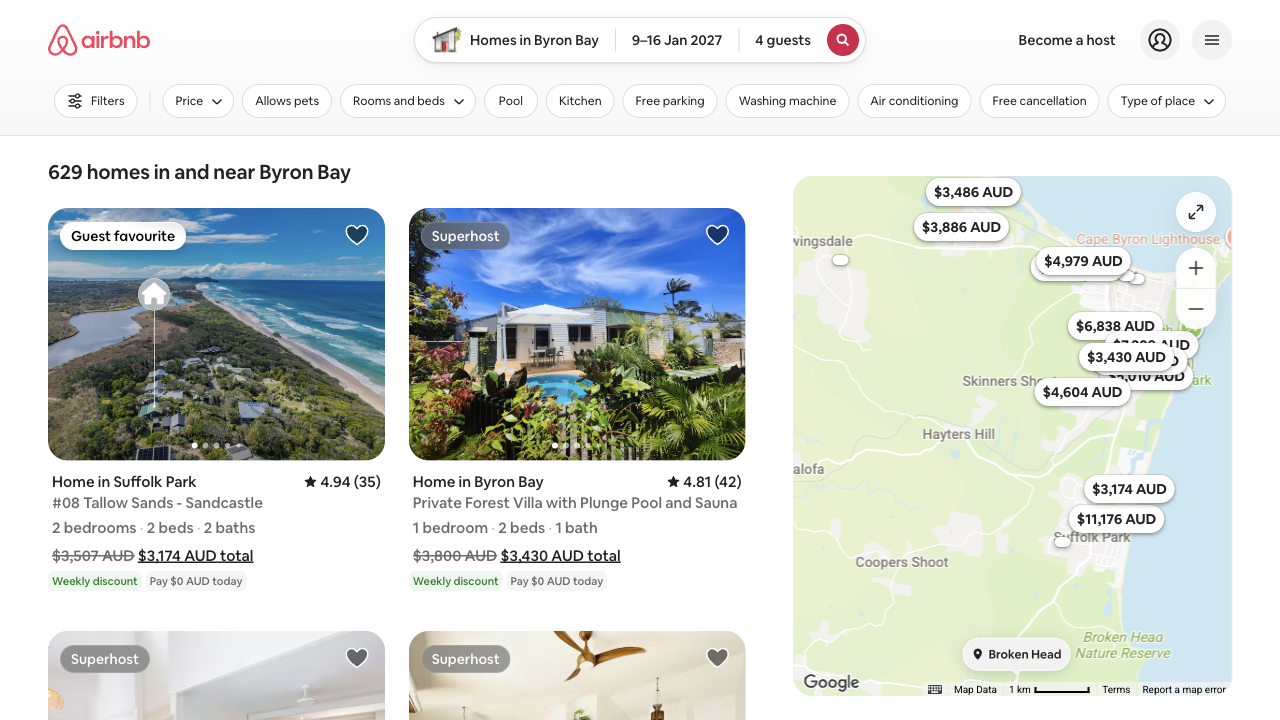
What Airbnb’s results look like when they name the place you searched for.
UX Robot pictures its main fixes on the real page. Drag the slider right to compare the mock-up, where only the heading’s text changed to “629 homes in and near Byron Bay”, with Airbnb’s live results.
And the stay that looked like the cheapest week, with the length of the stay added to its price: “$2,736 AUD total for 4 nights”.
Six changes, in order
Each one says what to change, where, why it matters and how to tell whether it worked.
Keep the full-price button clear of the fixed bar.
What
While the section bar is fixed, give the page 96 pixels of scroll padding at the top (scroll-padding-top: 96px), so the total-price button stays fully visible when Tab reaches it.
Where
Holiday home pages, where the booking box meets the bar of section links.
Why
The 80-pixel bar covers the focused button completely, and it is the control that opens Price details.
Measure
At desktop size and with enlarged text, Tab from Clear dates to the total: it stays in view and Enter opens Price details.
Say how many nights every total covers.
What
Add the number of nights to every result total, such as “$2,736 AUD total for 4 nights”, and keep the date tags and the “Available for similar dates” heading.
Where
Beside each card’s total in the holiday-home results.
Why
A four-night stay sits among seven-night totals and looks like the cheapest week.
Measure
Every card, for the exact dates or similar ones, states the right number of nights and stays readable with enlarged text.
Head the results with the place searched for.
What
Build the visible heading, and the heading read aloud, from the destination searched, and say when nearby places are included: “629 homes in and near Byron Bay”.
Where
The main heading above the result cards.
Why
The search says Byron Bay and the heading says Broken Head, leaving the family to work out whether the search changed.
Measure
Search for Byron Bay, then choose Entire home: the heading on screen and to screen readers still says Byron Bay.
Give the destination suggestions one clear keyboard route.
What
Use the filled field’s keyboard behaviour in the empty state too, close the suggestions when focus leaves Where, and mark the field up as a combobox with a list of options.
Where
The empty destination field on the home page, Homes, Experiences, Services and holiday home pages.
Why
After Search, Tab goes back into the open list and through all 22 suggestions, and screen readers are not told the list opened.
Measure
With a keyboard and a screen reader: Tab moves forward only, the arrow keys choose a suggestion, and the list’s state is announced.
Keep the trip in the header search.
What
Fill the header search with the destination, dates and guests used to reach the home, and keep them when the search expands.
Where
The header search on holiday home pages.
Why
It reads “Anywhere, Anytime, Add guests” while the booking box keeps the trip; Booking.com and Stayz keep it in view.
Measure
Open a home from the results, expand the header search and find every trip detail still filled in.
Make the discount readable.
What
Darken the discount amount to #0e7c2c or darker on white.
Where
Price details on the holiday home page and the Request to book summary.
Why
At 3.4 to 1 it is too faint, and it is the line that explains why the total is lower.
Measure
The discount reaches at least 4.5 to 1 against its background in both summaries.
What we could not see from the outside
This audit stands on browser evidence and public data. With Airbnb’s own GA4, Search Console and Microsoft Clarity connected, UX Robot would rank these changes by how many families each one is losing: where people leave between the results, the home and Request to book, which searches actually bring them, and what visitors who give up did in the recordings, counted session by session.