Independent outside-in audit
UX Robot followed one customer journey on Telstra’s website on a phone, then ran the same journey on Optus and Vodafone, on 17 October 2026. We are not affiliated with any of them, and we did not use their analytics. This is a review of one public journey on one day, not a judgement on their networks or their plans.
The test
As someone switching mobile providers, I want to choose a SIM-only mobile plan with enough data and continue to checkout, so that I get the data I need at a monthly price I am happy with.
Starting from each provider’s SIM-only plans page, as if arriving from Google with a phone already in hand: compare the plans, choose one, add it to the cart and continue until checkout shows the plan, its data and its monthly price, or asks for personal details.
Before entering personal details, signing in, checking eligibility with personal information or paying.
Australian websites in Chrome, on a 390 × 844 phone screen, with no stored site data. Telstra’s journey also tested its menu and its own search.
17 October 2026, by a UX Robot run: the journey on all three websites, WCAG 2.2 A and AA checks and usability checks on every Telstra page reached, Chrome UX Report speed data and Google search results.
The 30-second result
Optus and Vodafone sell the plan. Telstra sells the promo code.
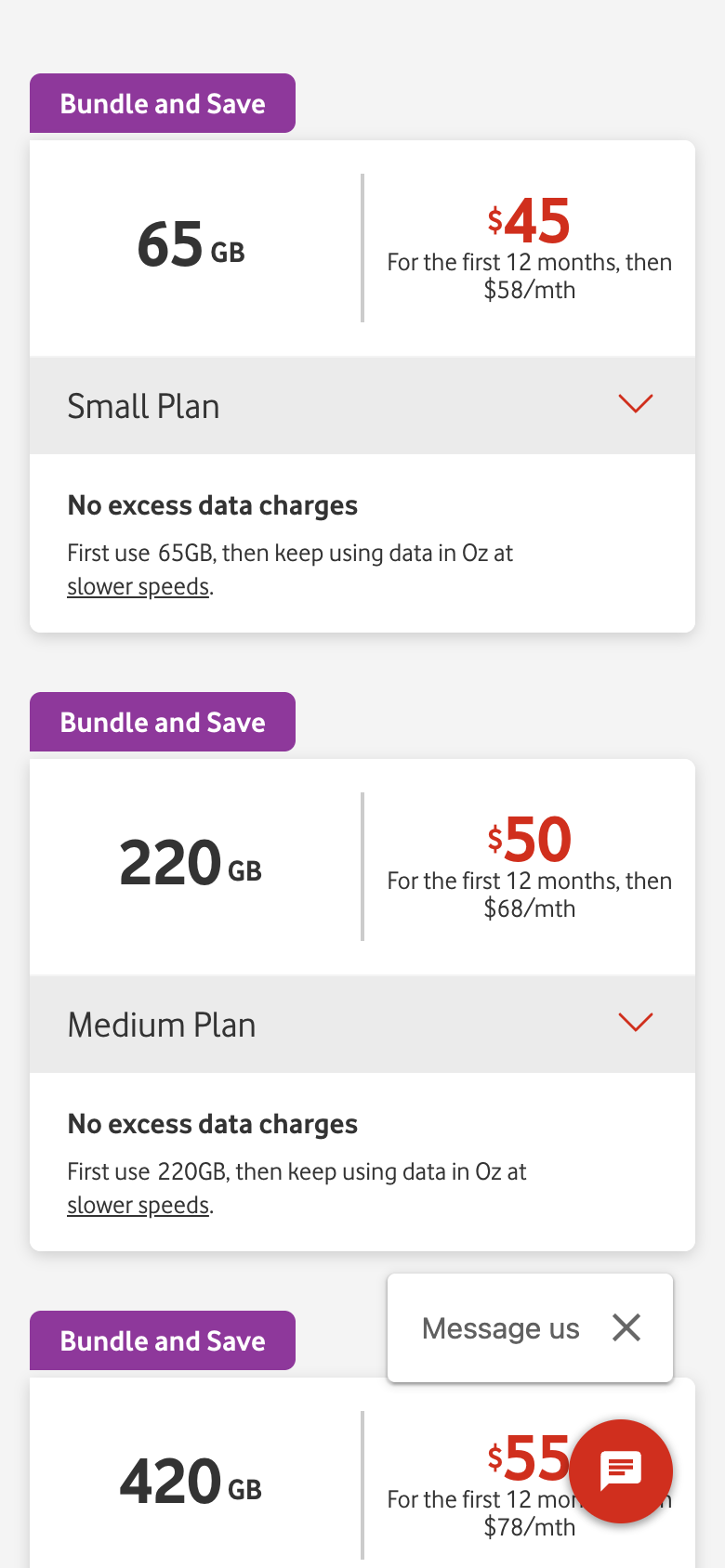
Both competitors put a plan, its data and its monthly price in front of you early, apply their offers for you and keep your order in view at checkout. Telstra opens with a code to copy, hides its cheapest plan in a carousel, makes you wait for a blank cart that has not applied the offer, then asks for an email before it shows your order again. Telstra still leads in places: its plan cards show data and price clearly, choosing a plan is easier than on Vodafone, and its website is the fastest of the three.
| Stage | Telstra | Optus | Vodafone |
|---|---|---|---|
| 01 First screen | Behind | Better | Better |
| 02 Comparing plans | Behind | Better | Better |
| 03 Choosing a plan | Mixed | Better | Behind Telstra |
| 04 Cart and offer | Behind | Better | Better |
| 05 Checkout | Behind | Better | Better |
| Whole-website speed | Fastest | Slowest | Close |
Telstra’s first screen is a promo code. Its rivals show a price.
You searched for SIM-only plans. Here is what each page showed before you scrolled.
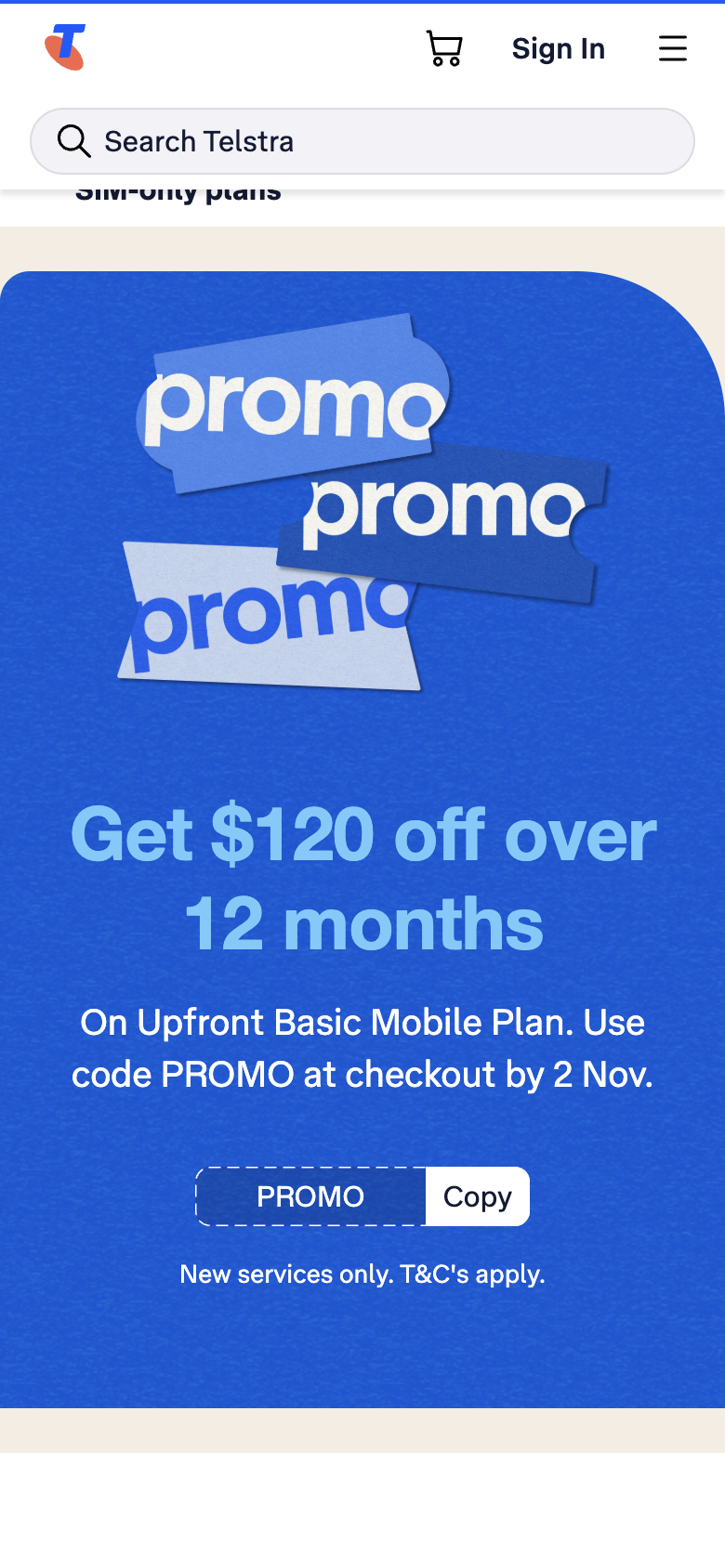
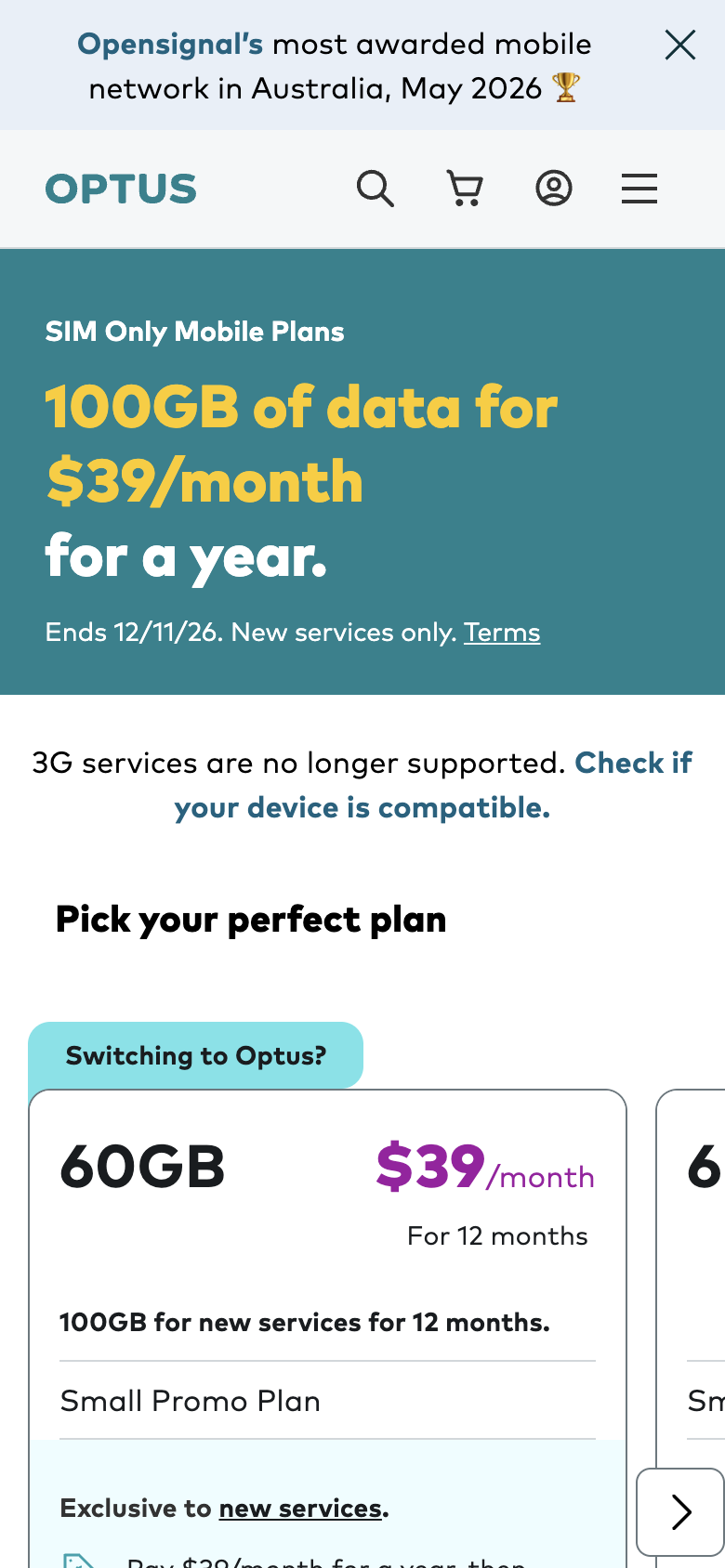
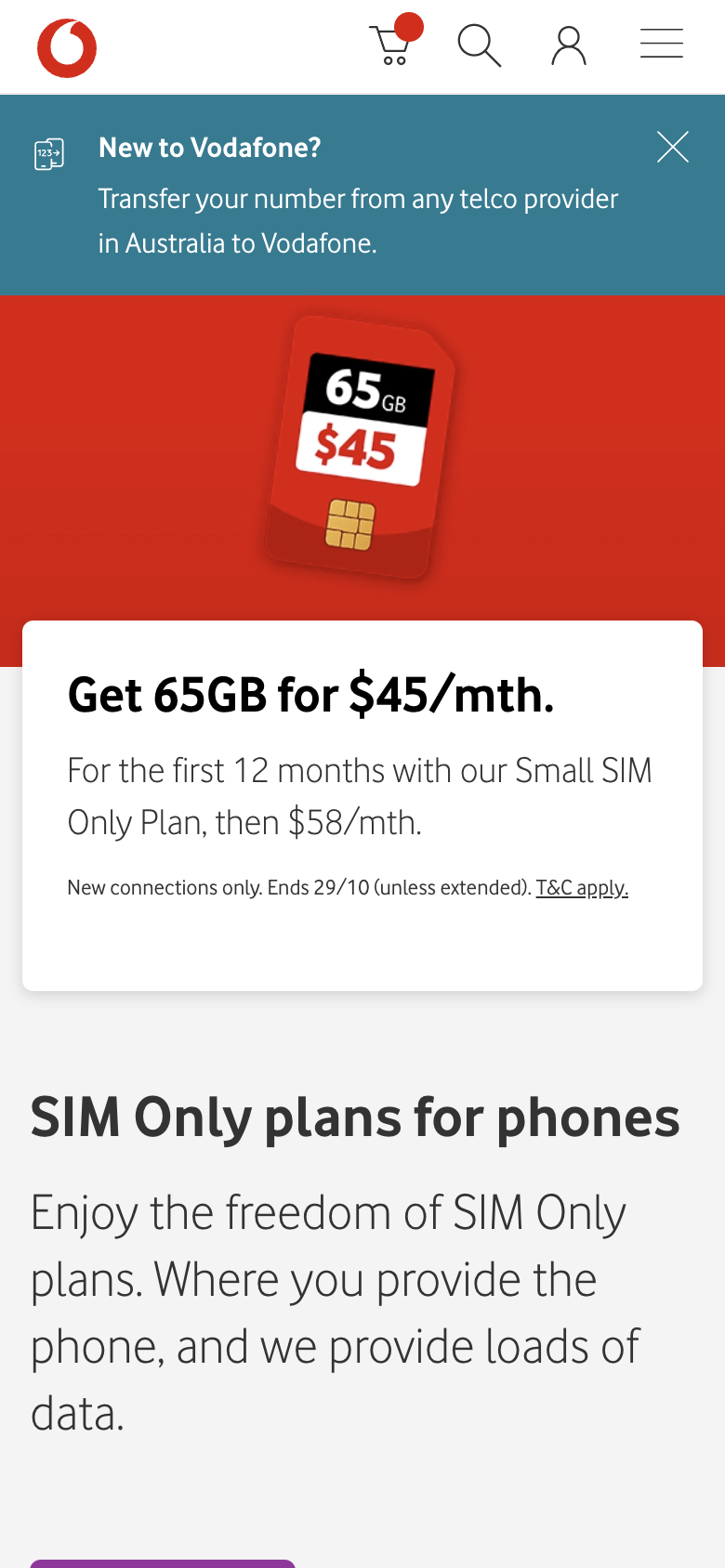
Telstra’s offer is real: $10 a month off its Basic plan for a year. But it arrives as a code to copy, “Use code PROMO at checkout by 2 Nov.”, and the plans themselves start about three screens further down. Optus and Vodafone turn the same kind of offer into the price you see. The visitor came to compare plans; the first screen should help them start.
The cheapest Telstra plan starts off screen.
Telstra shows its three plans one at a time in a sideways carousel, and the carousel opens on the middle one.
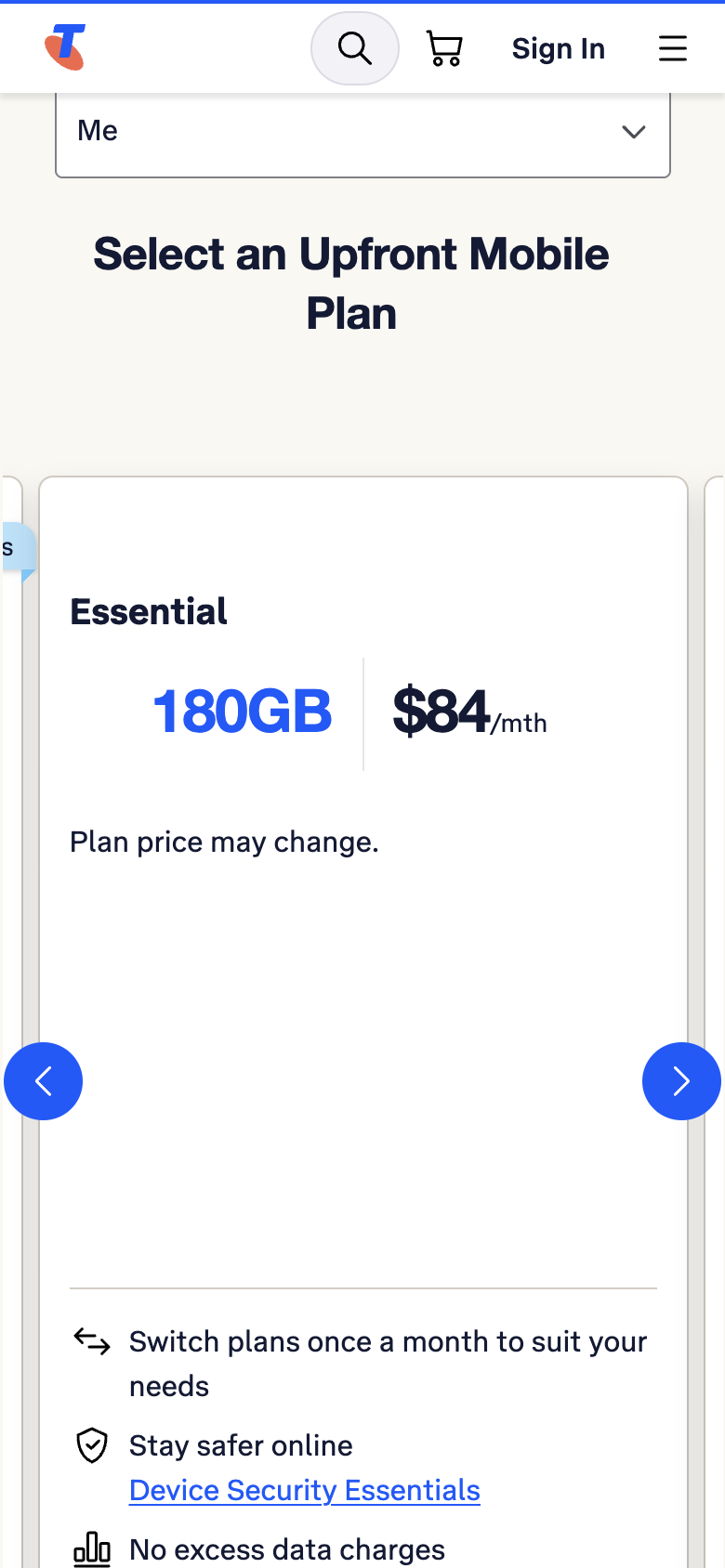
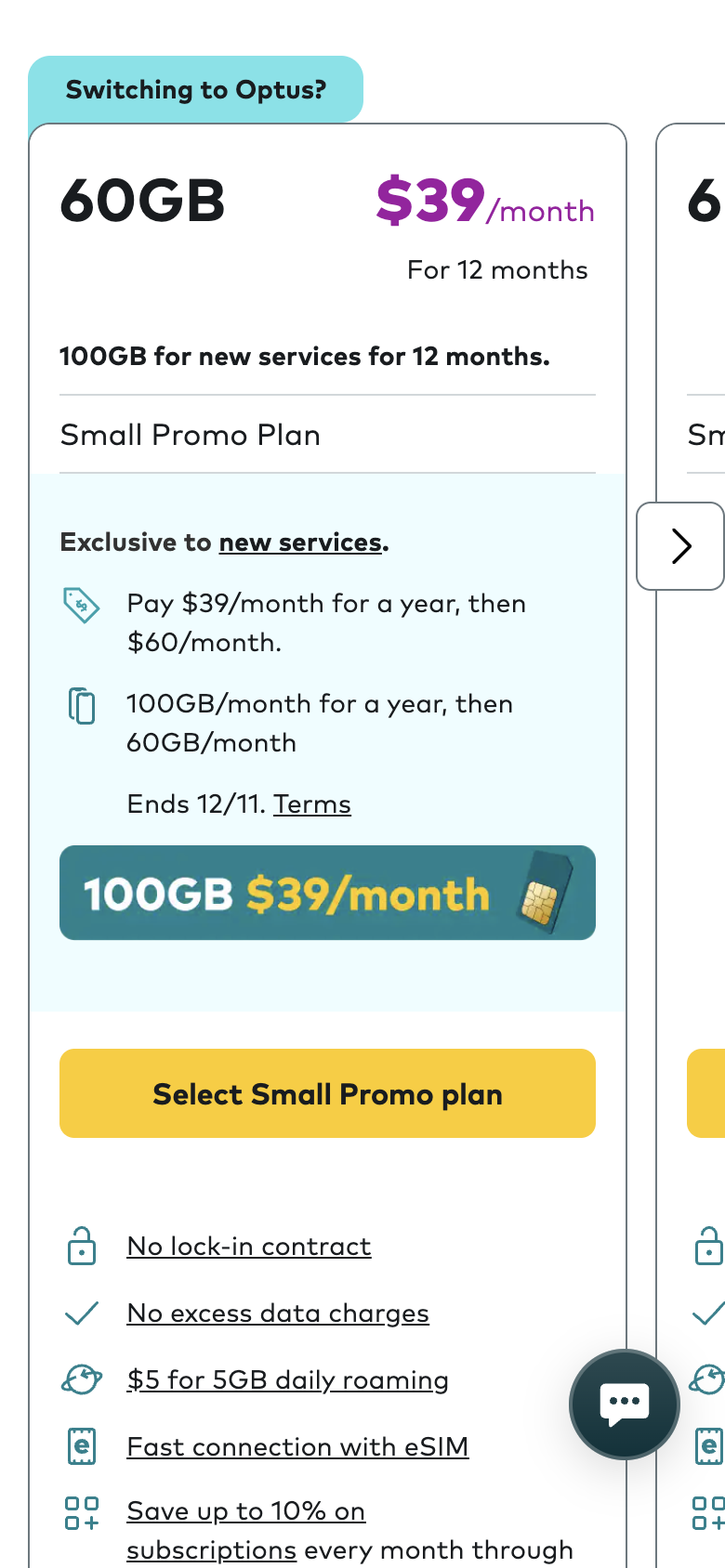
Each Telstra card is 1,137 pixels tall, more than a phone screen, so comparing Basic (50GB, $74), Essential (180GB, $84) and Premium (300GB, $99) means swiping back and forth while remembering numbers. Each card’s Select button sits about 1,100 pixels, 1.3 screens, below its price, after a promo box, six feature lines and four expandable rows.
One word to fix
“Upfront” appears six times and is never explained.
The section is headed “Select an Upfront Mobile Plan”. To someone shopping for a SIM-only plan, “Upfront” can read as prepaid or paying in advance, the opposite of the month-to-month plan on sale. Google’s own suggested questions for these searches include “What does a SIM-only plan mean?”. Plain words win here.
Telstra asks you to leave and check a map. Optus just confirms your plan.
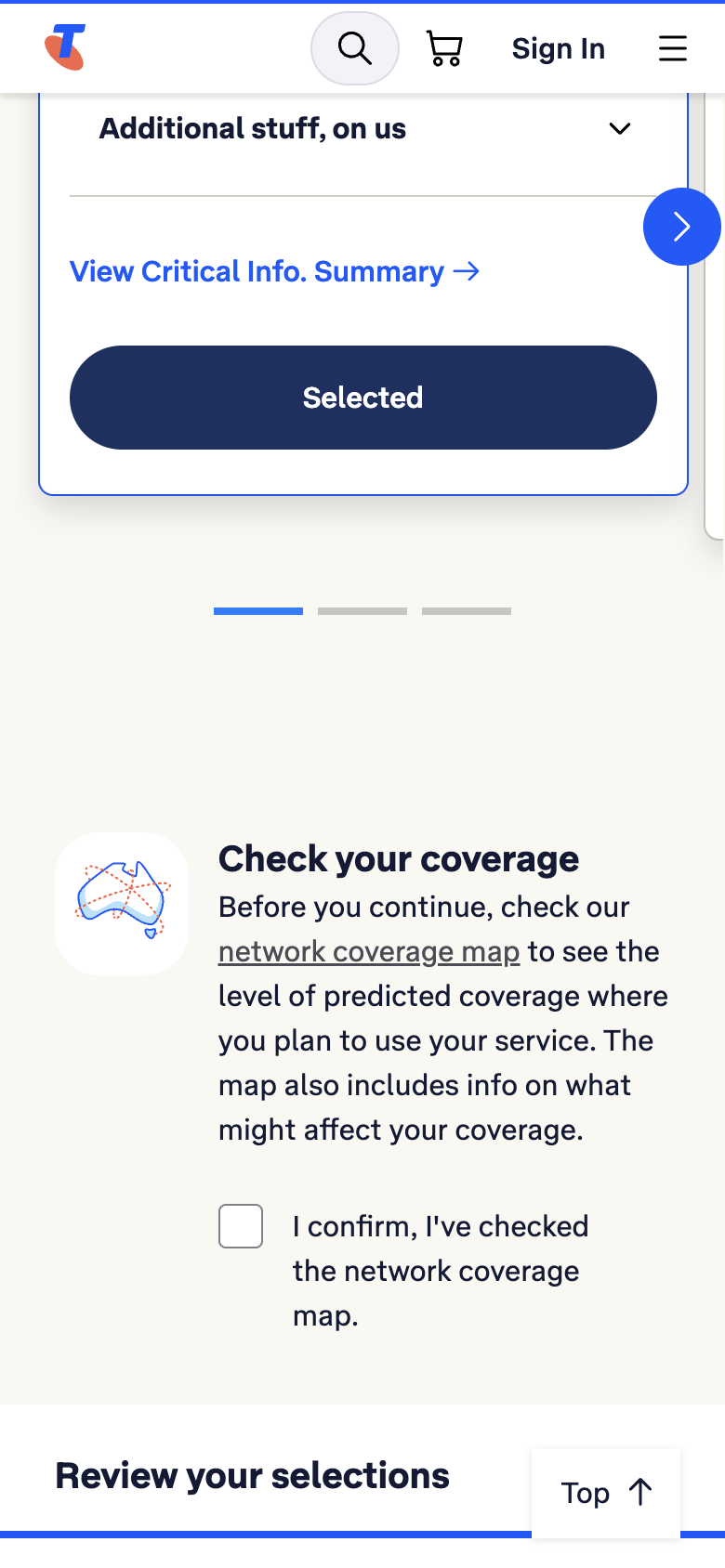
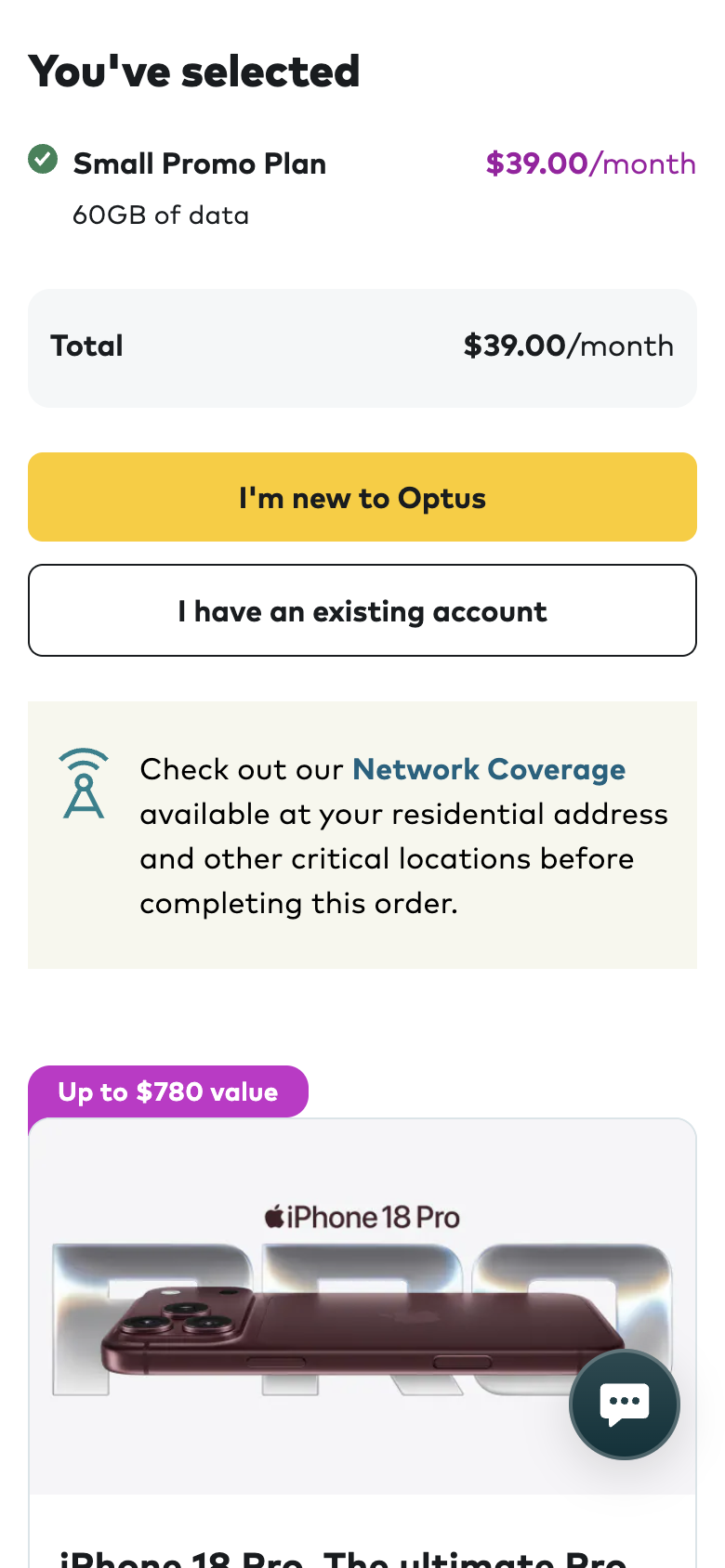
Credit where it is due: Telstra’s Select button is on every card and confirms the choice with “Selected”, which Vodafone does not manage. And when we tried to continue without ticking the coverage box, Telstra handled the mistake well: it scrolled back, focused the box and said exactly what to do, in a message screen readers announce. The problem is the step itself. The link to the coverage map opens in the same tab, away from the order, and the visitor must confirm they did something the page sends them away to do.
Fourteen seconds of white screen, then the full price.

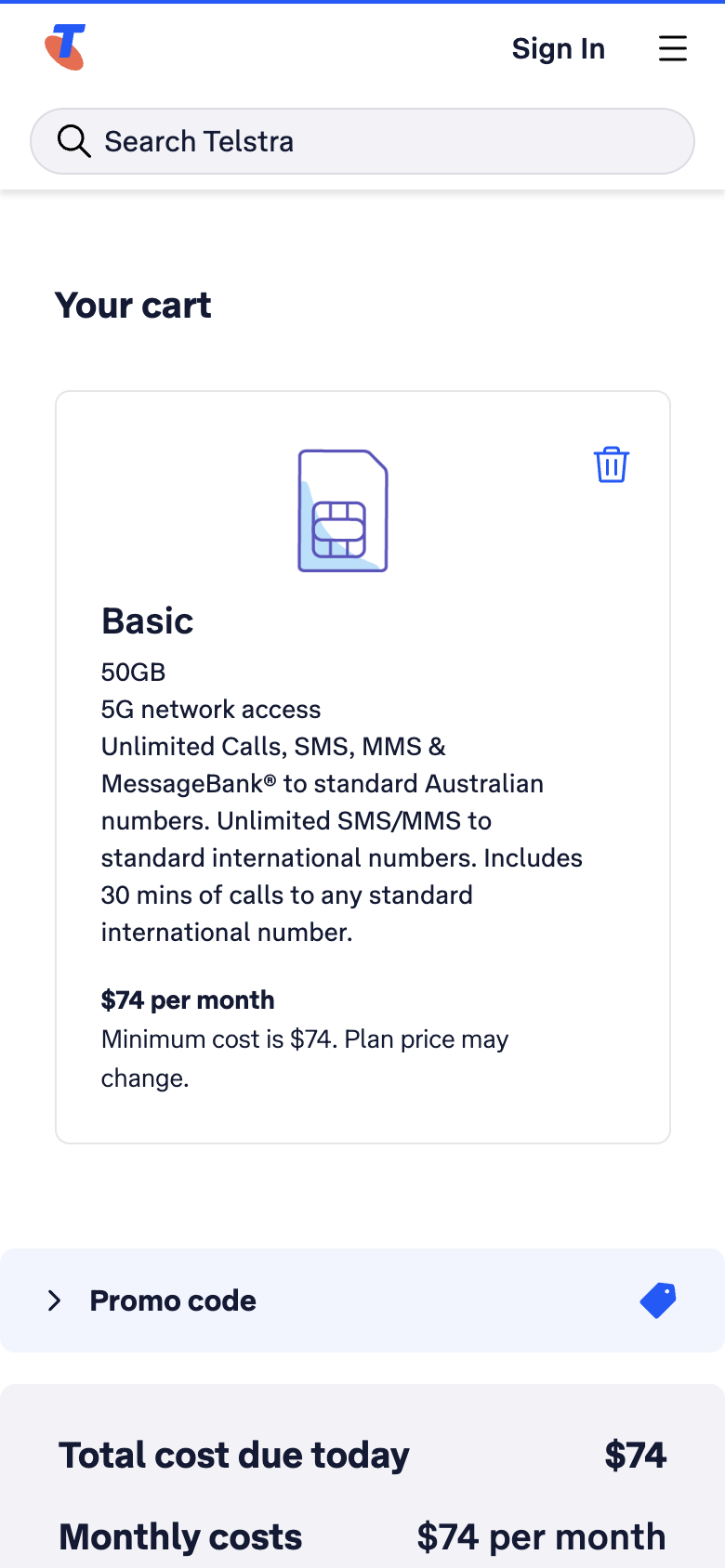
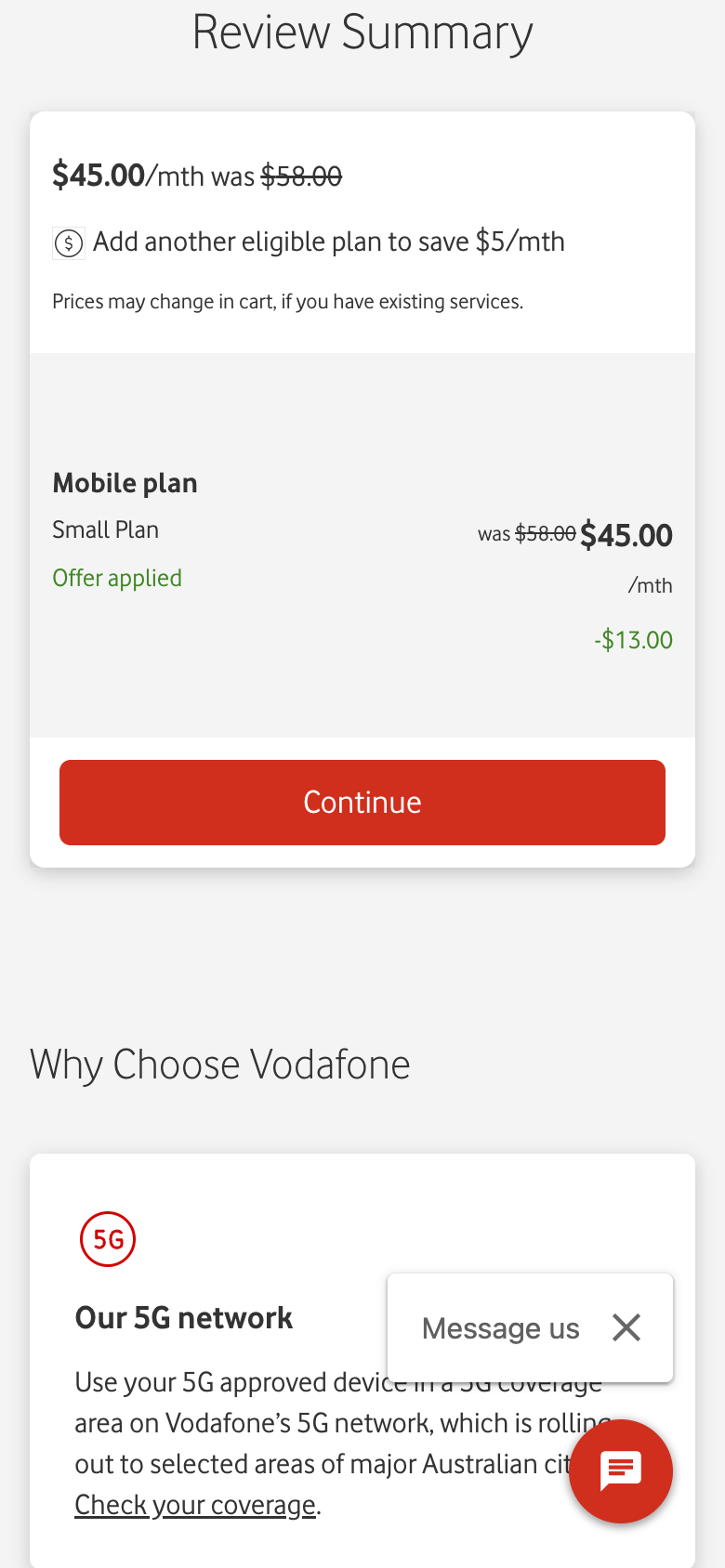
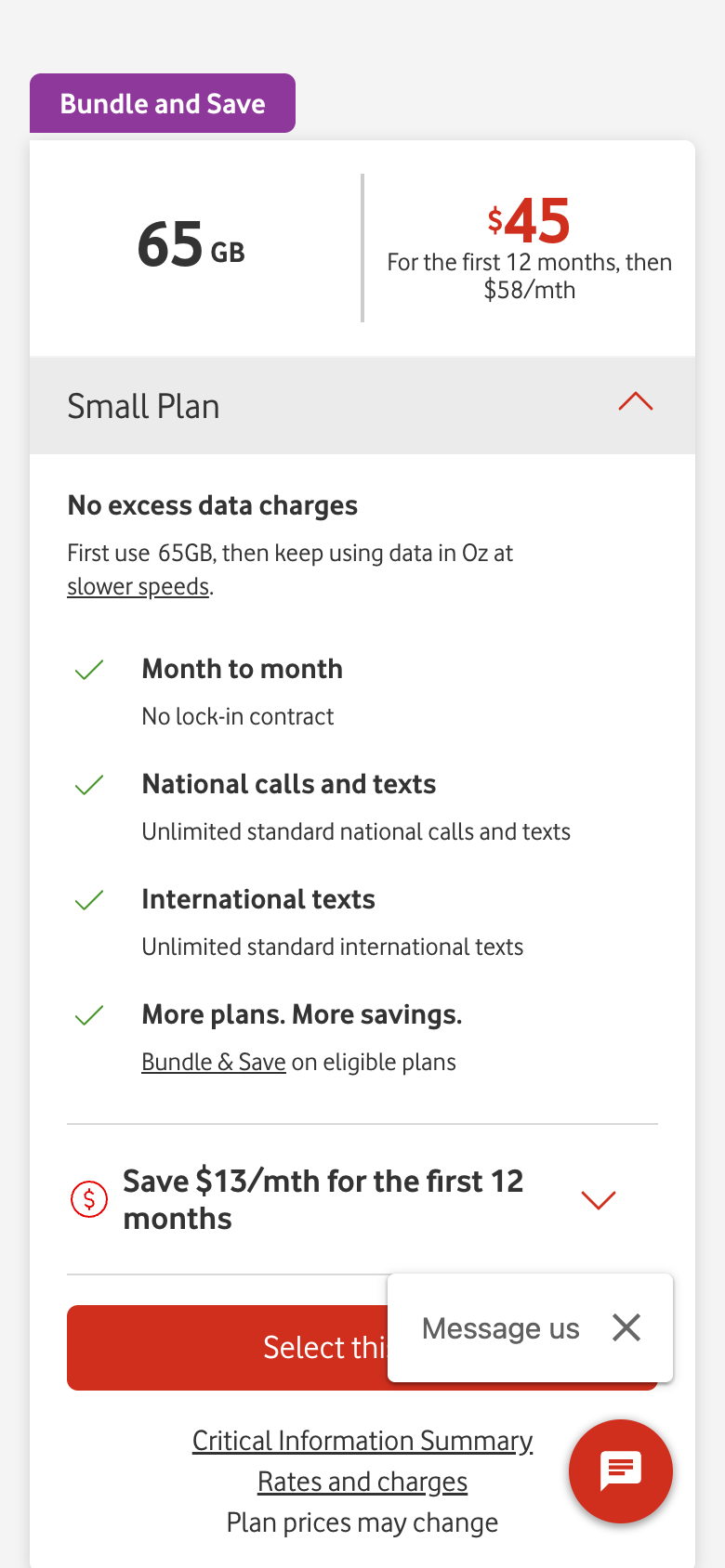
Our wait was not a one-off. Google’s Chrome UX Report, which measures real visitors in Chrome, puts the main content of Telstra’s cart at 6.3 seconds for three in four phone visits, with 48% of visits rated poor, and its layout movement at 0.62, poor for 82% of visits. Optus already shows the offer in the plan price, and Vodafone applies it in its summary with the saving spelt out.
Telstra’s offer does work once you find it: typing PROMO and tapping Apply code showed “PROMO applied to 1 item”, $64 due today and $64 a month for months 2 to 12. The same box then says “Total minimum cost is $64 over the nominated term”, which does not match the monthly costs above it, and a floating chat button covers the end of the Checkout button.
At checkout, your plan disappears and an email box takes its place.
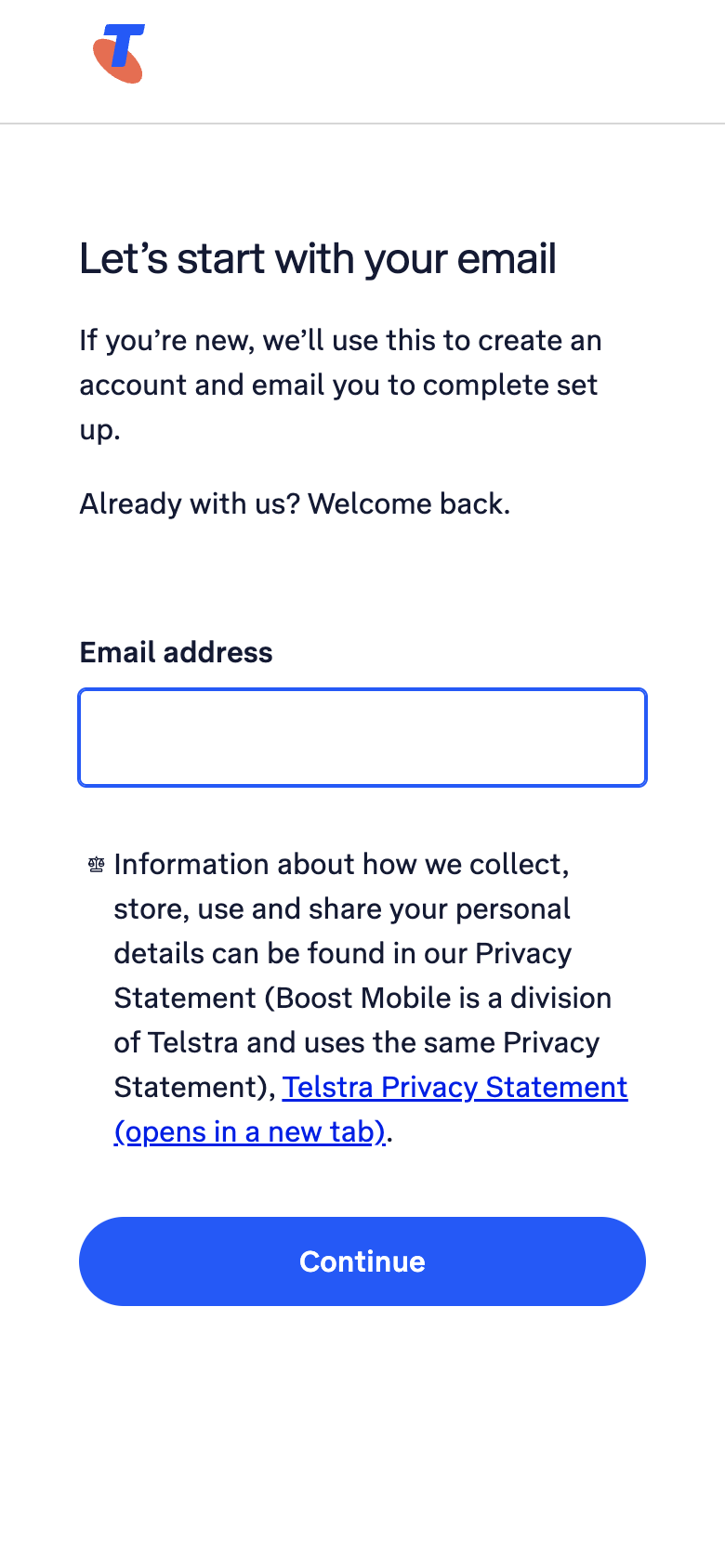
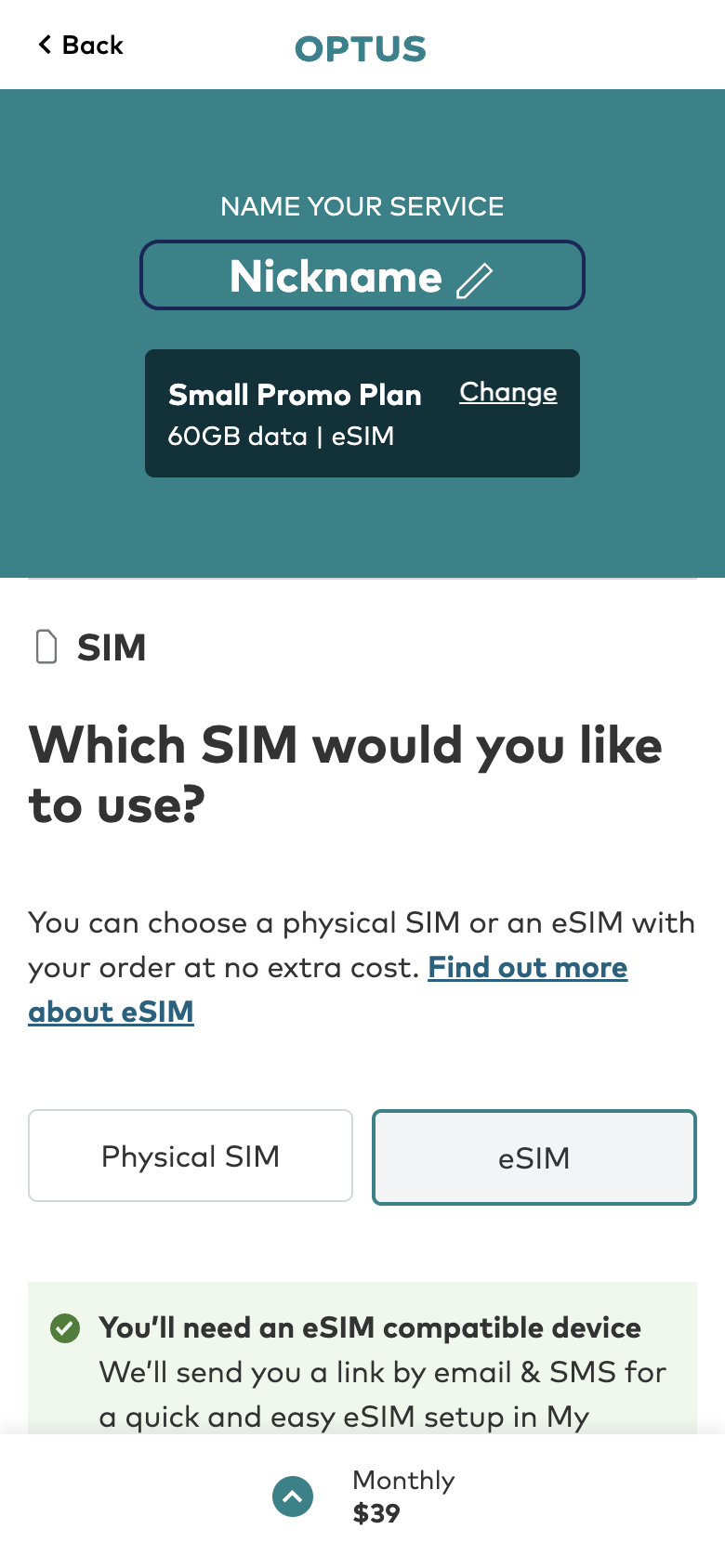
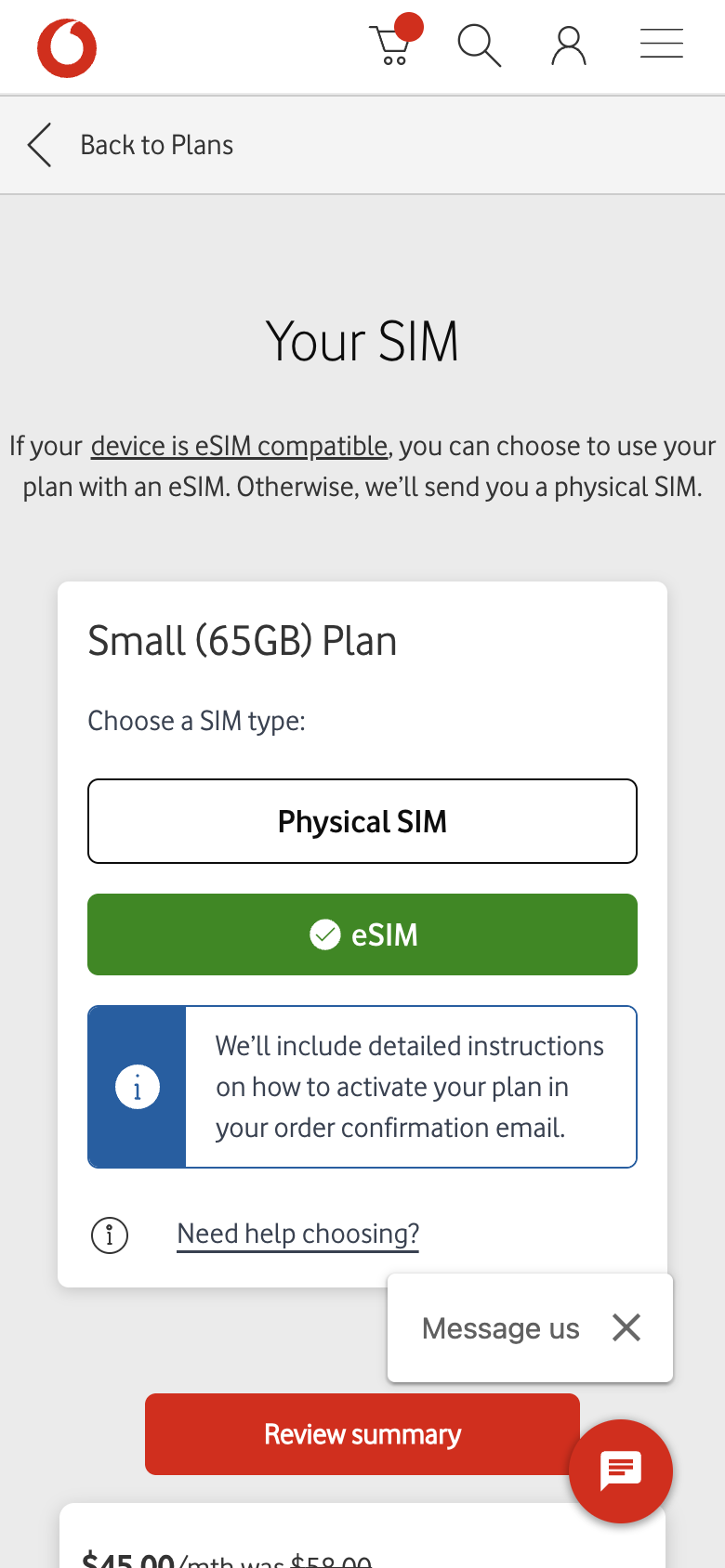
Telstra’s Checkout hands you to its sign-in service, which starts by asking for an email to create an account. A switcher who wants to check what they are committing to has nothing to look at. Both rivals let you start your order, with the plan and price in view, before asking who you are. We stopped at each email or details step, before entering anything.
Telstra wins the generic search. Optus wins its own name, where Telstra ranks 23rd.
The journey starts on Google, so UX Robot read the searches Telstra’s plans page ranks for in Australia, with what advertisers bid per click, and Google’s results page for the biggest five, on a phone.
Solid bars are searches where Telstra is on Google’s first page; hatched bars are searches it is not. Across all the searches it ranks for, about 27,340 a month find Telstra’s plans page on the first page of results. Google showed an AI Overview, its own answer above the results, for four of the five searches checked. Monthly searches are DataForSEO estimates, and searches are not visits.
Telstra’s website is the fastest of the three. Its cart is not.
These are Chrome UX Report figures for real phone visitors from 17 September to 14 October 2026, at the 75th percentile: three in four visits were at least this fast. Google rates main content good at 2.5 seconds or less. Across the whole website Telstra also responds to taps faster (276 milliseconds against 405 for Optus and 360 for Vodafone) and moves less while loading (0.16 against 0.58 and 0.18). The cart is the outlier, and it sits at the moment a customer has just decided.
Accessibility: six problems, one on every page
UX Robot checked every Telstra page the journey reached against each WCAG 2.2 level A and AA success criterion in a phone browser. The most widespread problem is on every page: the header search box shows “Search Telstra”, but its name for assistive technology is “Search or ask a question”, so saying the visible words to a speech control does not find it. Image links on cards had no names on four pages, the Bundle plans dropdown has no label, two places cut off or overlap text when spacing is increased, and on the contact page a focused button hides behind a fixed app banner.
This is not a compliance verdict. A browser check of the success criteria finds problems; it does not establish WCAG conformance and cannot replace testing with people who use assistive technology. Telstra’s coverage error is a good model to copy: it focuses the problem and announces what to fix.
What Telstra’s cart looks like with the offer already applied.
UX Robot pictures its main fixes on the real page. Drag the slider to compare Telstra’s live cart with a mock-up where only the text changed: the offer applied, $64 due today, and the later price spelt out.
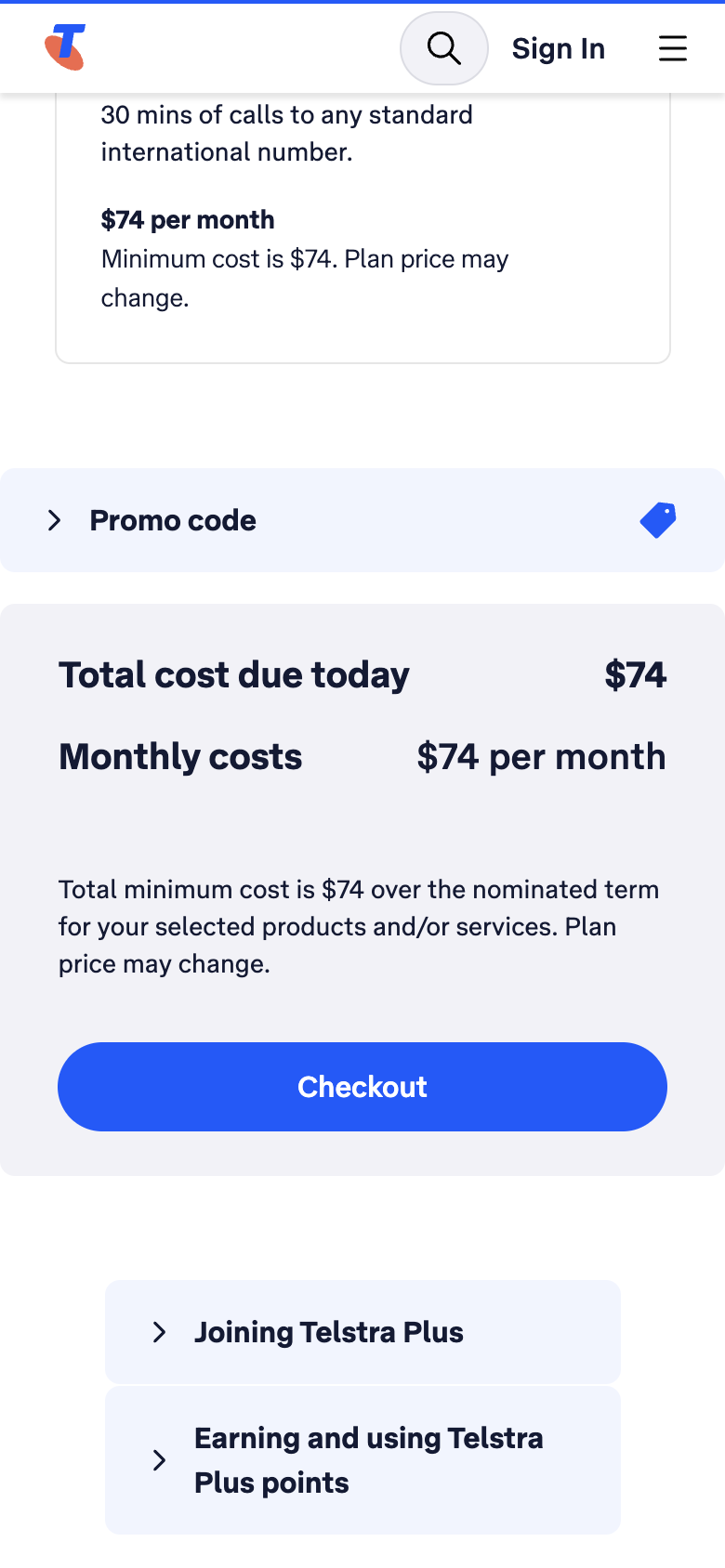
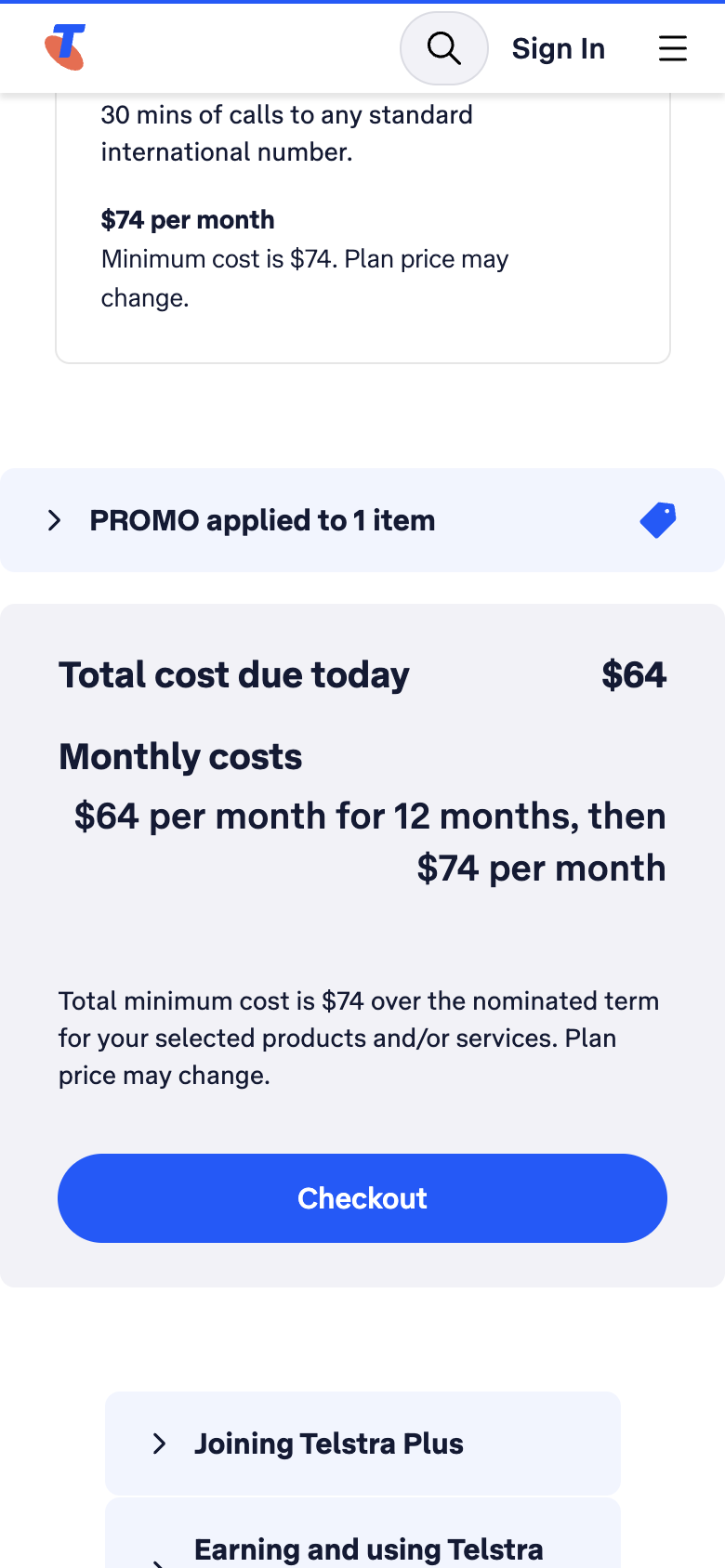
The report also offers a smaller version B to test against it: rename the collapsed row from “Promo code” to “Add PROMO for the offer”, so the code is visible without remembering it. Show half your visitors each version and let the numbers decide.
Six changes, in order
Each one says what to change, where, why it matters and how to tell whether it worked.
Start checkout with an order review before account setup.
What
Open a short order review when Checkout is tapped, showing the plan, its data and monthly price with any offer, then Change plan and Continue to account setup.
Where
Between the cart and Telstra’s sign-in service.
Why
Checkout now asks for an email before showing the order again; both rivals keep it in view.
Measure
All three details visible before personal details are asked for, then progress from the review to account setup.
Apply the advertised offer without a remembered code.
What
Apply the offer automatically to qualifying plans and show the discounted period and the later price in every summary.
Where
“What you’ll pay” on the plans page and the cart’s totals.
Why
The cart shows $74 until the visitor finds a collapsed field and types a code from three pages back.
Measure
Qualifying orders receive the offer with no code entry; the plan review, cart and checkout agree.
Make the plans easy to compare and select.
What
A compact list of the three plans below the heading, before the promotion, with name, data, price and Select together, and the inclusions underneath. Head it “SIM-only plans”.
Where
Directly below the page heading.
Why
The first screen shows no plan, the carousel hides the cheapest one and Select is 1.3 screens below each price.
Measure
Every plan and its Select button can be found without sideways swiping.
Keep the chosen plan visible while the cart loads.
What
Show the plan name and data as soon as the cart opens, reserve space for the totals and load optional chat after the order summary.
Where
The cart, straight after Go to your cart.
Why
The cart was blank for about 14 seconds in our test, and real phone visitors wait 6.3 seconds for its main content.
Measure
Time to the first useful cart content and to confirmed totals, and the cart’s real-visitor loading and movement scores.
Keep the coverage check within the order.
What
Check coverage in a panel inside the order, with the chosen plan still visible and a way back to it.
Where
“Check your coverage”, after a plan is selected.
Why
The required confirmation sends visitors to a map in the same tab, away from their order.
Measure
Coverage can be checked and the order resumed with touch, keyboard and a screen reader, without losing the selection.
Make search answer to its visible name.
What
Give the search button the accessible name “Search Telstra”, matching its label, and keep its open and closed state announced.
Where
The shared page header.
Why
People using speech control say the words they see; today those words do not find the button.
Measure
Speech activation, keyboard use and the announced state work on every journey page.
What we could not see from the outside
This audit stands on browser evidence and public data. With Telstra’s own GA4, Search Console and Microsoft Clarity connected, UX Robot would rank these changes by how many customers each one is losing: where people leave between the plans page, the cart and checkout, which searches actually bring them, and what visitors who give up did in the recordings, counted session by session.