Independent public comparison
We compared public rewards-programme joining journeys from PC Optimum and Blue Rewards on 29 September 2026. We are not affiliated with either programme. Offers, partners, earn rates and redemption values can change.
The free rewards-programme joining test
As a Canadian shopper, I want to join a free rewards programme and understand how points become useful rewards so that I can decide whether sharing my details is worthwhile.
Find the public value explanation, begin registration, test empty and malformed-email recovery, and stop before creating an account.
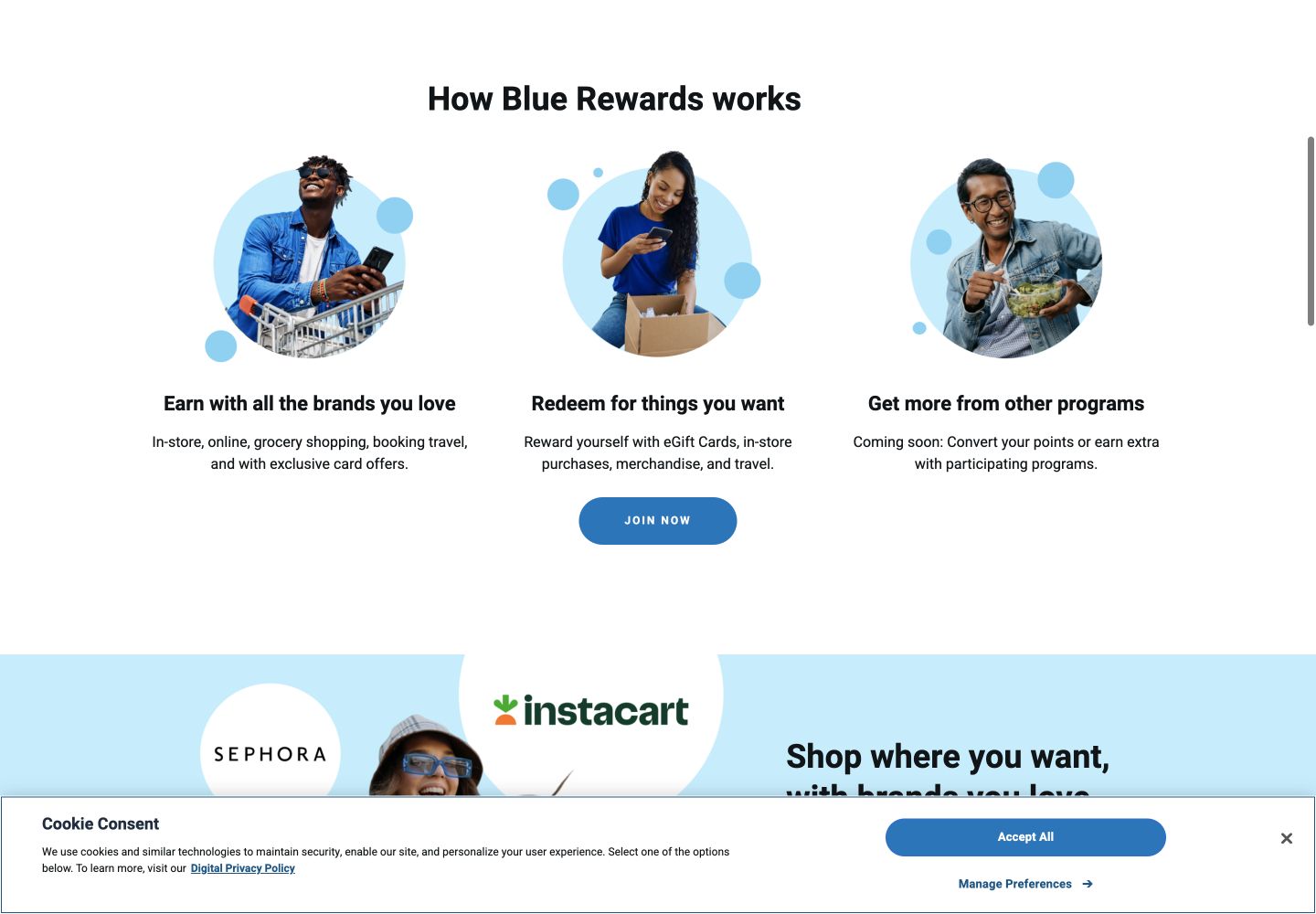
The public page states that every 10,000 points is like $10 of free items and gives a 15-points-per-dollar Shoppers Drug Mart example.
The public page describes earning and redemption across more than 400 brands, but does not show a comparable points-to-dollar conversion.
Canada, unsigned-in desktop Chrome at 1440 × 1000.
Submit empty forms, enter a malformed email, observe focus and messages, then stop before email verification or account creation.
The 30-second result
PC Optimum earns trust sooner by turning points into dollars before registration. Blue Rewards asks for less up front, but leaves the exchange value vague and mishandles a malformed email.
PC Optimum’s registration form is longer, yet its public proposition answers the value question with a concrete 10,000-points-to-$10 relationship. Blue Rewards promises earning and redemption across more than 400 brands and begins with only an email address, which is appealingly light. However, the tested field kept saying “Email is required” after “not-an-email” had been entered, while the disabled Submit action offered no format-specific path forward. For this trust task, clearer value and accurate recovery outweigh the shorter first step.
PC Optimum turns an abstract point into recognisable value
PC Optimum explains several earning contexts—food and products, in-store and online offers, fuel and PC Financial—and gives one concrete earn rate: 15 points for almost every dollar spent at Shoppers Drug Mart and Pharmaprix. Most importantly, it states that every 10,000 points is like $10 worth of free items. A shopper can now estimate whether an offer is meaningful.
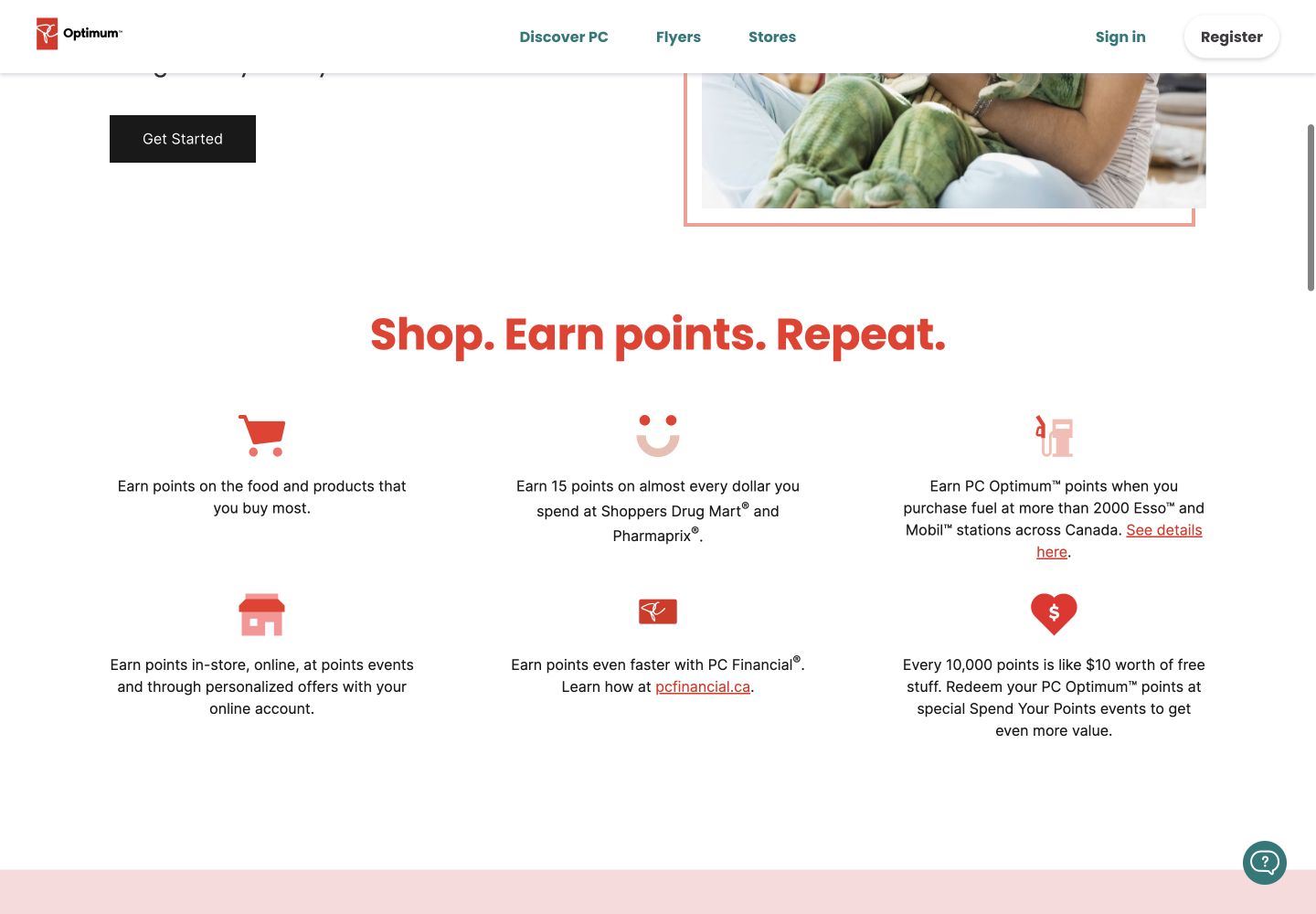
Blue Rewards explains three broad outcomes: earn in-store, online, through grocery and travel; redeem for eGift cards, in-store purchases, merchandise and travel; and combine value with participating programmes. It also promises access to more than 400 brands. This establishes breadth, but not worth. Without a public points-to-dollar example, the user must join or search elsewhere before comparing likely value.
Round winner / PC Optimum
It makes the benefit calculable before asking the shopper to create an identity.
Blue Rewards starts lighter; PC Optimum explains the account ecosystem
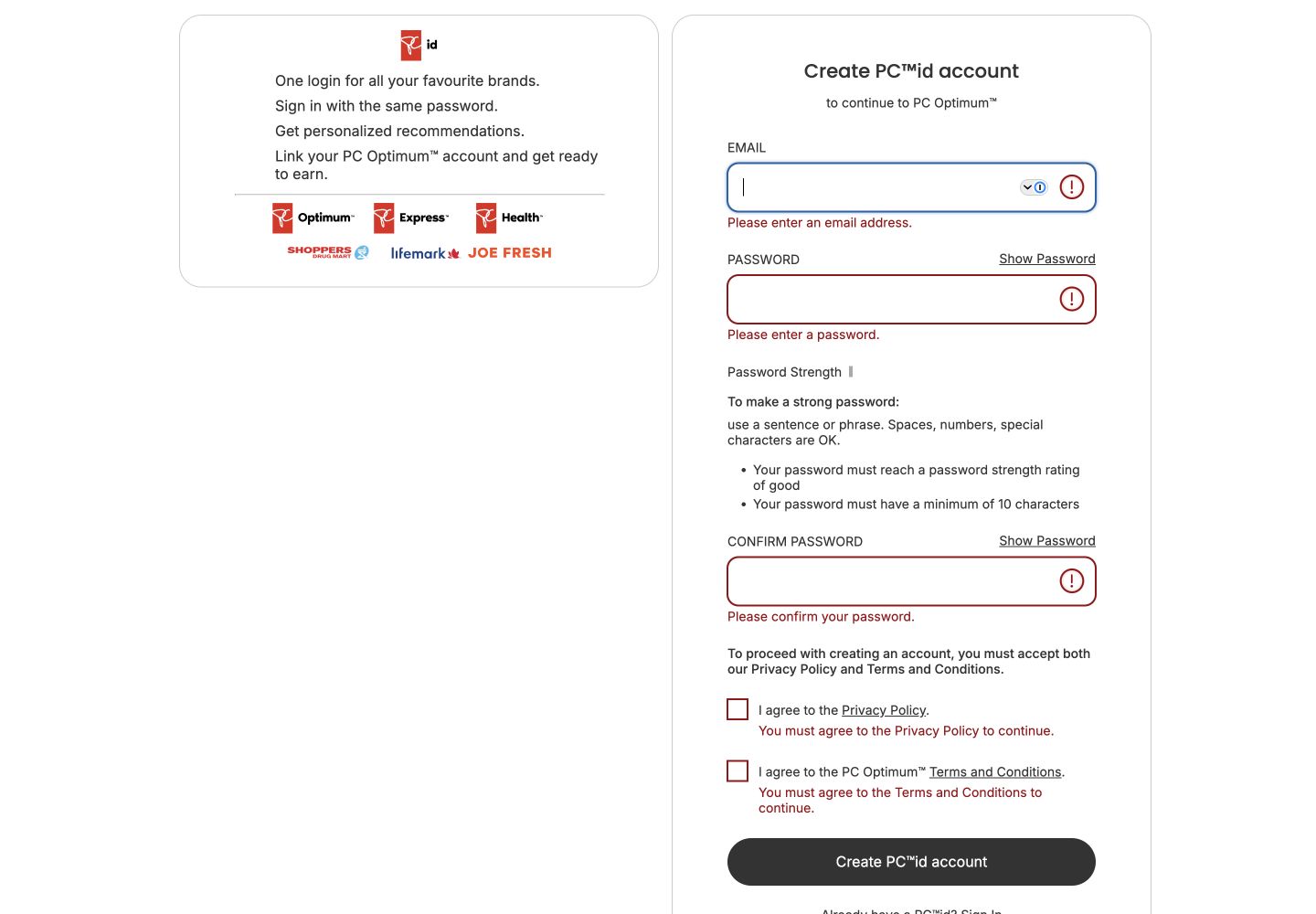
PC Optimum redirects registration to a PC id account. The page says one login works across its brands, supports personalised recommendations and can link to PC Optimum. It asks for email, password, password confirmation and separate acceptance of the Privacy Policy and Terms and Conditions. Password guidance is visible before submission, including a ten-character minimum and a strength requirement.
Blue Rewards begins with one email field and explains that the address will be verified to activate the account. The surrounding text discloses the minimum age of 16, Canadian-resident requirement, terms, privacy notice and the ability to opt out of marketing. That is a lower-effort first step, although the later account requirements remain outside this public test.
PC Optimum’s messages follow the input; Blue Rewards leaves stale guidance
Submitting the empty PC id form produced distinct messages for email, password, password confirmation and both consent choices. Entering “not-an-email” then changed the email feedback to “Please enter a valid email address.” The system distinguishes absence from bad format, which tells the user exactly what to repair.
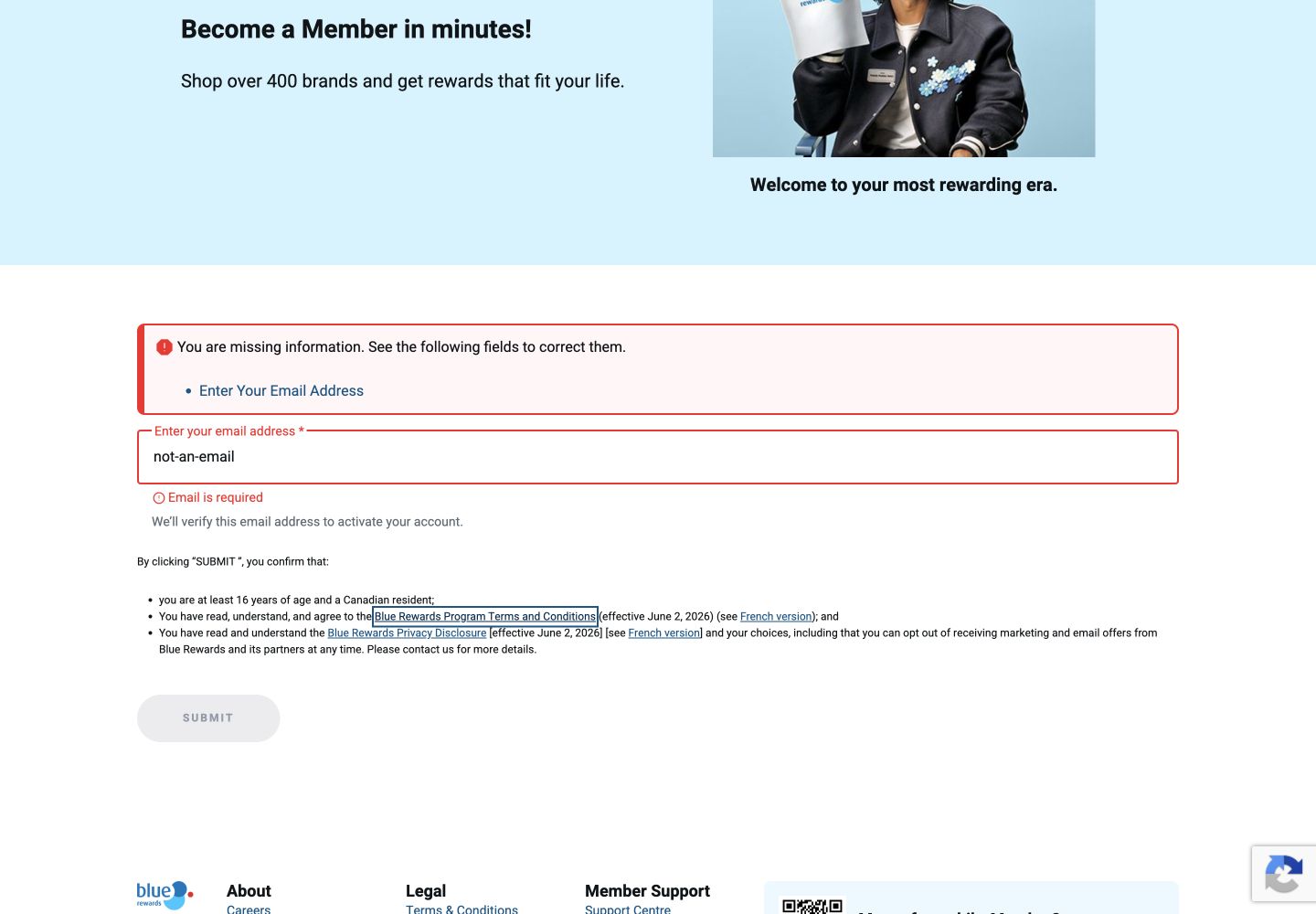
Blue Rewards did one thing well on empty submission: it added an error summary linked to the email field, displayed “Email is required” inline and returned focus to the textbox. After “not-an-email” was entered and focus left the field, however, the value remained while the stale “Email is required” message persisted and Submit stayed disabled. The page recognised the state as invalid but did not describe the actual format problem.
Blue Rewards showed a visible two-pixel focus outline on a Terms link, while PC id showed a visible focus ring around the email field and a native outline during keyboard navigation. These sampled controls are encouraging; they do not amount to a full accessibility assessment.
Both public homepages are slow for real phone users
These are p75 phone Chrome UX Report results for the exact public homepages from 31 August to 27 September 2026. They describe those entry pages across qualifying visits, not the exact registration interactions above. Blue Rewards is more responsive and stable, but neither homepage meets the 2.5-second good LCP threshold. PC Optimum also needs work on interaction delay and layout movement.
Clean desktop traces recorded 12.07s LCP for PC Optimum and 5.20s for Blue Rewards, with little or no layout movement in those runs. A same-session automated accessibility check scored PC Optimum 100 and Blue Rewards 86; Blue Rewards findings included an ARIA-role mismatch, an unnamed button, heading-order issues and small touch targets. Its performance diagnostics also estimated about 3.1MB of image-delivery savings. Automated checks identify risks and do not establish WCAG conformance.
All ten Nielsen usability heuristics
Keep validation messages current.
PC id changes from missing to malformed feedback; Blue Rewards leaves an outdated required message.
Translate points into dollars.
PC Optimum gives the shopper a familiar unit for judging value.
Explain marketing choice separately from membership.
Blue Rewards makes the opt-out possibility visible before verification.
Match the error to the current field state.
An entered malformed address cannot also be “required”.
Show password rules before submission.
PC id sets expectations before the user commits effort.
Keep earn and redemption examples together.
PC Optimum’s public value section supports a complete mental model.
Preserve Blue Rewards’ email-first start.
The lighter first step is valuable if later requirements and value remain transparent.
Optimise large campaign imagery.
Blue Rewards can keep its visual personality without shipping multi-megabyte image waste.
Give malformed-email guidance and re-enable the action.
The message should name the format problem as soon as the field loses focus.
Publish a representative redemption calculation.
Blue Rewards’ category list needs a numeric example to support comparison.
What we would change first
Make the email message reflect the value.
What
Clear the required state on input, validate format on blur and pair the disabled action with accurate inline guidance.
Where
The first step of the public join form.
Why
“not-an-email” remained paired with “Email is required”.
Measure
Email correction loops, first-step completion and support contacts about joining.
Show one honest points-to-reward example.
What
Add a representative earn and redemption calculation, with variability clearly labelled.
Where
The “How Blue Rewards works” section before Join now.
Why
Programme breadth does not tell a shopper what their points are worth.
Measure
Value-detail engagement, join conversion and early member inactivity.
Prioritise the value proposition on phone.
What
Profile the exact LCP element, serve correctly sized responsive media and reduce work before the value content renders.
Where
The public homepage’s initial phone viewport.
Why
Exact-page p75 LCP is 5.44s and the clean trace was slower still.
Measure
p75 LCP, registration starts and exits before the value section appears.
Keep the campaign design while reducing its payload.
What
Resize source assets, use responsive formats and defer below-the-fold imagery.
Where
The large homepage campaign and brand images.
Why
Automated diagnostics estimated roughly 3.1MB of avoidable image transfer.
Measure
Image bytes, p75 LCP and homepage-to-join progression.
What this public comparison cannot see
We stopped before email verification, account creation, linking an existing account or redeeming points. We did not assess personalised offers, partner exclusions, redemption inventory, support or long-term value. The public pages may not expose all earn and redemption rates.
Public testing cannot reveal which programme creates more useful rewards for an individual household. Analytics should connect value-detail engagement, validation loops, verified joins, first earn, first redemption and inactivity with support and opt-out outcomes.