Independent public comparison
We compared unsigned-in breakdown-cover journeys from The AA and Green Flag on 29 September 2026. We are not affiliated with either provider. The AA price includes a time-limited first-year promotion and is a snapshot, not a universal quote.
The one-vehicle breakdown-cover test
As a driver, I want breakdown cover for one vehicle so that I can choose suitable protection without paying for unnecessary extras.
Choose UK vehicle cover with roadside assistance and national recovery, without At Home or onward-travel cover.
Vehicle cover plus National Recovery was shown at £7.12 a month under a first-year promotion, before name, contact or payment details.
The chosen cover was summarised clearly, but Continue led to policyholder details before showing a price.
United Kingdom, unsigned-in desktop Chrome at 1440 × 1000.
Submit required or invalid postcode details, correct the journey where possible, and stop before providing a real identity, contact details or payment.
The 30-second result
The AA wins by putting a usable price beside the selected cover before asking for a name. Green Flag explains the protection well, then postpones the price.
Both journeys make Roadside plus National Recovery understandable. The AA turns that choice into a visible £7.12 monthly quote using postcode and date of birth, and keeps the optional cover easy to change. Green Flag’s cover summary is arguably the cleaner explanation, but its next step asks for policyholder and vehicle details without first showing what the chosen cover costs. For a user still comparing providers, that is the more consequential friction.
The AA exposes the decision and the price in the same flow
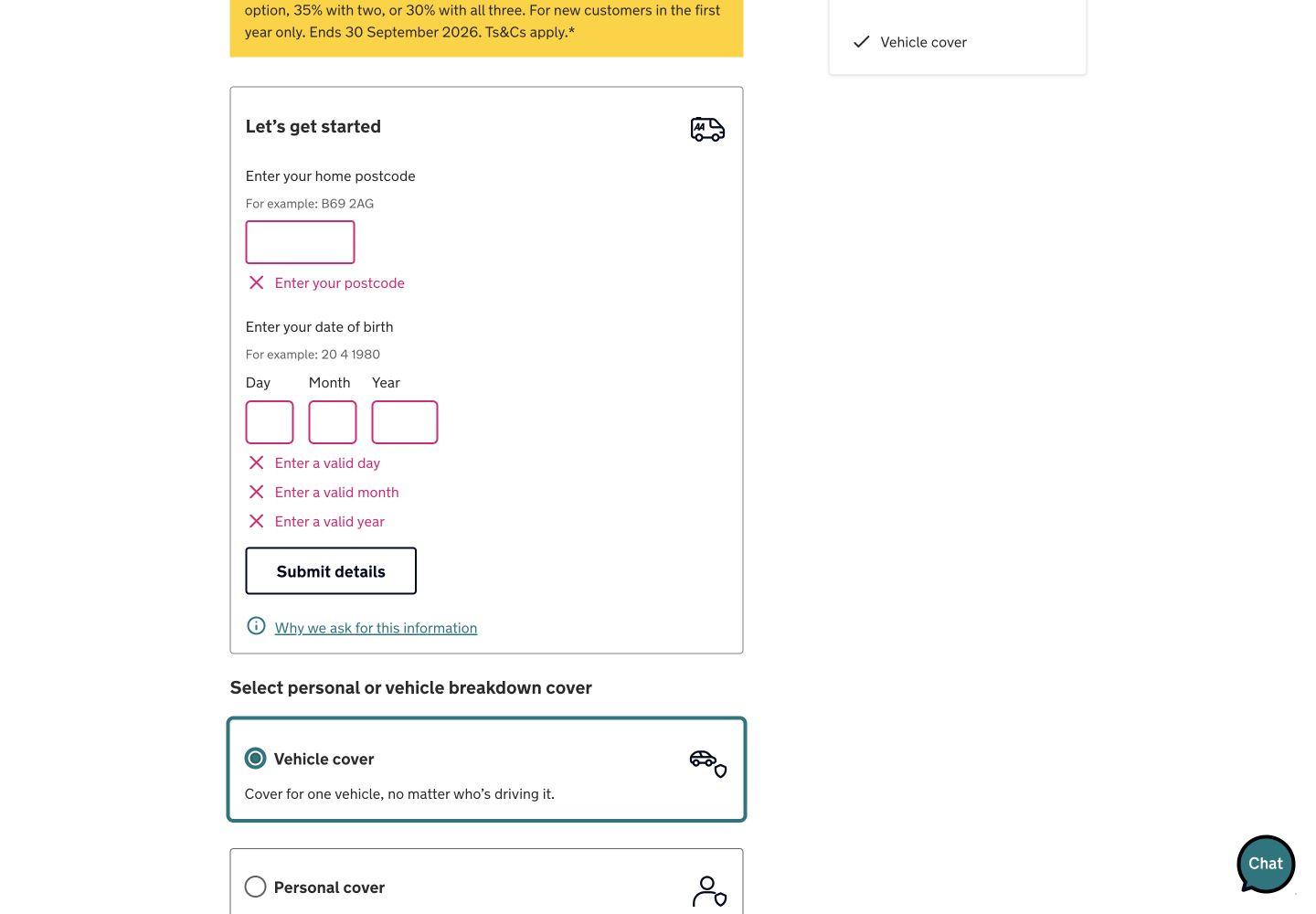
The AA starts with standard roadside assistance more than a quarter of a mile from home, then distinguishes vehicle cover from personal cover. For this task, vehicle cover means one nominated vehicle is protected whoever drives it. National Recovery promises transport for the vehicle, driver and passengers to a UK mainland destination if a roadside fix is not possible.
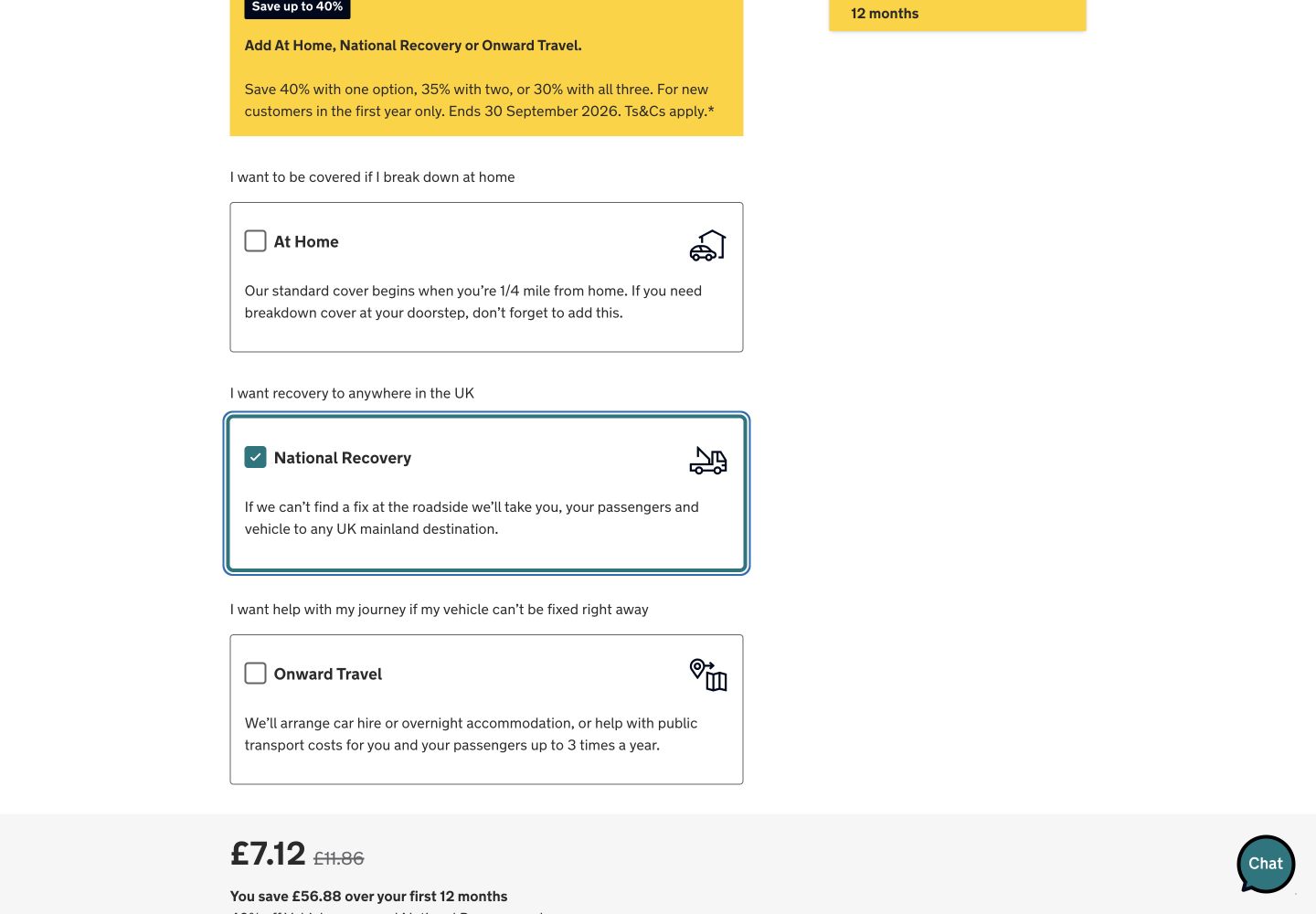
Using the page’s own B69 2AG postcode example and a test date of birth produced £6.56 a month for vehicle cover alone. Adding National Recovery changed the price to £7.12 a month. The page also displayed a crossed-out £11.86 price and £56.88 first-year saving. The promotion ran from 25 to 30 September 2026, so the transparency is good even though the amount is temporary.
Round winner / The AA
It answers the comparison shopper’s central question—what will this cover cost?—before requesting a name or contact details.
Green Flag gives a strong cover summary but withholds the price
Green Flag’s first step makes the cover components easy to recognise. UK cover for one vehicle with National recovery produces a “Your cover” card that brings together 24/7 roadside assistance, recovery to a chosen UK destination and unlimited callouts. It also surfaces the important exception that a repeat issue within 28 days may be charged.
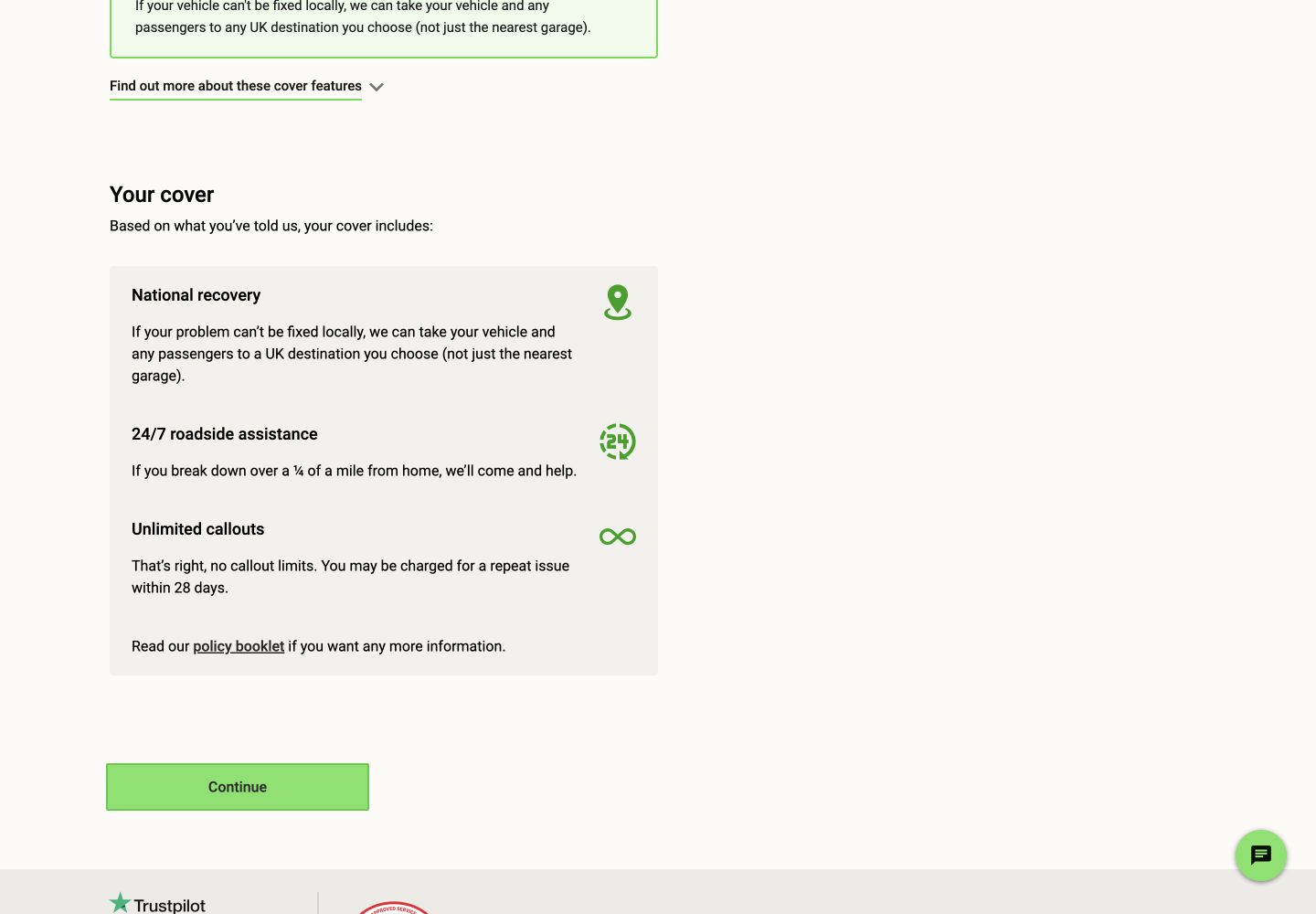
The next action leads to step two of five: policyholder details. It asks for first name, last name, date of birth, address, postcode and vehicle before this public journey has shown a price. Those details may all affect underwriting, but an indicative range or a clear explanation of why each field is needed would help a user decide whether continuing is worthwhile.
Both identify bad inputs; The AA’s postcode example rescues a dead end
The AA’s empty first submission placed required messages beside postcode, day, month and year. Entering B1 1AA then produced “Address not found”. That message did not explain the acceptable format or offer alternatives, but the page’s own B69 2AG example provided a safe recovery route and preserved the rest of the task.
Green Flag’s empty postcode lookup said: “Please enter a valid postcode and select the ‘Find address’ button.” That is more actionable than a generic failure because it states both the missing value and the next action. In a keyboard check, The AA’s native input focus did not show a visible outline in computed styles, whereas Green Flag’s first Tab after the postcode error left the document body active. These observations justify component-level focus testing; they do not establish WCAG conformance.
The AA’s real-user layout movement is the clearest engineering risk
The AA figures are p75 phone Chrome UX Report results for the public origin from 31 August to 27 September 2026. They describe the origin as a whole, not this quote step. A clean desktop trace of The AA product page recorded 1.69s LCP and no layout shift. Green Flag had no qualifying CrUX result for the tested URL or origin; its clean quote-builder trace recorded 6.45s LCP, with 5.89s spent waiting to render the largest element, and no layout shift.
Configured PageSpeed checks scored The AA 90 for accessibility and 96 for best practices, versus Green Flag at 100 and 77. The AA findings included invalid ARIA, contrast, unnamed links and visible-label/accessibility-name mismatch. Green Flag’s best-practice deductions included third-party and browser diagnostics. These automated checks locate risks; they are not a conformance verdict.
All ten Nielsen usability heuristics
Keep the live price with the live selection.
The AA shows the effect of adding National Recovery; Green Flag shows the cover state but not its cost.
Describe where the car and passengers go.
Both translate “National Recovery” into a destination outcome rather than relying on the product name.
Let people change cover without losing the quote.
The AA keeps selectable options and the changing total together.
Use the same distance language everywhere.
Both describe standard help as beginning more than a quarter of a mile from home.
Validate postcodes before advancing.
Both stop unusable address data from flowing into a quote.
Repeat included cover at the decision point.
Green Flag’s combined summary is especially strong here.
Offer a comparison price before full identity capture.
The AA better supports a shopper who is not ready to commit.
Separate essential cover from optional extras.
The AA’s three plain-language add-ons make scope easy to tune.
Explain why a plausible postcode failed.
“Address not found” should offer an editable suggestion or manual-address route.
Surface exclusions beside the promise.
Green Flag’s 28-day repeat-issue warning is a good example.
What we would change first
Show an indicative total before policyholder details.
What
Display a price or honest range after cover selection, with the inputs still needed to firm it up.
Where
Between the “Your cover” summary and step two.
Why
The user has made the product decision but still cannot compare its cost.
Measure
Cover-builder continuation, policyholder-step abandonment and quote completion.
Find the templates moving the phone page.
What
Segment origin-level CLS by template, then reserve space for the late components in affected journeys.
Where
The AA phone pages contributing to the origin’s 0.21 p75 CLS.
Why
Loading is good, but layout movement is poor in current real-user data.
Measure
Template p75 CLS, shift nodes and quote-start rate.
Render the quote’s main content sooner.
What
Profile the 5.89s LCP render delay and remove main-thread or hydration work blocking the largest element.
Where
The public cover builder’s initial quote state.
Why
The clean trace took 6.45s to show its largest content.
Measure
Lab render delay, LCP and cover-builder starts; add CrUX monitoring when traffic qualifies.
Make correction visible and programmatic.
What
Move focus to an error summary or first invalid field, preserve choices and provide a manual-address escape hatch.
Where
Postcode lookup and required-detail validation.
Why
Clear text still costs extra effort when focus and recovery routes are uncertain.
Measure
Validation loops, keyboard completion and support contacts tagged to address entry.
What this public comparison cannot see
We stopped before entering a real name, contact details, vehicle registration or payment. We did not buy cover, request assistance or assess callout speed, repair quality, exclusions, renewals or claims. The AA amount was produced from test details during a time-limited promotion and is not a recommendation or personalised insurance quote.
Public testing cannot reveal which journey produces more suitable policies or fewer cancellations. Analytics should connect option changes, validation loops, policyholder-step starts, completed quotes and purchases with customer-service and cancellation outcomes.