Independent public comparison
We asked Specsavers and Vision Express to find the earliest suitable adult eye test at their Manchester Arndale stores. We stopped when either journey requested personal details. We are not affiliated with either company. This records the public journeys on 26 September 2026; appointment availability can change at any time.
The central Manchester eye-test booking
Find the earliest public adult eye-test appointment in central Manchester and reach the personal-details boundary.
Manchester Arndale: Specsavers Manchester – Arndale Centre and Vision Express Manchester – Arndale Centre.
Specsavers Adult eye test and Vision Express Advanced eye test, the adult eye-test option each flow exposed.
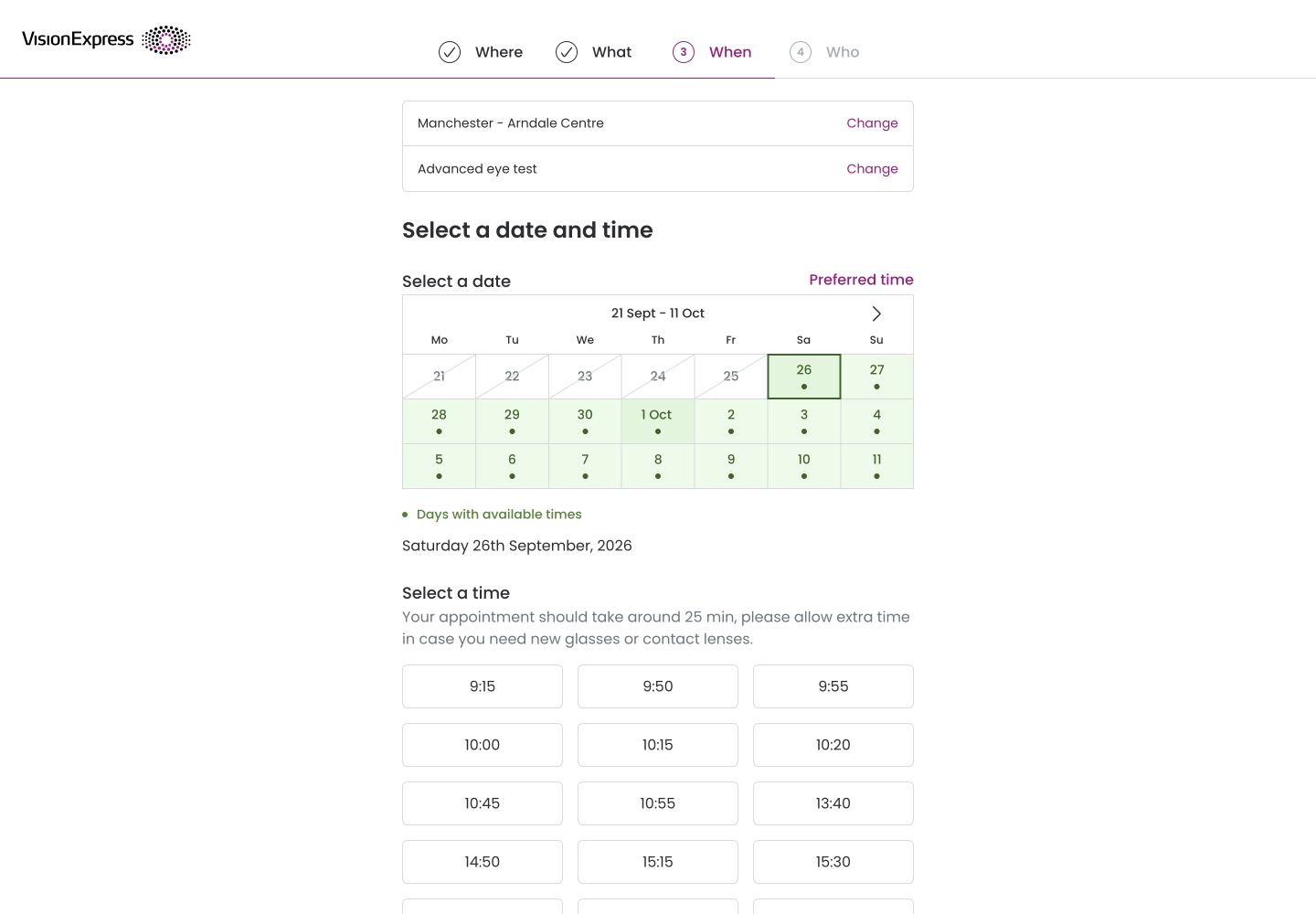
Vision Express showed 9:15 on Saturday 26 September 2026. Specsavers did not reveal availability before requesting date of birth.
At date of birth on Specsavers and the Who step on Vision Express. No personal details, account or appointment was submitted.
Unsigned-in public Chrome session on desktop, followed by phone-width review. The two named services may include different clinical checks and are not treated as price-equivalent products.
The 30-second result
Vision Express let customers see availability before identifying themselves. Specsavers made the service choice simpler.
Vision Express wins this public booking task because it exposed the earliest observed slot—9:15 the same day—before asking for a title, name, date of birth, email, phone and postcode. Specsavers offered a cleaner Adult eye test choice and an excellent required-selection error, but immediately asked for date of birth “to create an eye test record” before showing any date or time. That prevents a privacy-conscious customer from checking whether a useful slot exists.
Specsavers made the nearest store more informative
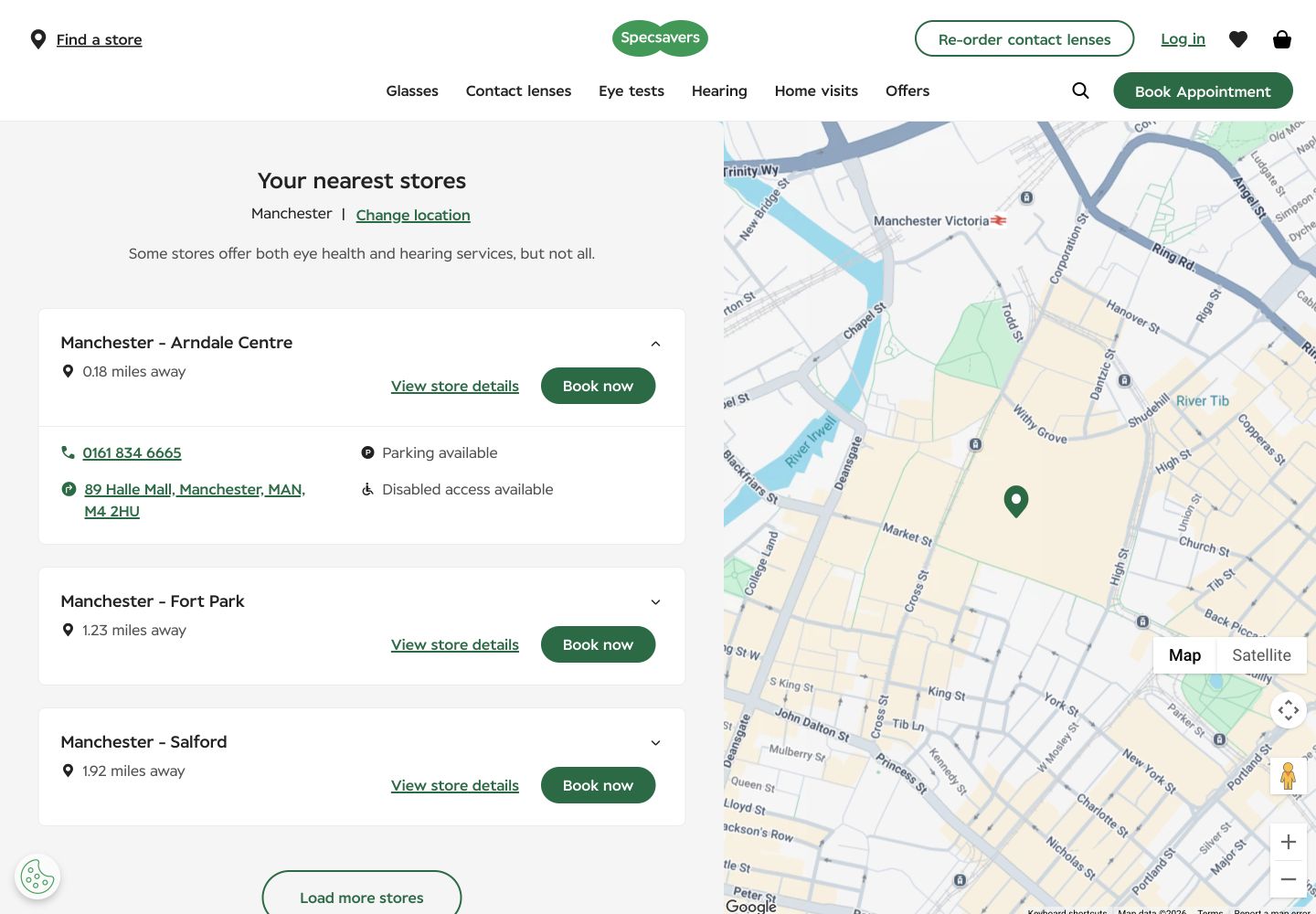
Searching Manchester returned Specsavers Manchester – Arndale Centre first at 0.18 miles. The expanded result included the full address, phone number, parking and disabled-access availability. Vision Express returned its Manchester – Arndale Centre store first at 0.4 miles and kept the list visually lighter, but initially showed only Corporation Street and distance.
Specsavers used a simple label; Vision Express explained what the test included
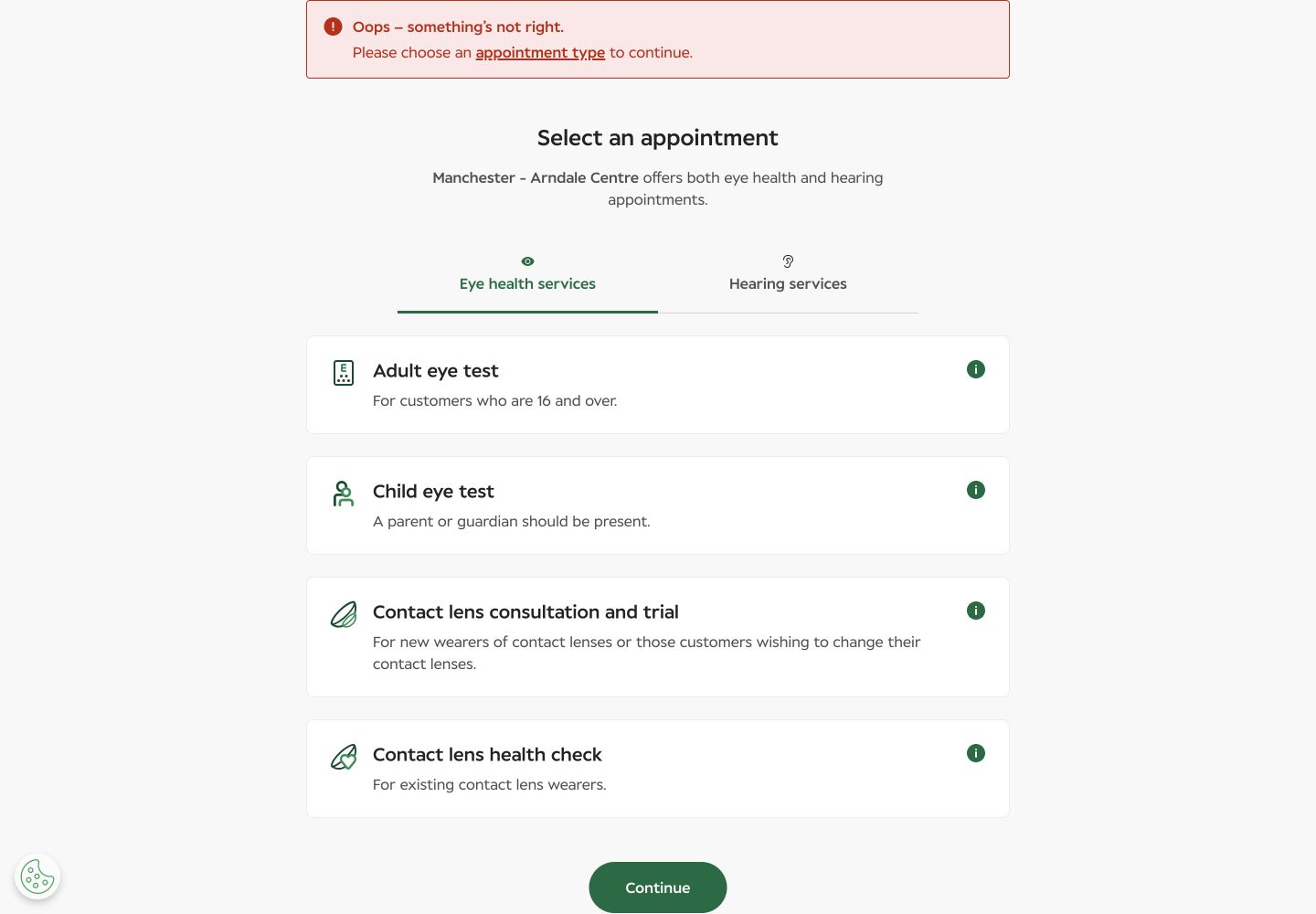
Specsavers presented Adult eye test with the direct explanation “For customers who are 16 and over.” Vision Express called its option Advanced eye test, stated a 25-minute duration and named eye-health screening, an OCT 3D scan, dry-eye assessment and UV-protection assessment. It also explained that NHS-eligible customers could upgrade in store for £6. The richer description reduced uncertainty but made the option taxonomy more demanding.
Only Vision Express exposed the earliest slot before personal data
Vision Express moved from Where to What to When, preserved the chosen store and service in editable summary rows, and showed available days from 26 September to 11 October. The first visible time was 9:15 on Saturday 26 September, followed by many morning and afternoon options. Choosing 9:15 moved to Who, where we stopped before entering any identity or contact data.
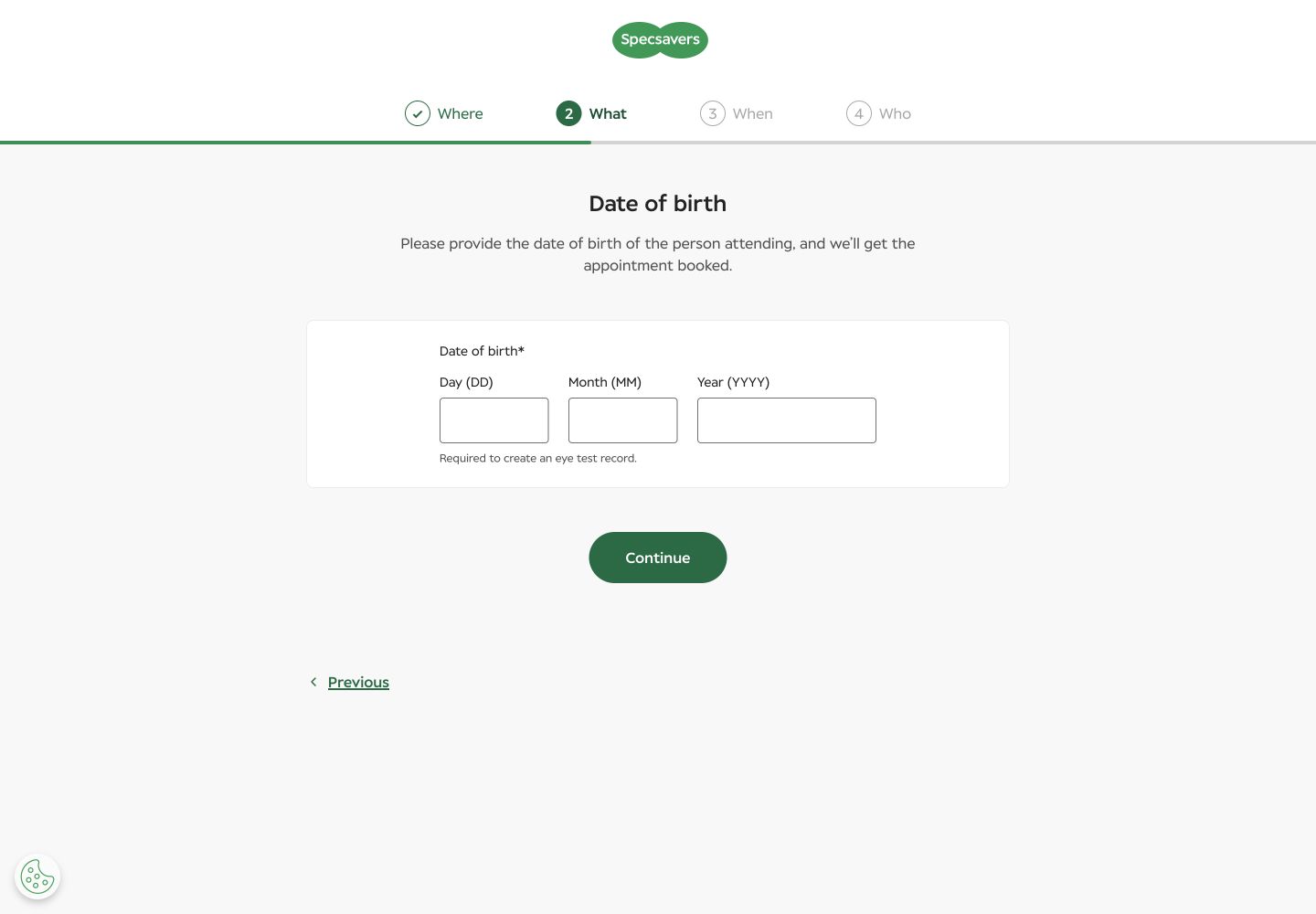
After Adult eye test was selected, Specsavers displayed a mandatory date-of-birth form and said it was “Required to create an eye test record.” The progress tracker still labelled What as the current step, even though the page was collecting personal information before When. We stopped without entering a synthetic birth date because the test boundary was the first personal-details request.
Specsavers provided a strong, focused required-selection error
We pressed Continue without selecting an appointment type. Specsavers placed focus on a summary reading “Oops – something’s not right” and “Please choose an appointment type to continue”, with a link back to the relevant control. Selecting Adult eye test then cleared the error and advanced. This was a safe recovery test; no personal data or booking was sent.
Vision Express was materially faster in exact-page phone field data
These are 75th-percentile Chrome UX Report results for the exact booking URLs on phones, collected from 28 August to 24 September 2026. Both pages kept layout movement inside the good threshold. Vision Express loaded 1.51 seconds sooner at p75, while neither page reached the 200ms good INP threshold.
The configured mobile PageSpeed run scored Specsavers 93 for accessibility and 73 for best practices. It flagged cookie-banner contrast, a positive tabindex and visible-label/accessibility-name mismatches; its LCP diagnostic attributed 2.52 seconds to element render delay. Vision Express scored 99 for accessibility and 100 for best practices, with heading order as the accessibility failure; diagnostics also named a 4.90-second lab LCP render delay, render-blocking CSS, unused code and an unsized logo. The lab snapshot and field population measure different conditions, so neither cancels the other. Automated checks do not establish WCAG conformance.
What each website gets right
- Specsavers: informative store details, a plain adult-service label, a visible four-step model and excellent required-selection recovery.
- Vision Express: service duration and inclusions, preserved editable choices, availability before identity and a clear handoff into Who.
All ten Nielsen usability heuristics
Make the four steps truthful.
Vision Express aligned Where, What, When and Who; Specsavers collected date of birth while What still appeared current.
Name what happens in the appointment.
Vision Express explained duration and clinical checks; Specsavers made adult eligibility immediately clear.
Let people inspect availability first.
Vision Express did; Specsavers required personal data before When.
Use consistent step ownership.
Personal information should live in Who, not behind What.
Explain the commitment before the slot is selected.
Vision Express stated duration and charges; both stopped short of an accidental booking.
Keep store, service and slot together.
Vision Express’s editable summary reduced recall.
Support earliest-time scanning.
Vision Express showed a dense but readable grid; Specsavers made it impossible before date of birth.
Reveal detail progressively.
Specsavers kept the first service choice quiet; Vision Express’s richer catalogue required more scanning.
Focus an actionable summary.
Specsavers’s linked required-selection error was the strongest recovery pattern in the test.
Explain why personal data is needed now.
Specsavers named record creation, but did not explain why availability could not be shown first.
What we would change first
Show dates and times before date of birth.
What
Move date of birth to Who, after a slot is chosen.
Where
Between Adult eye test selection and When.
Why
Customers currently disclose record-creation data before knowing whether an appointment suits them.
Measure
Progression to When, exits at date of birth and completed bookings.
Simplify the adult eye-test choice.
What
Lead with a plain “Adult eye test” label and make Advanced inclusions the supporting description.
Where
The What catalogue.
Why
The current taxonomy mixes clinical service, demos and contact-lens combinations.
Measure
Type changes, help-panel use and progression to When.
Reduce render delay and interaction latency.
What
Prioritise the booking shell, trim blocking CSS and JavaScript, and keep the calendar work off the main interaction path.
Where
The exact booking routes and shared stepper components.
Why
Both exact pages missed good p75 INP; Specsavers also missed good LCP.
Measure
p75 LCP and INP alongside store search, slot selection and booking completion.
Fix named defects and run assisted booking tests.
What
Repair contrast, positive tabindex, heading order and accessible-name mismatches; verify errors and calendars with keyboard and screen readers.
Where
Consent banner, stepper, store finder, service cards and date picker.
Why
Automated findings identify specific risks but do not prove end-to-end accessibility.
Measure
Automated regression plus successful assisted completion of Where, What and When.
What this public comparison cannot see
Availability changes continuously, and the two named services may not include identical checks or charges. Specsavers did not expose a slot before personal data, so we cannot compare its earliest time. We did not enter identity, contact details, accept terms or confirm an appointment. In-store care, reminders, changes and cancellations are outside this test.
Public evidence cannot say which journey converts better. With consented GA4, Search Console and Microsoft Clarity data, the next comparison would connect store searches, appointment-type changes, slot views, privacy-boundary exits and booking completion.