Independent public comparison
We asked SEEK and Indeed to find a Product Designer job in Melbourne, inspect one credible listing and start an application without submitting it. We are not affiliated with either job marketplace. This records the journeys visible on 25 September 2026.
The job-search test
Search “Product Designer” in Melbourne VIC, compare the first useful result, inspect the role and begin applying.
180 results. The first featured card was UX/UI Designer at Seisma; its job page offered Quick apply and disclosed three employer questions.
44 results in the page title. The first card was the exact Product Designer role at REA Group in Richmond.
Melbourne VIC. SEEK interpreted the location as Melbourne VIC 3000 within 50km; Indeed retained Melbourne VIC.
The first application form. We did not submit personal details, answer employer questions or send an application.
SEEK was already signed in; Indeed was signed out. Application speed is therefore reported, not scored head to head.
The 30-second result
Indeed found the exact role sooner. SEEK prepared the applicant better.
Indeed wins discovery because its first result matched both the Product Designer title and Melbourne location, with the full REA Group description already open beside the list. SEEK led with a promoted UX/UI Designer role and a much broader 180-result set, but its detail view was stronger at setting expectations: work type, application volume, matching skills, employer questions and a safety warning appeared before Quick apply. Indeed’s “Apply on company site” action unexpectedly inserted an Indeed account gate before the external site.
The same query produced very different result sets
Both home pages supported a conventional keyword-and-location search. SEEK converted Melbourne VIC into a 50km search around Melbourne VIC 3000 and returned 180 jobs. It immediately offered Pay, Type, Remote, Classification and Listing time filters, plus a “Strong applicant jobs” toggle for the signed-in profile.
Indeed returned a visibly tighter list and reported 44 jobs in the page title. Its filters covered Pay, Remote, Distance, Job type, Education level and Date posted. The distance filter was already active, but the radius was not expressed in the filter label; SEEK stated “within 50 km” in the content area.
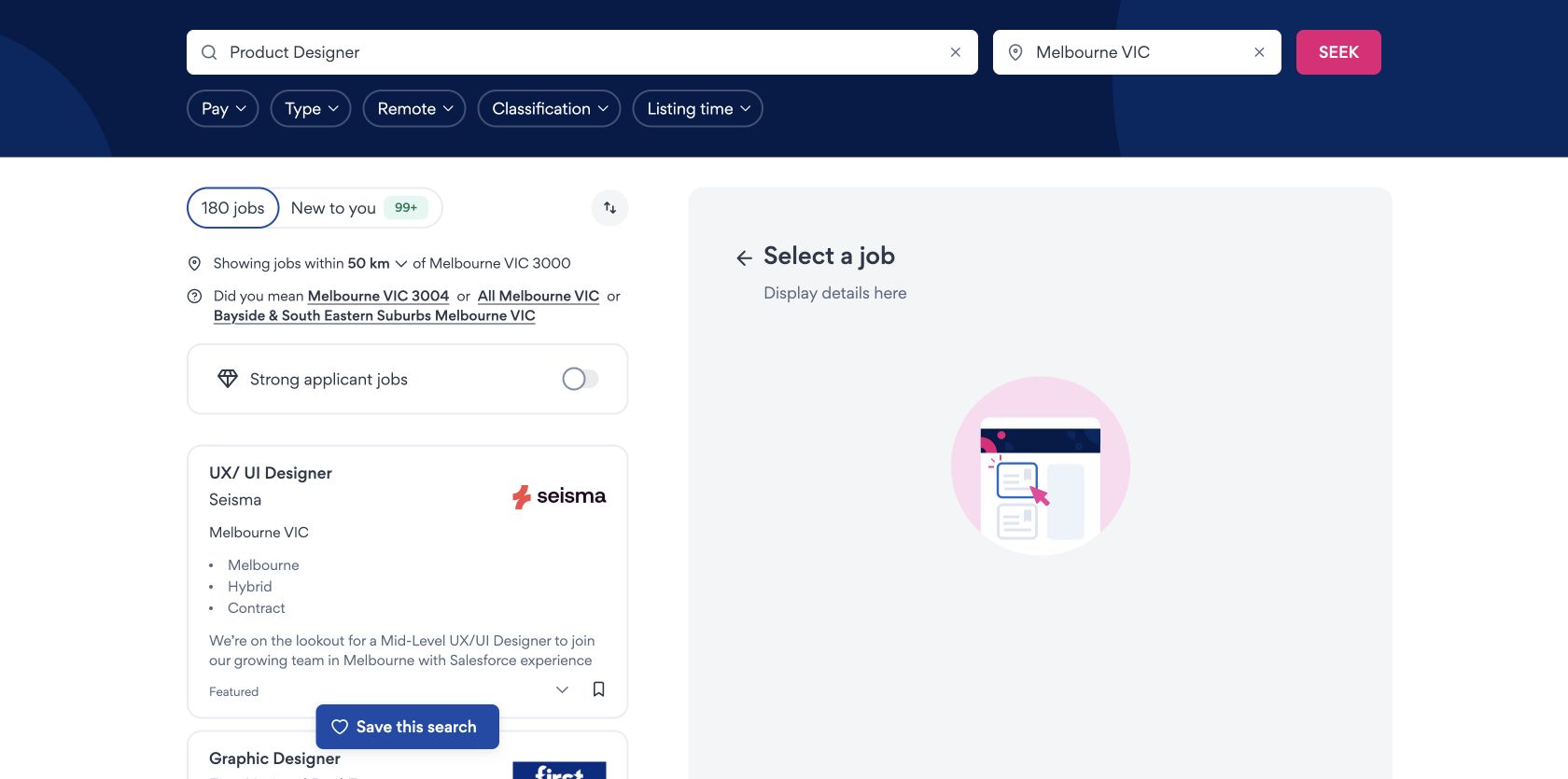
Round edge / SEEK
The search radius and available refinements were more explicit, even though the first card was less exact.
Indeed put an exact-title role first
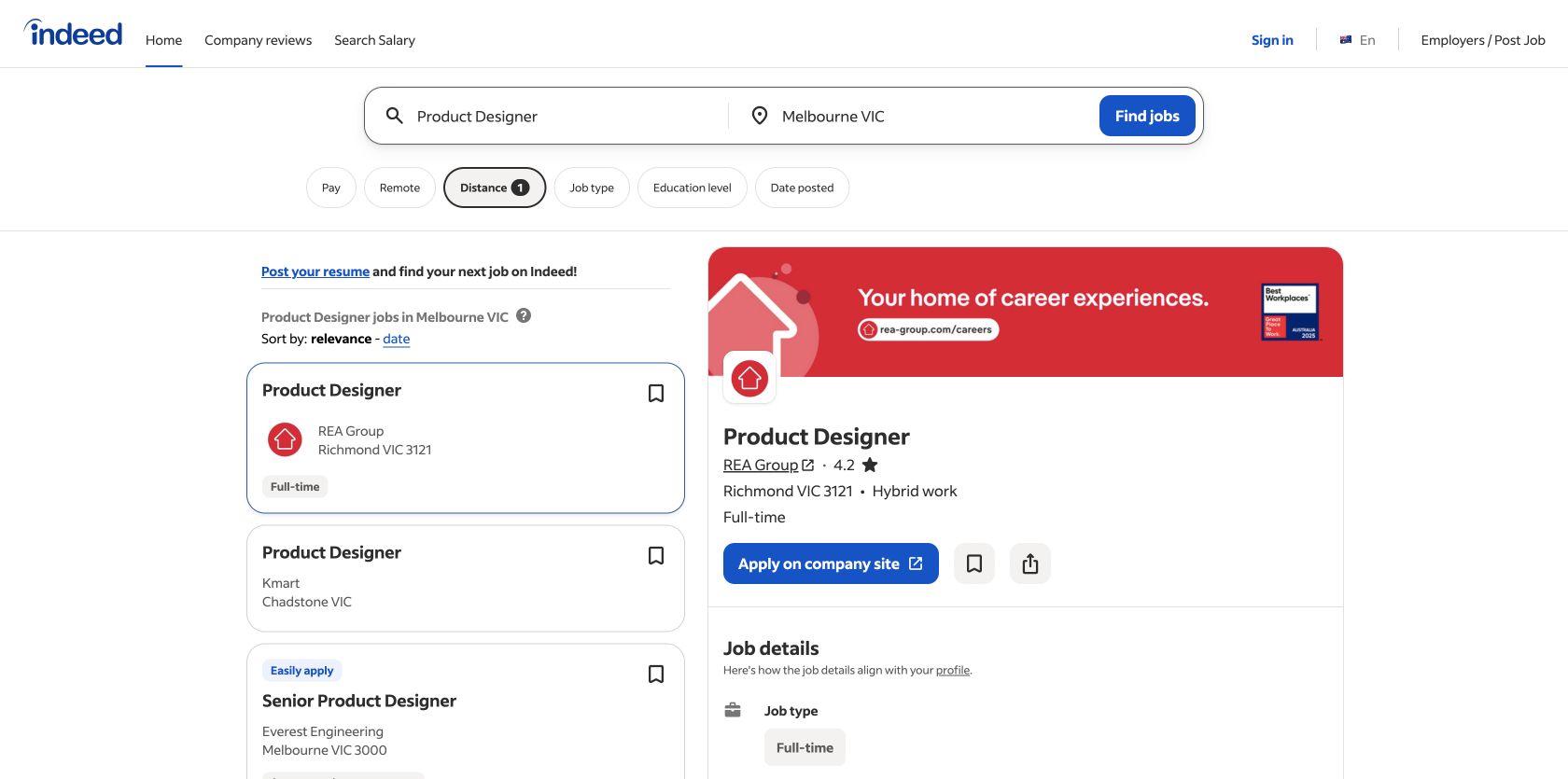
Indeed’s first card was Product Designer at REA Group in Richmond, marked full-time. Selecting it kept the results list on the left and opened a complete detail pane on the right. The title, employer, 4.2 rating, hybrid arrangement and “Apply on company site” action were visible together, so the candidate could assess fit without leaving the list.
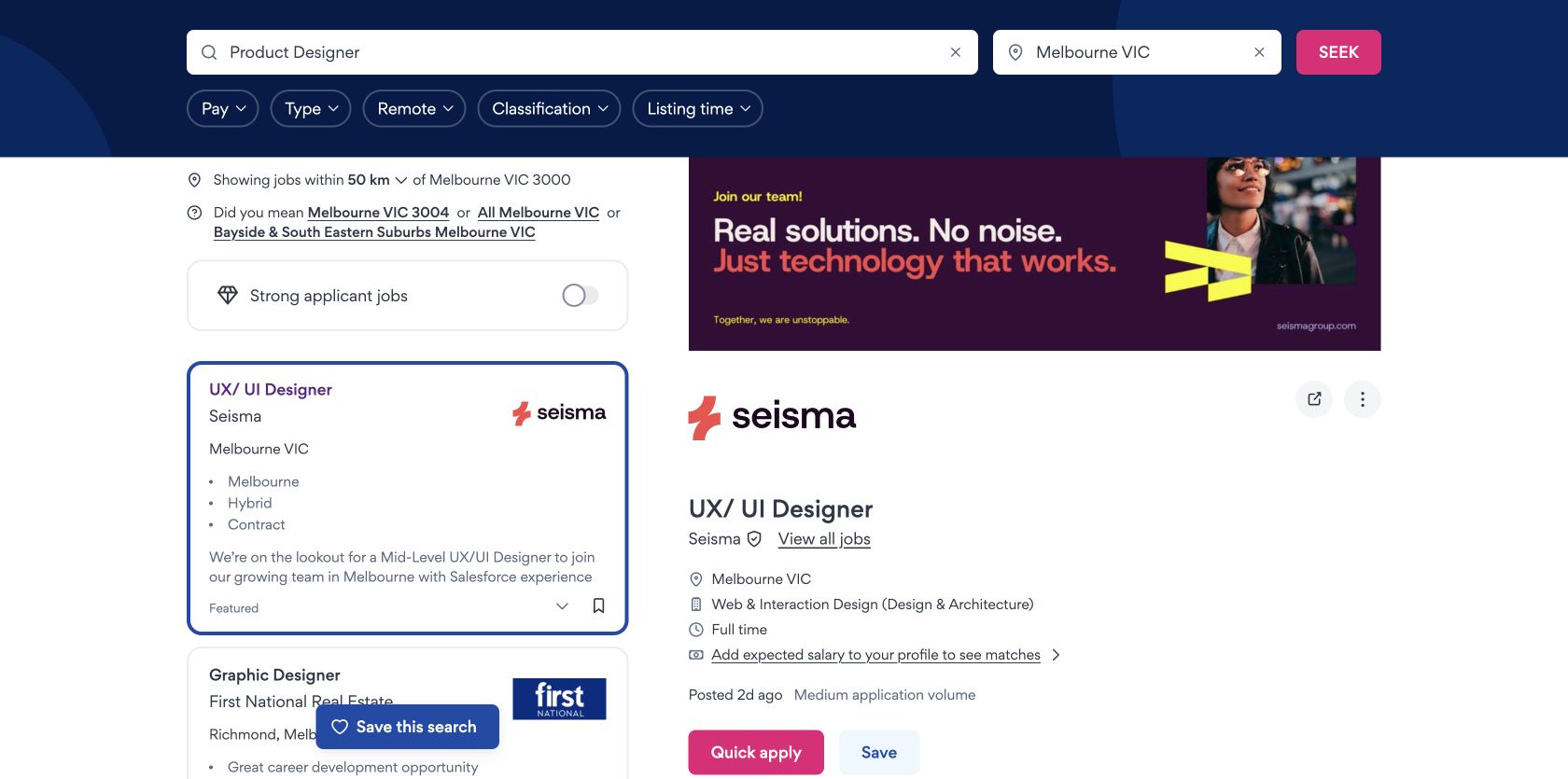
SEEK’s first featured result was related rather than exact: UX/UI Designer at Seisma. The card disclosed Melbourne, hybrid and contract in its highlights, while the detail pane classified it as full-time Web & Interaction Design. “Contract” and “Full time” can both be true, but the relationship was not explained and forced interpretation.
Round winner / Indeed
The first result matched the requested title and location, and the split view made rapid comparison easier.
SEEK exposed more application conditions before the form
SEEK’s job view named the employer, location, classification, work type, posting age and medium application volume. It also previewed the role’s three employer questions: Australian work rights, years of UX/UI experience and notice period. A fraud warning told applicants not to provide bank or credit-card details.
Indeed’s REA Group page supplied a substantive description, responsibilities and experience requirements, then linked to role and company salary pages and employer reviews. Those research links were valuable, but the application questions and required documents were not visible before the handoff.
Round winner / SEEK
Employer questions, application volume and the safety warning reduced uncertainty before Quick apply.
“Apply on company site” still required an Indeed account
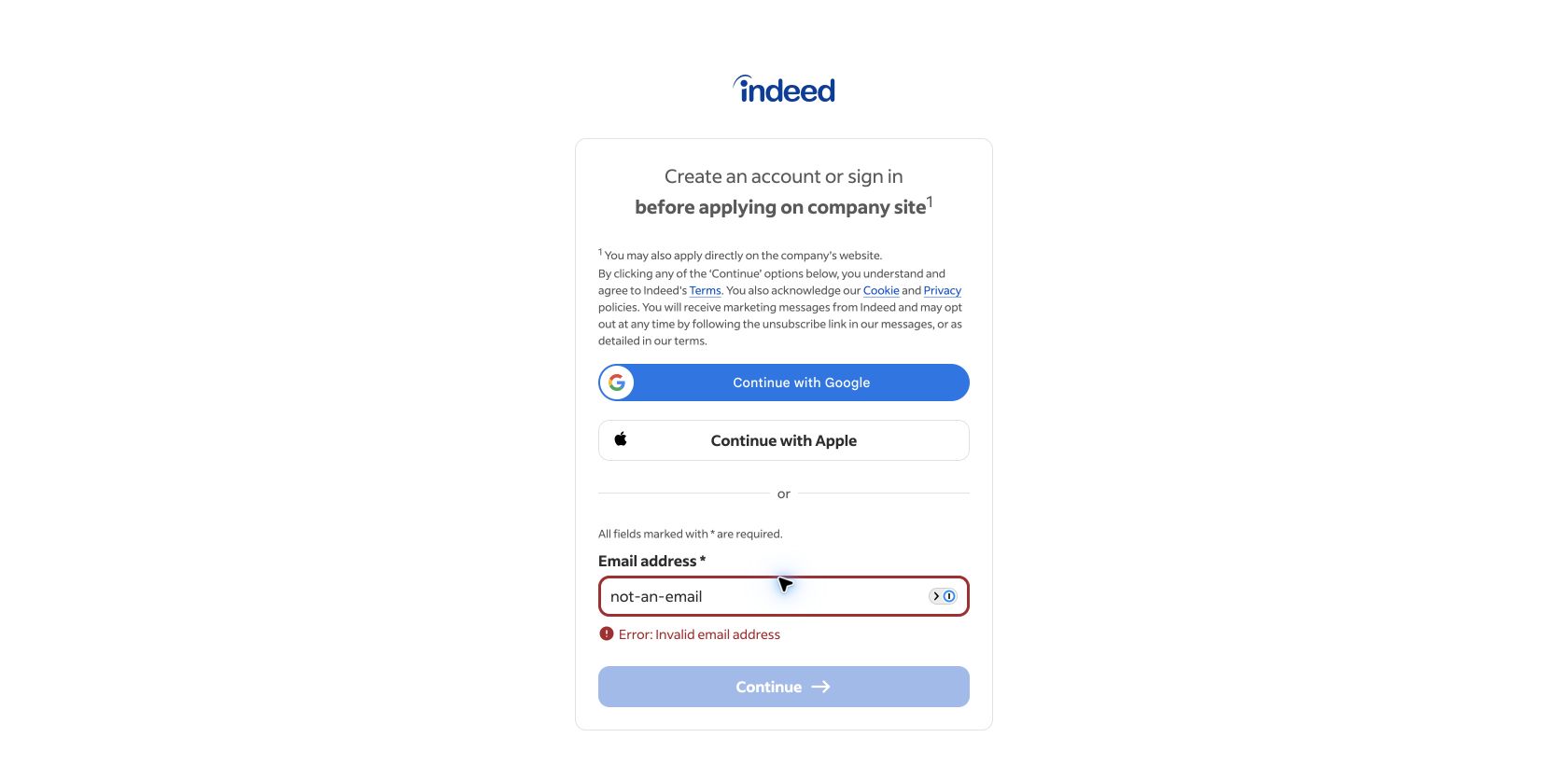
Indeed’s primary action sounded like a direct external handoff. Instead, it opened a new tab asking the candidate to create an Indeed account or sign in before applying on the company site. A footnote said the candidate could apply directly on the company website, but it did not provide that direct link in the observed gate.
SEEK opened a four-stage application flow: Choose documents, Answer employer questions, Update SEEK Profile, then Review and submit. Because the browser was already signed in, personal details and a saved résumé were available; those private fields were not captured or reproduced. Selecting Continue without choosing a cover-letter option produced a summary stating “Cover letter – Please make a selection” and kept the relevant controls available.
Indeed’s recovery was also clear: “Error: Invalid email address” appeared directly below the field and Continue became unavailable. Both systems preserved progress. The application starts are not a fair speed comparison because one session was authenticated and the other was not.
Round edge / SEEK
The staged progress and early document question made the signed-in path understandable. No overall speed winner is assigned.
Both origins met the Core Web Vitals thresholds
These 75th-percentile Chrome UX Report figures cover qualifying public pages across each Australian origin on phones from 27 August to 23 September 2026. Their scope is broader than the search, listing and application screens tested above. Both origins were inside the good thresholds for loading, interaction and layout stability, with Indeed slightly ahead on all three values.
The available mobile PageSpeed checks covered SEEK’s public home/search shell and an Indeed search route rather than both exact selected jobs. SEEK scored 85 for accessibility and 81 for best practices; the audit flagged unnamed controls, heading order and ARIA-role mismatches. Indeed scored 100 and 92, with console, source-map and DevTools issues plus render-blocking search CSS. These automated checks are investigation leads, not WCAG conformance claims.
All ten Nielsen usability heuristics
State the search boundary and application stage.
SEEK exposed its 50km radius and four-step application; Indeed showed the selected card but hid the account handoff until Apply.
Make job type terms reconcile.
SEEK’s card used “Contract” while the detail used “Full time”, without explaining duration versus hours.
Provide the direct company route.
Indeed mentioned direct application in a footnote but made its own sign-in the available path.
Make Apply labels describe the next screen.
“Apply on company site” should not first mean “create an Indeed account”.
Preview requirements before commitment.
SEEK listed employer questions and warned against sharing financial details before the application.
Keep list and job context together.
Both split views reduced back-and-forth and preserved the active result while details were read.
Use profile shortcuts without hiding public access.
SEEK’s signed-in skill match and saved documents accelerated preparation; Indeed supported social sign-in but blocked the direct handoff.
Keep promoted relevance accountable.
SEEK’s featured placement dominated the first result even though an exact Product Designer role existed lower in the list.
Summarise the issue and keep the correction local.
SEEK named the missing cover-letter selection; Indeed identified the invalid email beside the field.
Expose application conditions and research evidence.
SEEK previewed questions and safety guidance; Indeed added employer reviews and salary research.
What we would change first
Send “Apply on company site” directly to the employer.
What
Make the primary action open the employer page; offer Indeed sign-in as an optional preparation shortcut.
Where
External-application job pages and the new-tab intercept.
Why
The current label sets an expectation the next screen breaks.
Measure
Handoff completion, sign-in exits and direct-employer application starts.
Protect exact-title relevance above promoted breadth.
What
Require promoted results to meet a strong title-intent threshold or label why a related role appears first.
Where
The first search-result position.
Why
“Product Designer” returned a featured UX/UI Designer ahead of exact-title roles.
Measure
First-card opens, immediate skips, query reformulations and application starts.
Separate contract duration from weekly work type.
What
Use labelled fields such as “Employment term: contract” and “Hours: full-time”.
Where
Cards, detail summaries and filter chips.
Why
Contract and full-time appeared as if they conflicted.
Measure
Job-type filter changes, detail exits and clarification contacts.
Fix unnamed controls and heading structure.
What
Name interactive controls, repair ARIA role/attribute pairings and use sequential headings.
Where
The shared public home and search components.
Why
The mobile PageSpeed accessibility score was 85 and named these structural defects.
Measure
Automated violations, keyboard completion and screen-reader task tests.
What this public comparison cannot see
Listings, rankings and application routes can change quickly. We inspected different employers and stopped before submitting either application. The signed-in SEEK session and signed-out Indeed session make application speed non-comparable; no private SEEK profile data is reproduced here.
We cannot say which marketplace produces better candidates or hires. With search, application and employer outcome data, UX Robot could measure query refinement, result relevance, document errors, application completion and qualified-hire progression.